> ## Documentation Index
> Fetch the complete documentation index at: https://ona.com/docs/llms.txt
> Use this file to discover all available pages before exploring further.
# Using Private VPC Resolvers
To enable your Enterprise instance (and thus your workspaces) to resolve domains that are managed via a private DNS zone, please follow these steps:
1. Navigate to Route53 and the hosted Zone managing the domains you want the Gitpod instance to be able to route to. Navigate to the configuration section of the hosted zone. If you are creating a new zone, this will be the first screen shown.
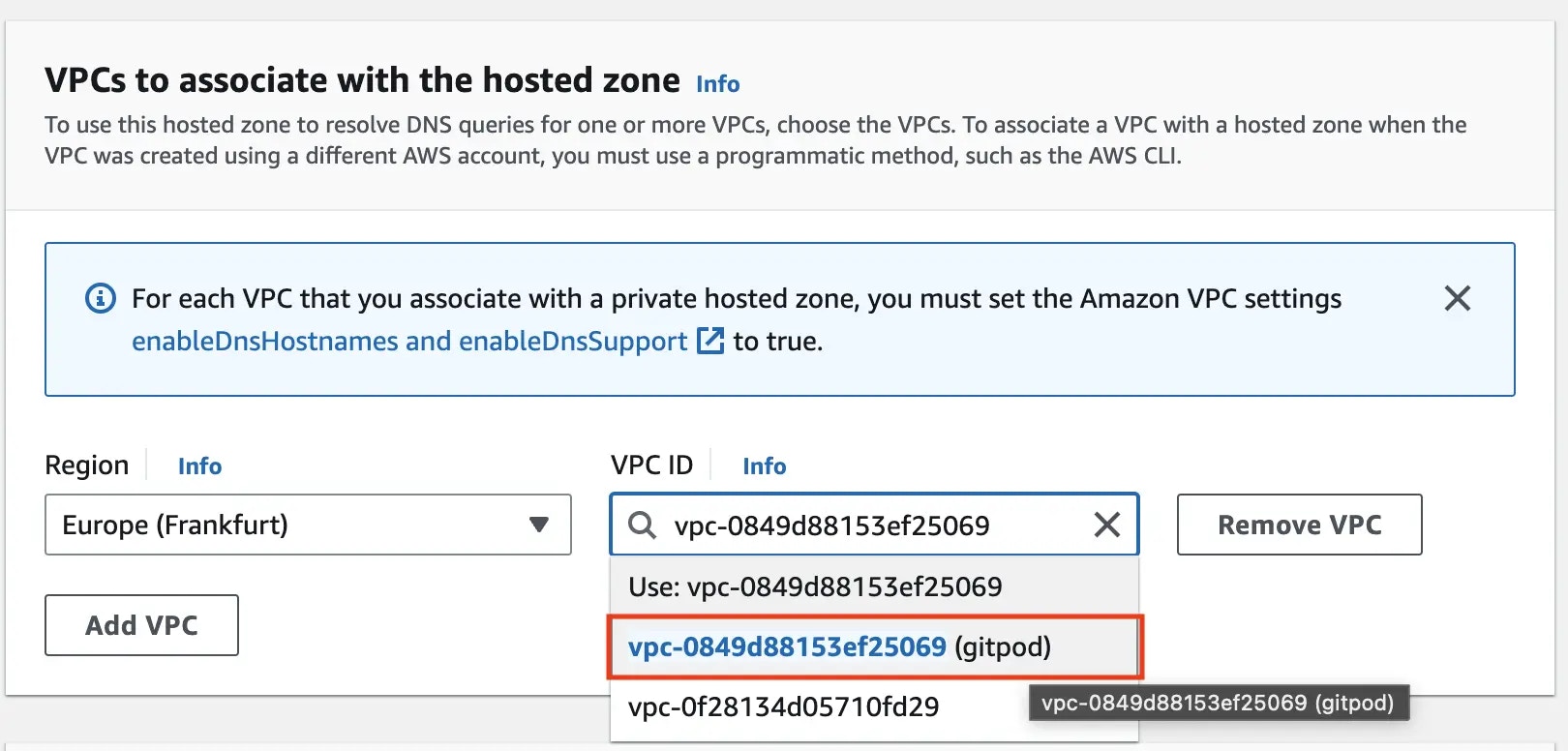
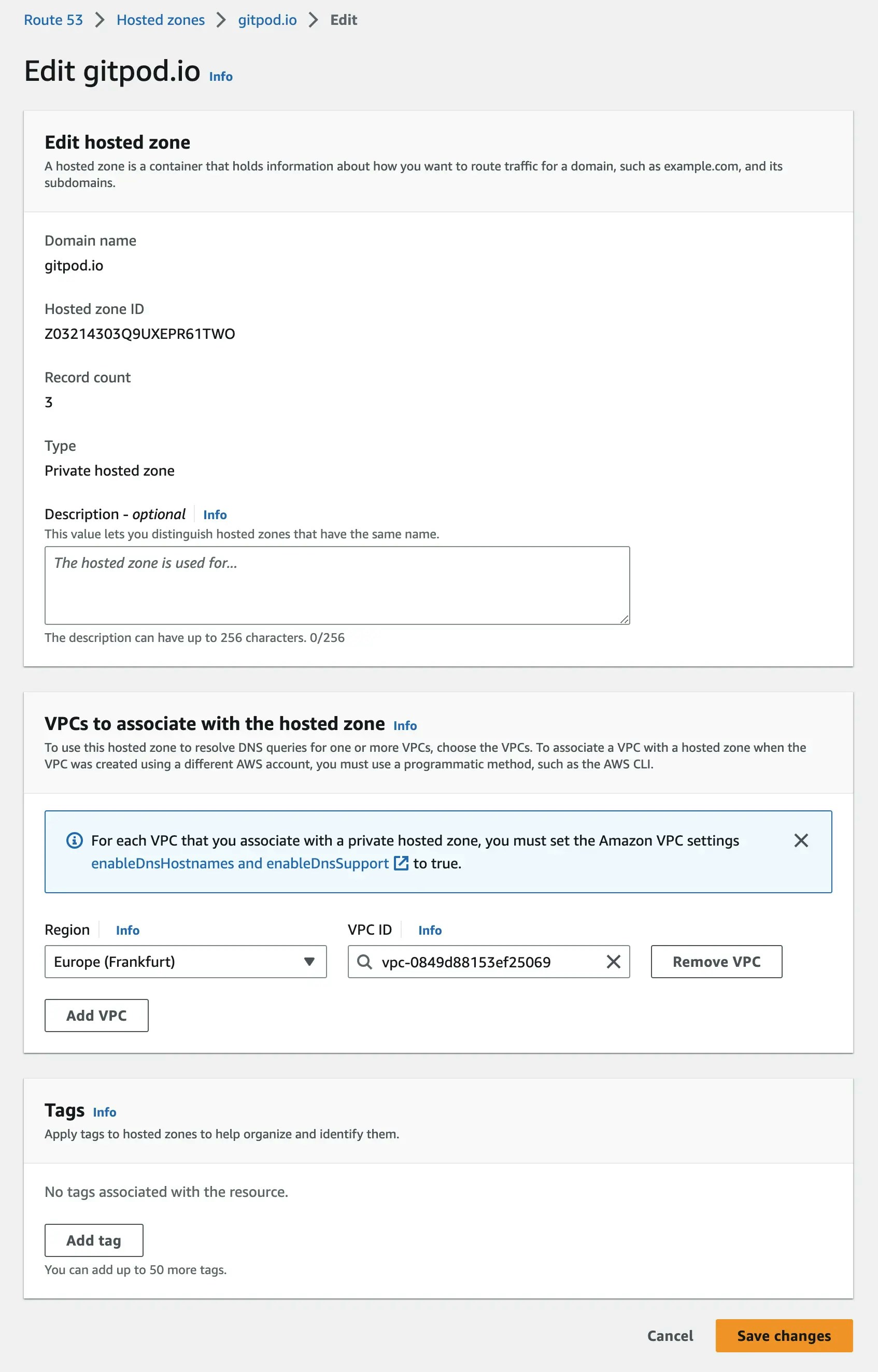 2. Add the Gitpod VPC to the “VPCs to associate with the hosted zone”. If you want to reconfigure an existing existing zone, you will need to do this via the AWS CLI.
 3. The Gitpod VPC, and thus the Gitpod instance and workspaces should now be able to resolve all of the private DNS records that the hosted Zone has access to.