> ## Documentation Index
> Fetch the complete documentation index at: https://ona.com/docs/llms.txt
> Use this file to discover all available pages before exploring further.
# Azure DevOps
Gitpod offers built-in Azure DevOps support, allowing you to work with your Azure DevOps repositories in Gitpod seamlessly.
## Registering an Azure DevOps Integration
To integrate Azure DevOps with Gitpod, you need to create a new integration in your Gitpod organization settings and register an application in Azure Active Directory. The process is as follows:
Create a **New Integration** with Azure DevOps under Organization Settings > Git Providers. Provide `dev.azure.com` as the **Provider Host Name** and copy the **Redirect URI** from the form.
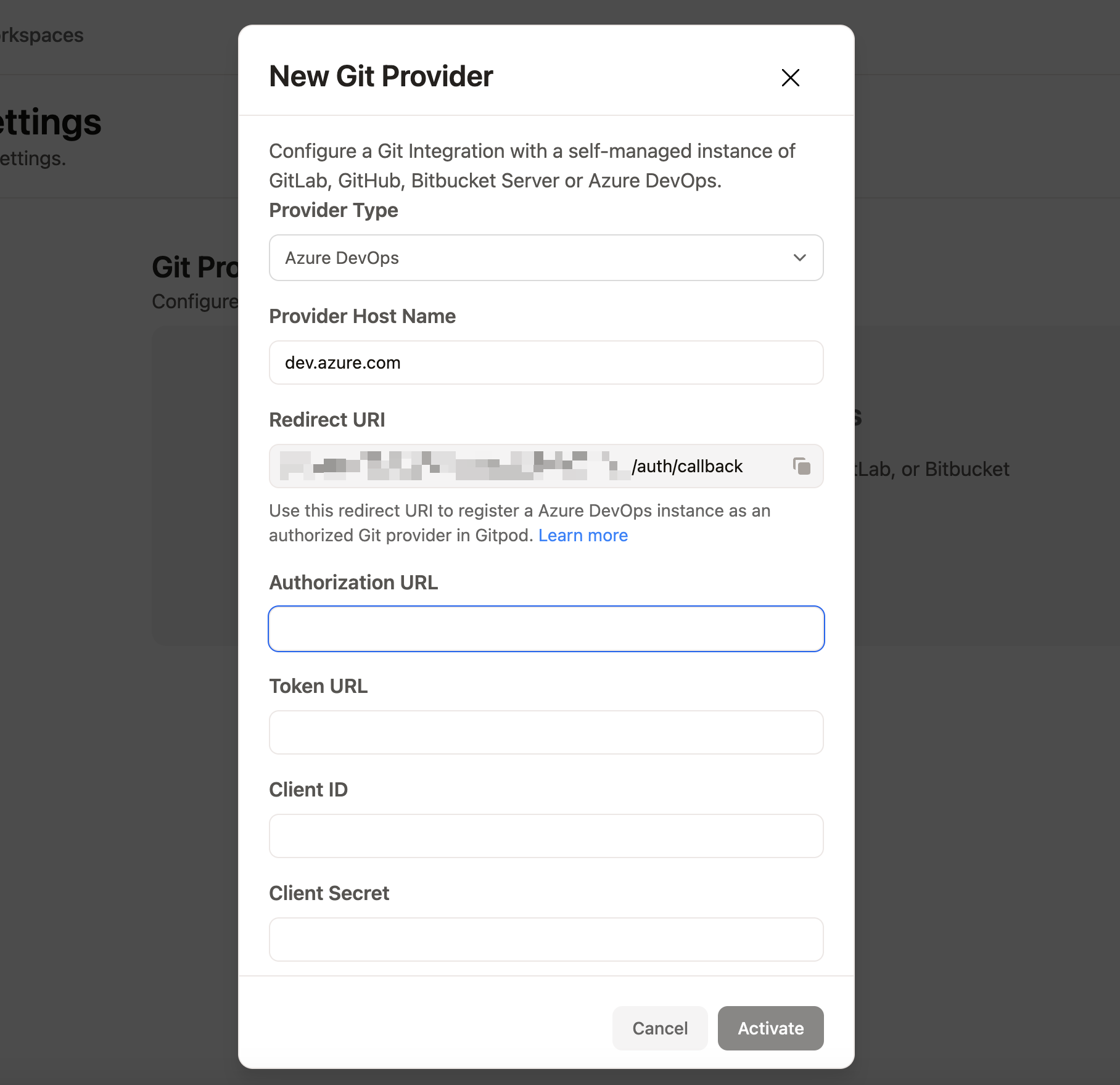 Go to the [Azure Portal](https://portal.azure.com), sign in, and navigate to the [Microsoft Extra ID](https://portal.azure.com/#blade/Microsoft_AAD_IAM/ActiveDirectoryMenuBlade) page.
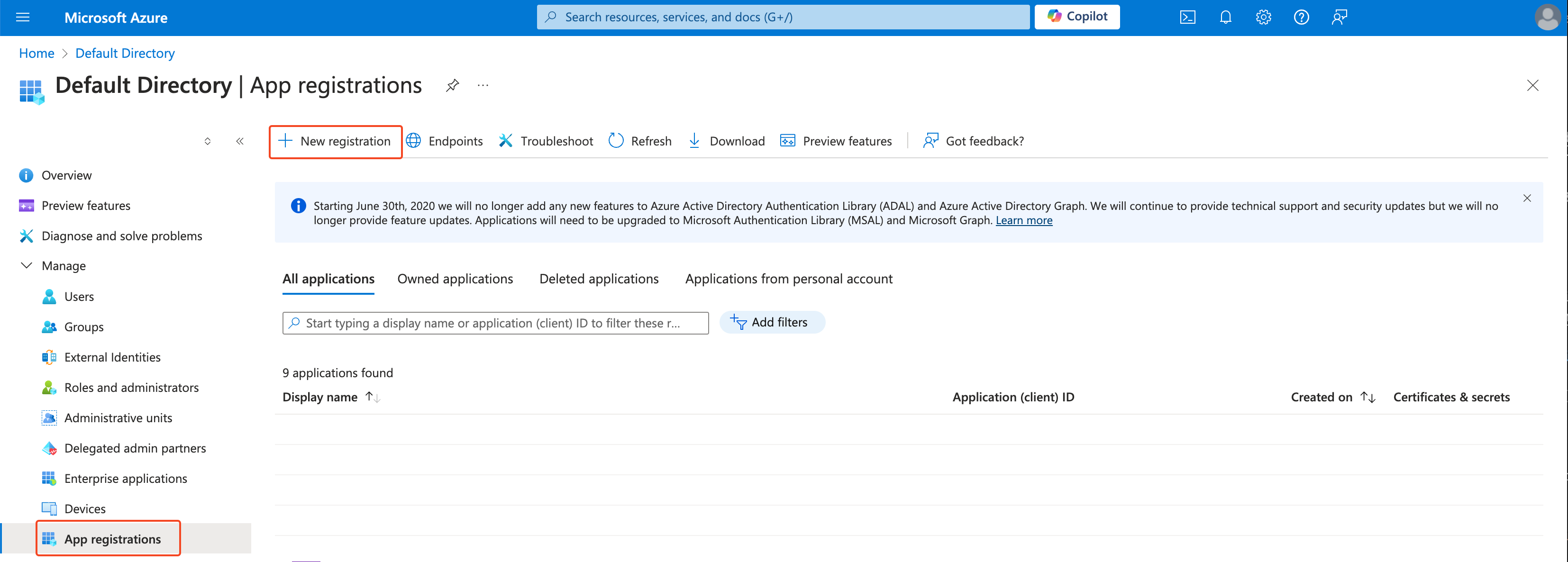
Under the left sidebar, select Manage > **App registrations** and click on **New registration** (you can also find your existing app registration under the **All applications** tab)
Go to the [Azure Portal](https://portal.azure.com), sign in, and navigate to the [Microsoft Extra ID](https://portal.azure.com/#blade/Microsoft_AAD_IAM/ActiveDirectoryMenuBlade) page.
Under the left sidebar, select Manage > **App registrations** and click on **New registration** (you can also find your existing app registration under the **All applications** tab)
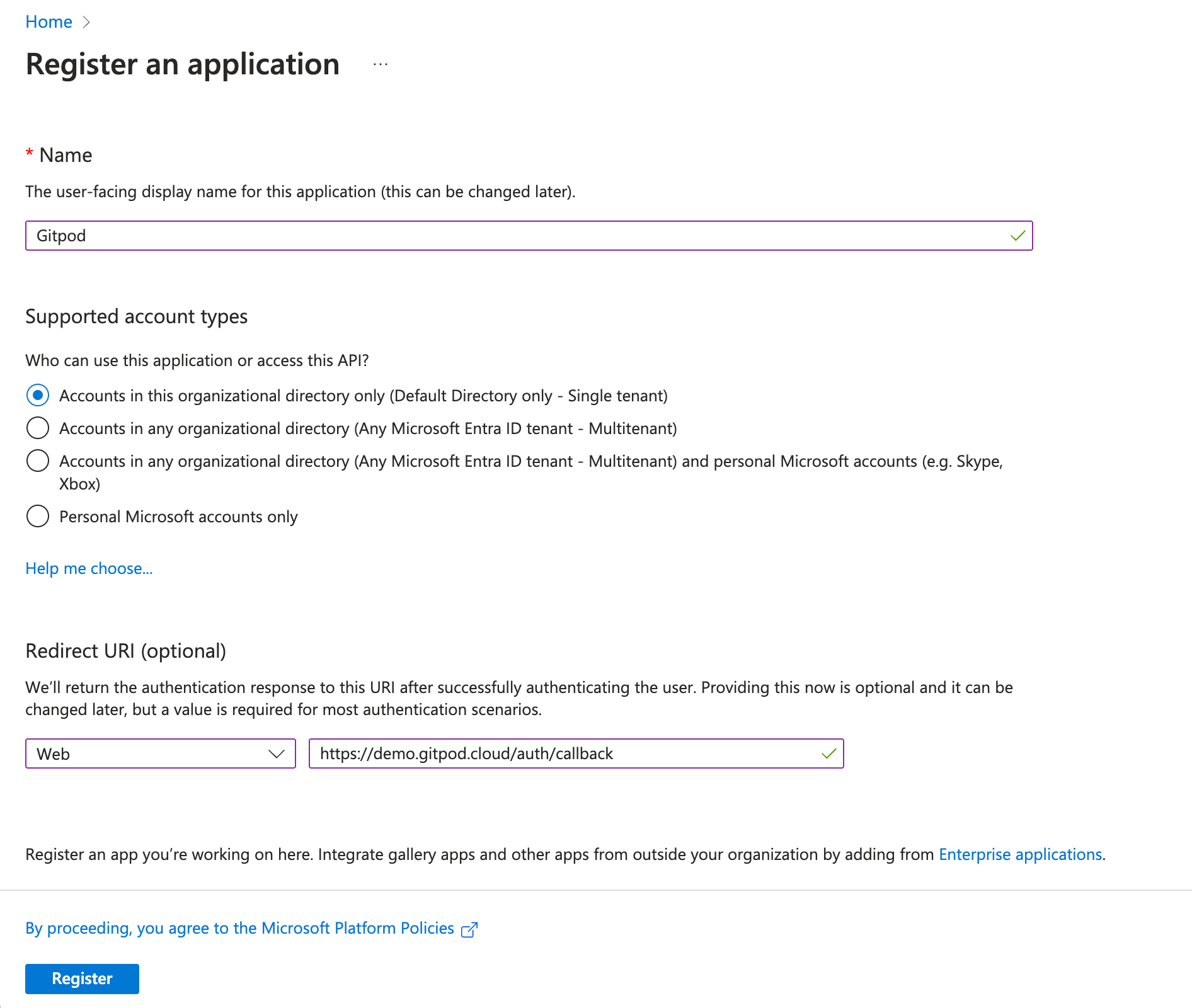
 Enter `Gitpod` in the **Name** field, select **Web** as the platform, and fill in the Redirect URI with the value you copied from the Gitpod Dashboard. You can modify the Redirect URI later in the Authentication tab if needed.
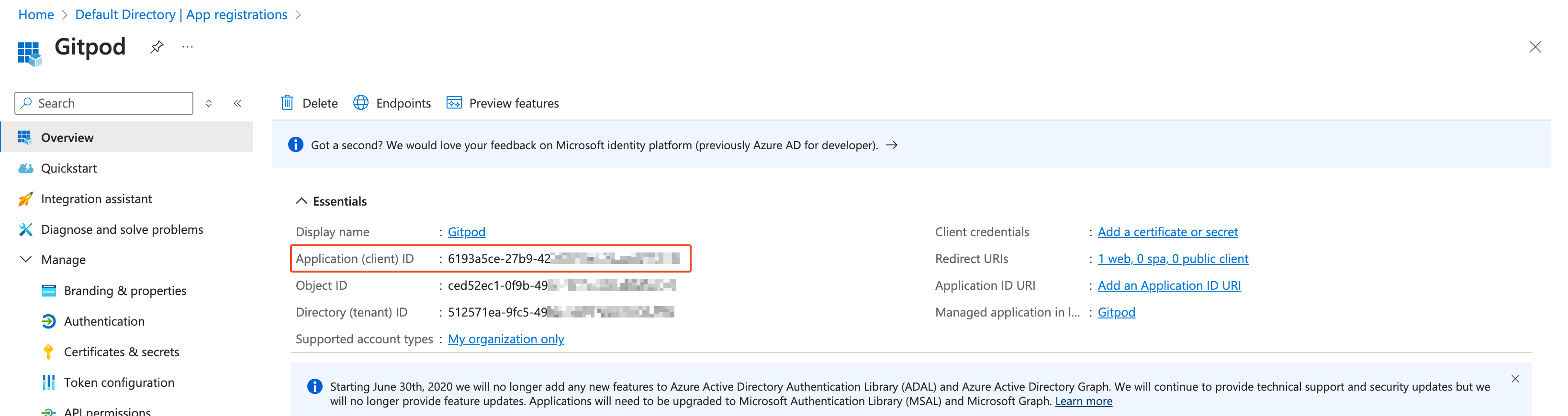
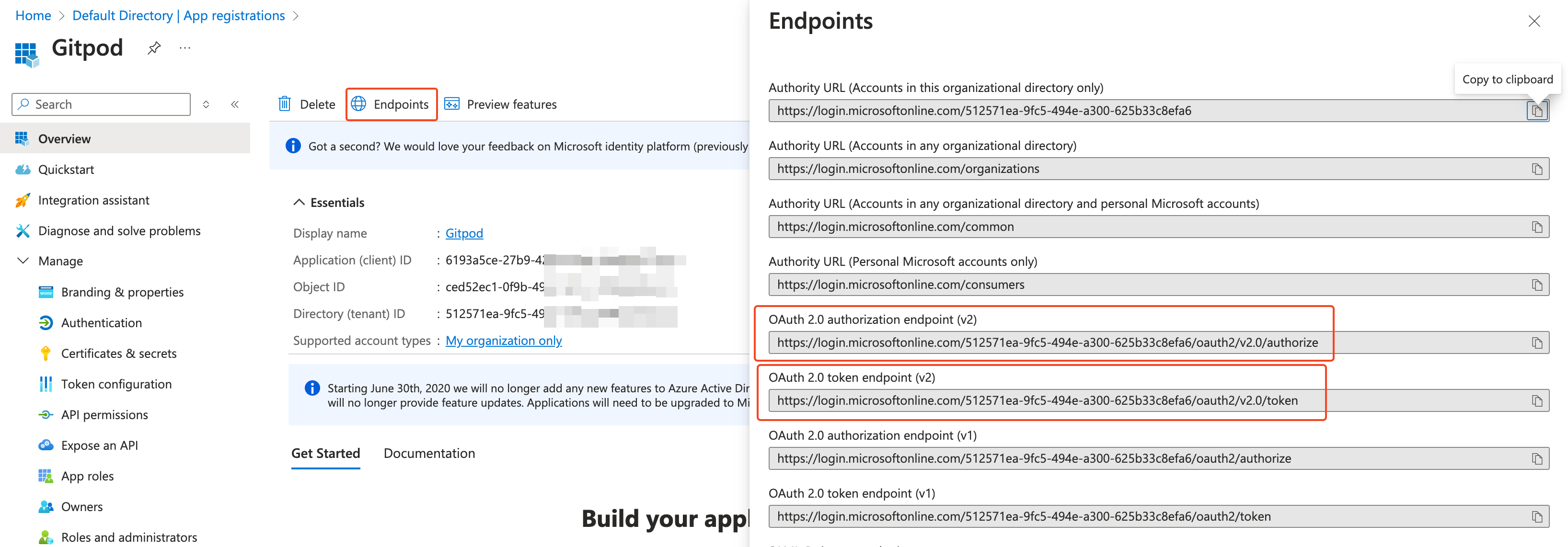
 Navigate to the application you just created, where you'll find the **Application (client) ID** on the app's overview page. Retrieve the **OAuth 2.0 token endpoint** and **OAuth 2.0 authorization endpoint** from the **Endpoints** section.
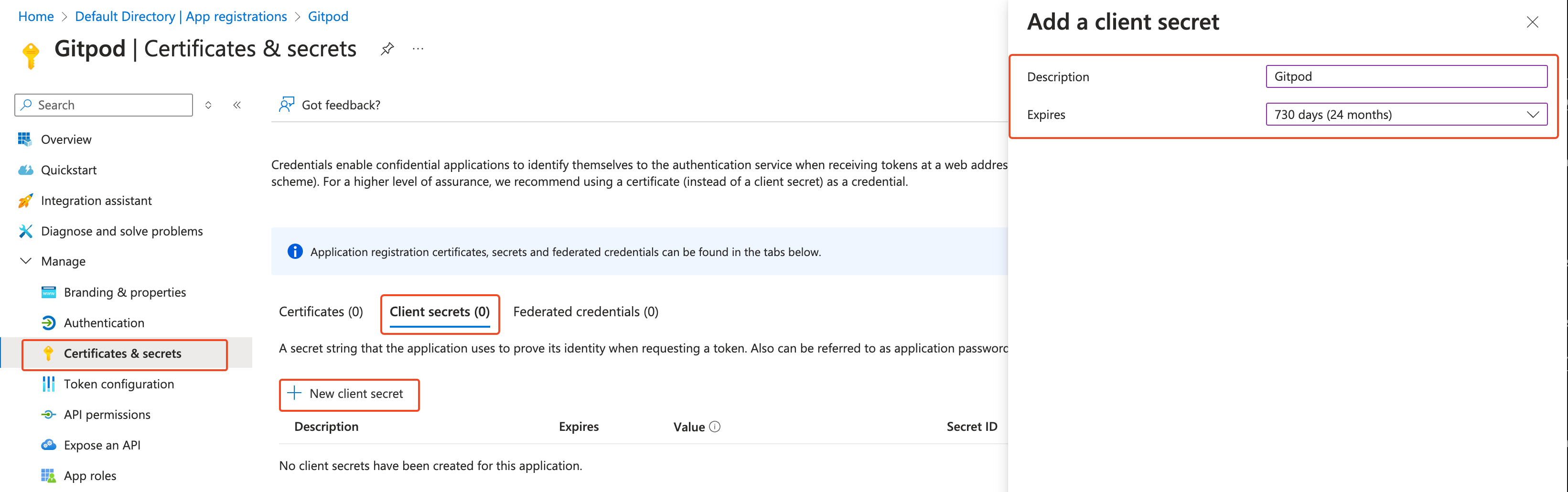
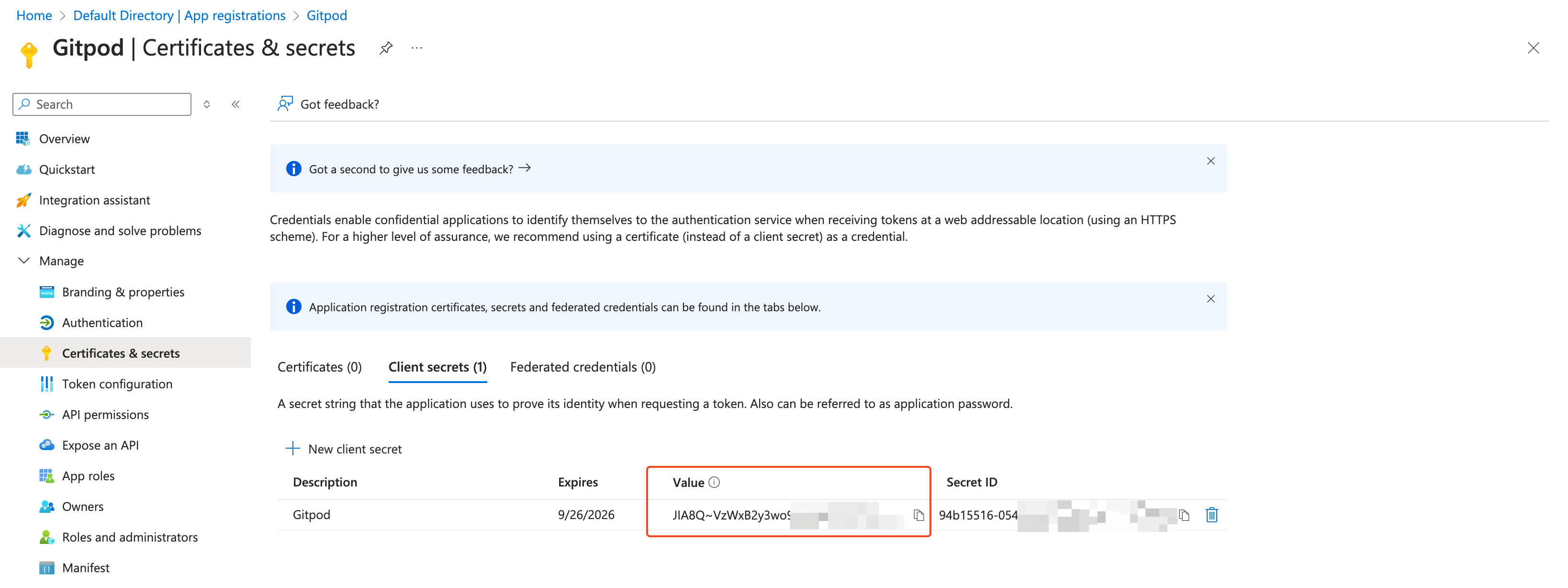
 Navigate to Manage > **Certificates & secrets** and create a new client secret (**Client secrets** > **New client secret**). Then, copy the **Value** and **Client secret**.
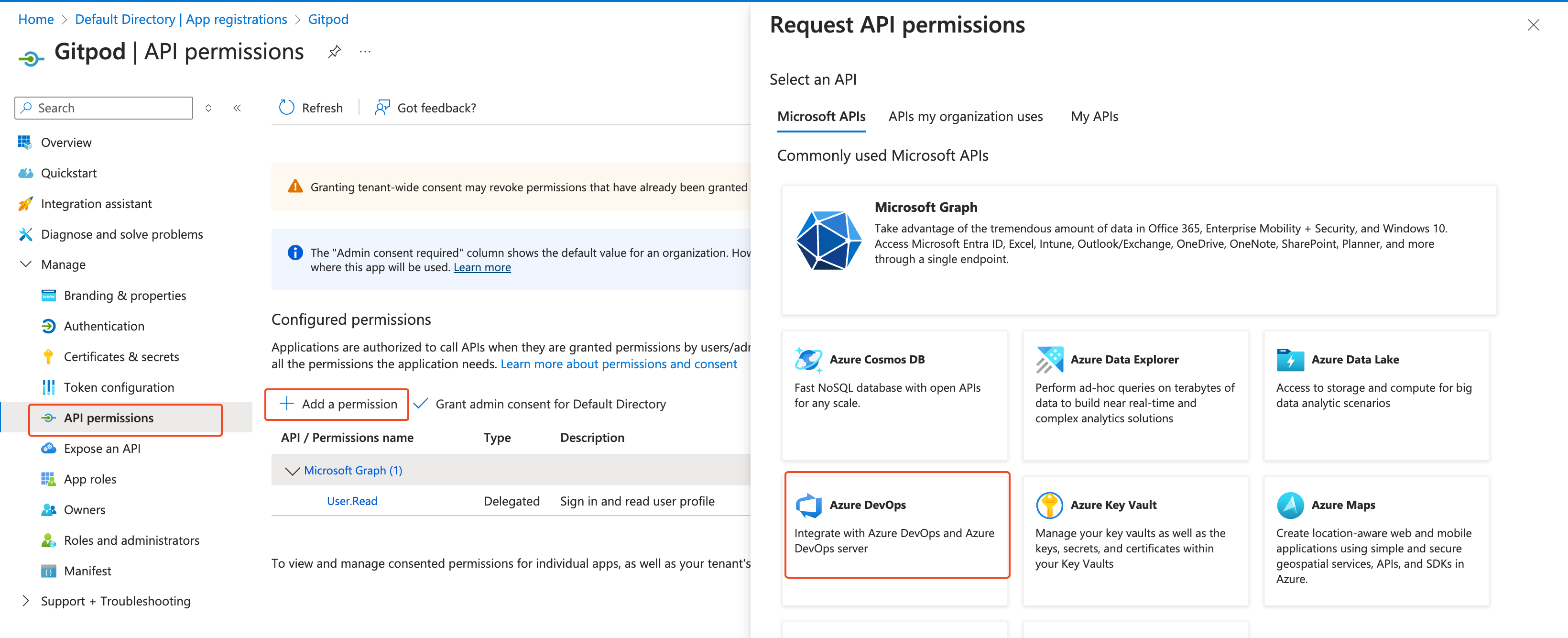
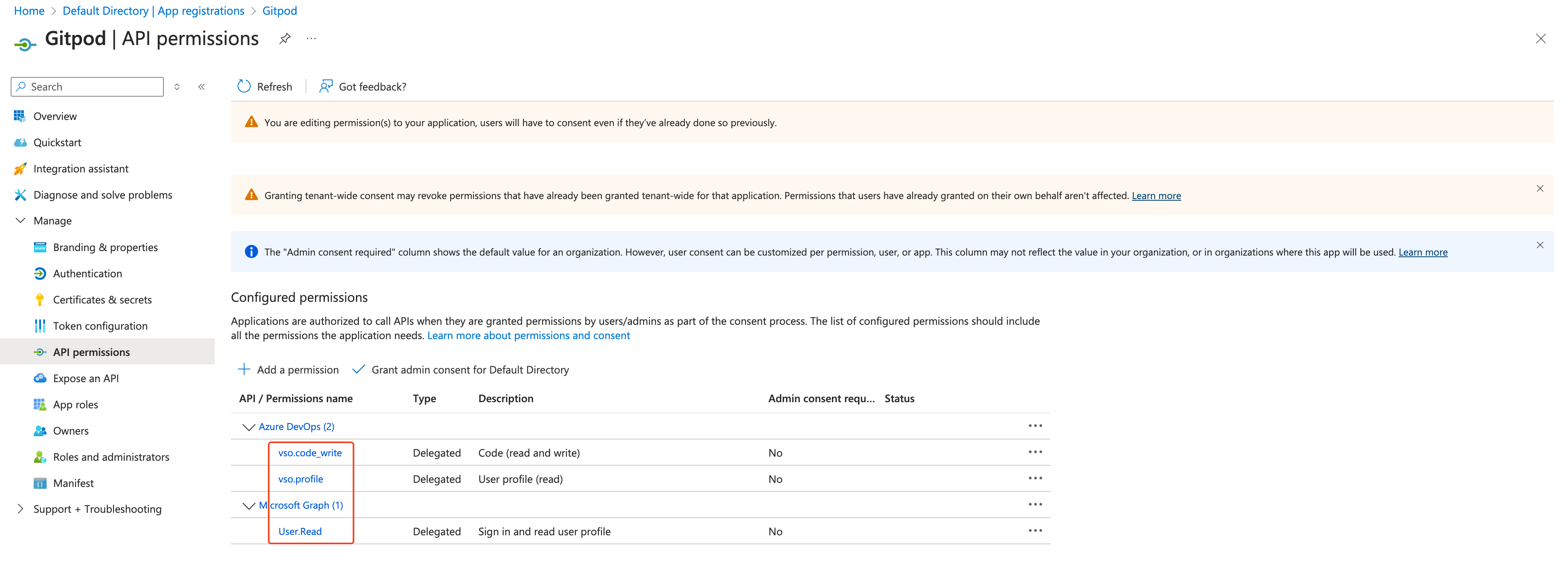
 Go **API permissions** and add the following Azure DevOps permissions:
* `vso.code_write`
* `vso.profile` (`User.Read` is required and selected by default)
Go **API permissions** and add the following Azure DevOps permissions:
* `vso.code_write`
* `vso.profile` (`User.Read` is required and selected by default)
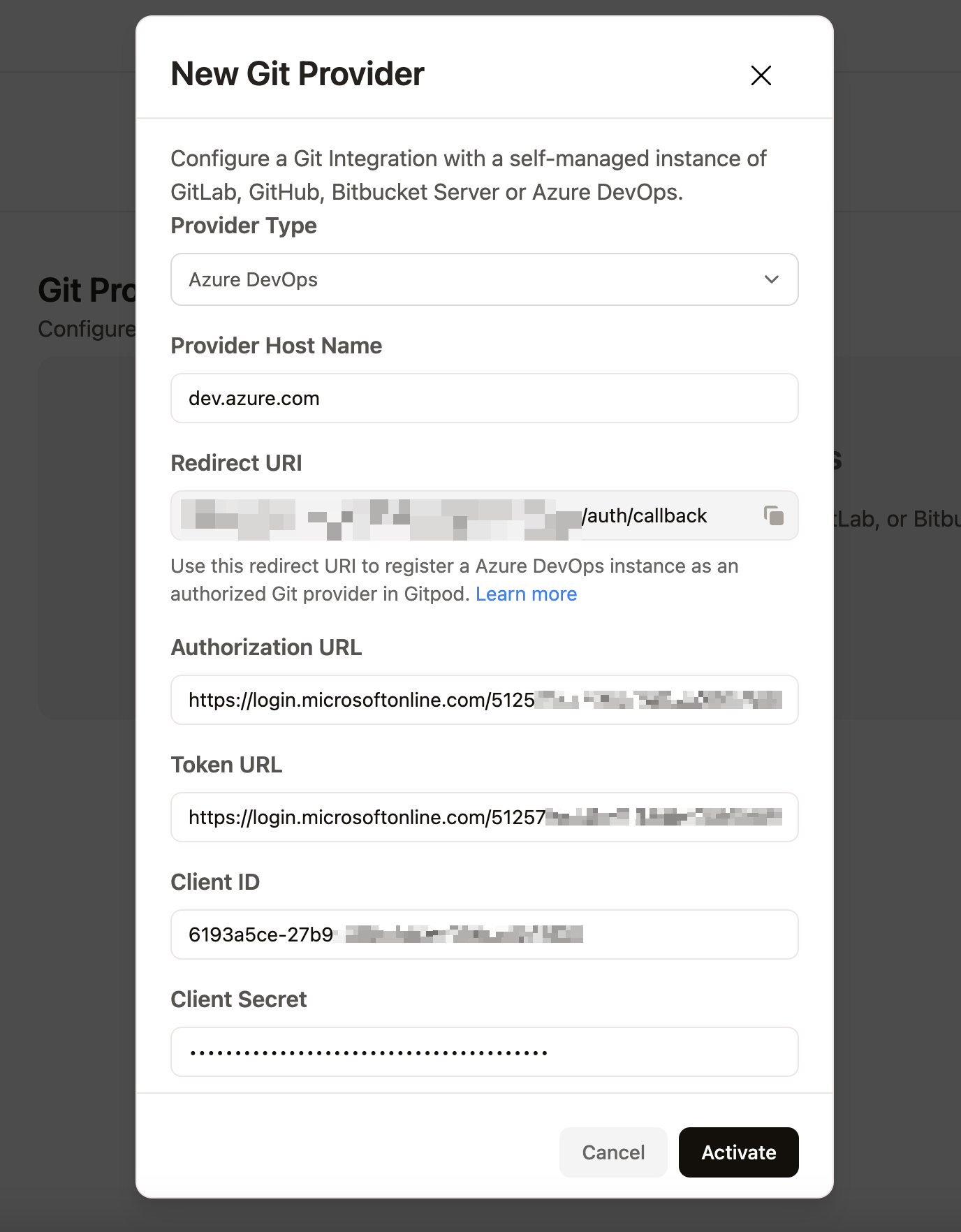
 Back in the Gitpod organization's git integrations settings, fill in the following:
* **Authorization URL**: (authorization endpoint)
* **Token URL**: (token endpoint)
* **Client ID**: (Application (client) ID)
* **Client Secret**
After entering these details, activate the integration.
Back in the Gitpod organization's git integrations settings, fill in the following:
* **Authorization URL**: (authorization endpoint)
* **Token URL**: (token endpoint)
* **Client ID**: (Application (client) ID)
* **Client Secret**
After entering these details, activate the integration.
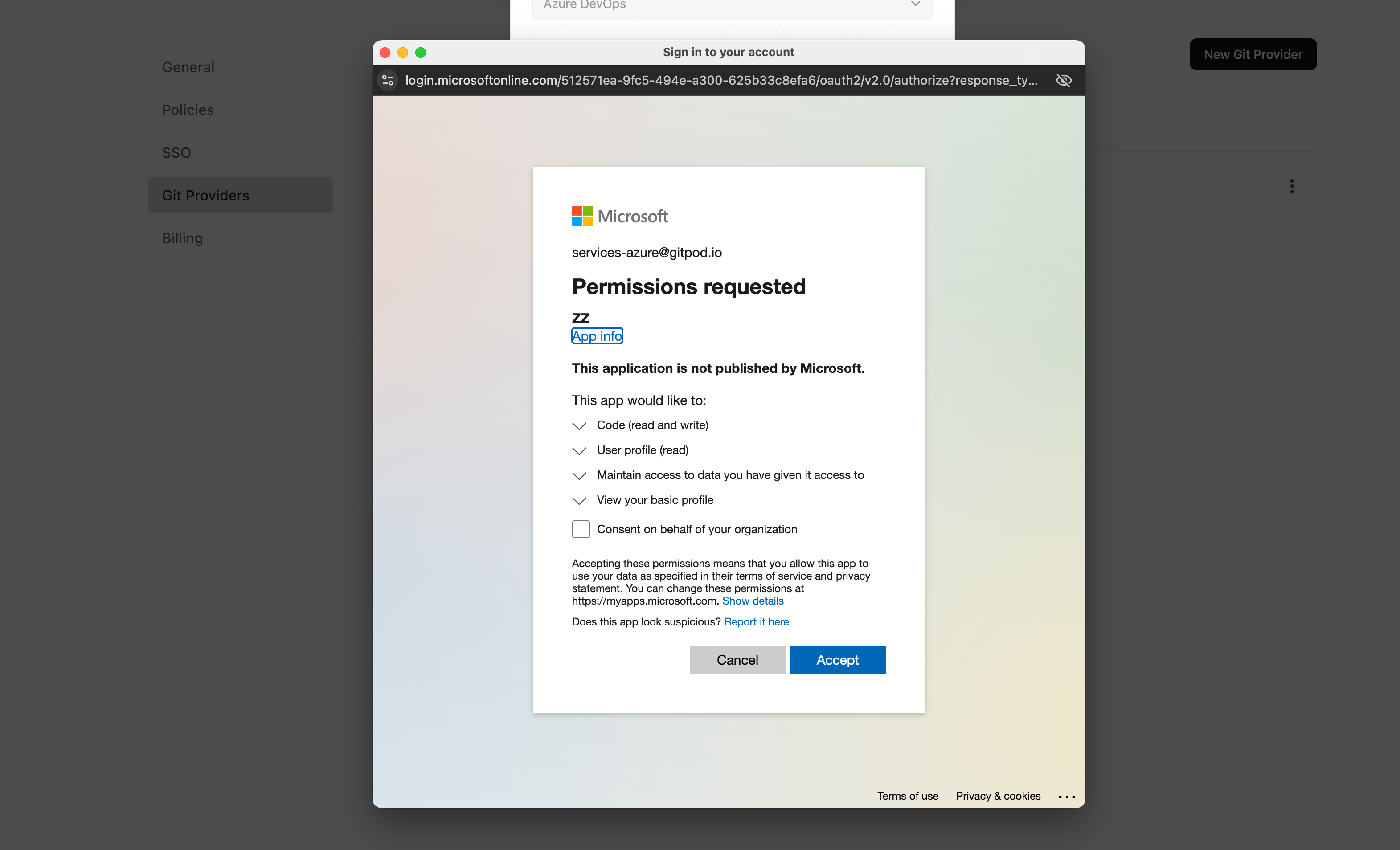
 Activate the integration, and you should see an Azure connection request prompt. Once approved, the integration will be saved and available in your Gitpod organization.
 ## Starting with Azure DevOps Integration
For more details, see the [Azure DevOps integration](/classic/user/integrations/azure-devops) documentation.
## Starting with Azure DevOps Integration
For more details, see the [Azure DevOps integration](/classic/user/integrations/azure-devops) documentation.