> ## Documentation Index
> Fetch the complete documentation index at: https://ona.com/docs/llms.txt
> Use this file to discover all available pages before exploring further.
# Browser Bookmarklet
Creating a workspace is as easy as prefixing any GitHub URL with `gitpod.io/#`.
For convenience, we developed a Gitpod browser bookmarklet as an alternative to [installing our browser extension](/classic/user/configure/user-settings/browser-extension) that does the
prefixing for you - as simple as that.
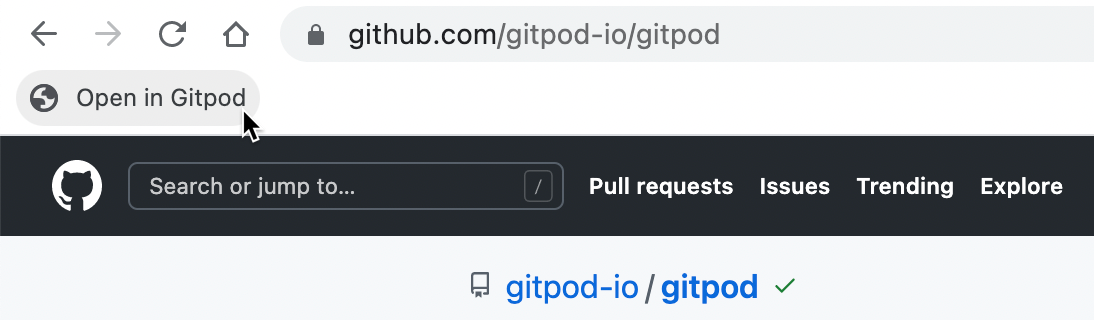
1. Drag the following image to your bookmark bar.
 2. Select all of the code below and then copy it to your clipboard.
```javascript theme={null}
javascript: (() => {
'use strict';
(function () {
for (
var t = document.getElementsByTagName('meta'), n = 0;
n < t.length;
n++
) {
var o = t[n];
if (o.content.toLowerCase().includes('gitlab')) return !0;
if ('hostname' === o.name && o.content.includes('github'))
return !0;
if (
'application-name' === o.name &&
o.content.toLowerCase().includes('bitbucket')
)
return !0;
}
return !1;
})() &&
window.open(
('https://gitpod.io',
'https://gitpod.io/#' +
(window.location.protocol + '//' + window.location.host) +
window.location.pathname),
);
})();
```
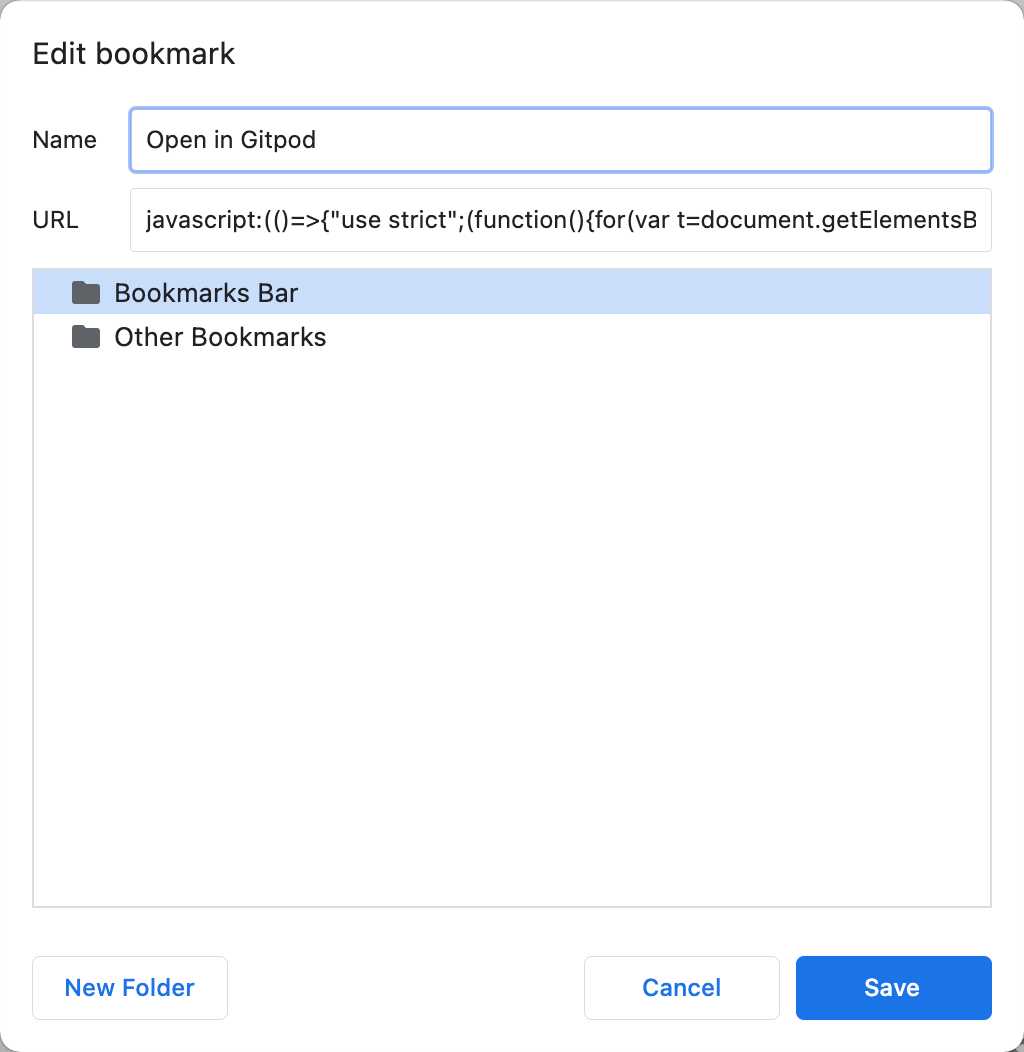
3. Right-click edit the bookmark and replace the contents of the URL field with the code that is in your clipboard:
2. Select all of the code below and then copy it to your clipboard.
```javascript theme={null}
javascript: (() => {
'use strict';
(function () {
for (
var t = document.getElementsByTagName('meta'), n = 0;
n < t.length;
n++
) {
var o = t[n];
if (o.content.toLowerCase().includes('gitlab')) return !0;
if ('hostname' === o.name && o.content.includes('github'))
return !0;
if (
'application-name' === o.name &&
o.content.toLowerCase().includes('bitbucket')
)
return !0;
}
return !1;
})() &&
window.open(
('https://gitpod.io',
'https://gitpod.io/#' +
(window.location.protocol + '//' + window.location.host) +
window.location.pathname),
);
})();
```
3. Right-click edit the bookmark and replace the contents of the URL field with the code that is in your clipboard:
 4. Done! Next time you are viewing a repository on GitHub, GitLab or Bitbucket press the bookmarklet to open the repository in Gitpod.
## Use with Gitpod Enterprise
If you're using Gitpod Enterprise, you can still use the browser bookmarklet by simply replacing the `gitpod.io` URL with your Enterprise URL in the bookmarklet's code.
```javascript theme={null}
window.open(("https://gitpod.io","https://gitpod.io/#
```
## Source Code
Gitpod's browser bookmarklet is open source. You can check out its [source code](https://github.com/gitpod-io/browser-bookmarklet), or even open it in Gitpod:
[](https://gitpod.io/#https://github.com/gitpod-io/browser-bookmarklet)
4. Done! Next time you are viewing a repository on GitHub, GitLab or Bitbucket press the bookmarklet to open the repository in Gitpod.
## Use with Gitpod Enterprise
If you're using Gitpod Enterprise, you can still use the browser bookmarklet by simply replacing the `gitpod.io` URL with your Enterprise URL in the bookmarklet's code.
```javascript theme={null}
window.open(("https://gitpod.io","https://gitpod.io/#
```
## Source Code
Gitpod's browser bookmarklet is open source. You can check out its [source code](https://github.com/gitpod-io/browser-bookmarklet), or even open it in Gitpod:
[](https://gitpod.io/#https://github.com/gitpod-io/browser-bookmarklet)