> ## Documentation Index
> Fetch the complete documentation index at: https://ona.com/docs/llms.txt
> Use this file to discover all available pages before exploring further.
# Integrations
> Connect Ona to source control, work trackers, docs, incident tools, and cloud providers.
Ona integrations fall into three categories:
* **Source control** for cloning repositories, pushing commits, and letting agents interact with pull requests and issues
* **Tool integrations** for giving agents access to work trackers, docs, incident tools, and other MCP-backed services
* **Cloud access** for federating from environments into providers like AWS without long-lived credentials
This page is the overview. Use the linked setup guides for provider-specific steps.
## Source control
Source control is the foundational integration in Ona. It gives environments access to your repositories and lets agents work with the same permissions your developers already have.
* [Source control overview](/ona/source-control/overview)
* [GitHub & GitLab agent tools](/ona/agents/scm-tools)
Supported providers:
| Provider | Repo access | Agent API tools |
| ------------------------------------------------ | ----------- | --------------- |
| [GitHub](/ona/source-control/github) | Yes | Yes |
| [GitLab](/ona/source-control/gitlab) | Yes | Yes |
| [Bitbucket Cloud](/ona/source-control/bitbucket) | Yes | No |
| [Azure DevOps](/ona/source-control/azuredevops) | Yes | No |
## Tool integrations for agents
Most non-SCM integrations are exposed to agents through the [Model Context Protocol (MCP)](/ona/mcp). There are two distinct layers, and both must be in place before an agent can use a tool:
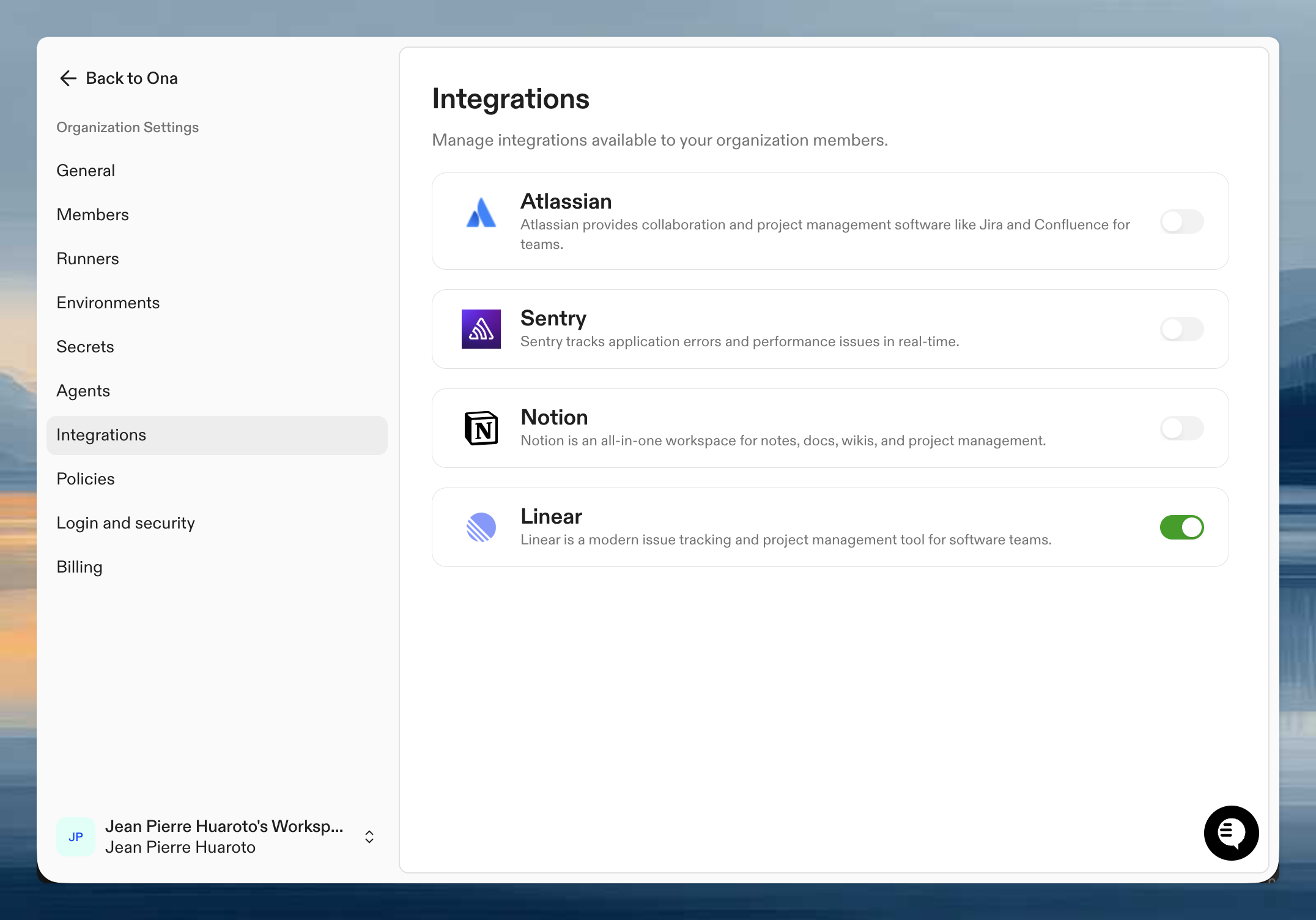
* **Organization integrations** are configured by an administrator in your organization settings. They turn an integration on for the org (e.g., "Linear is allowed in this organization") and provide the OAuth client and any shared configuration. Without this, the integration does not appear to users.
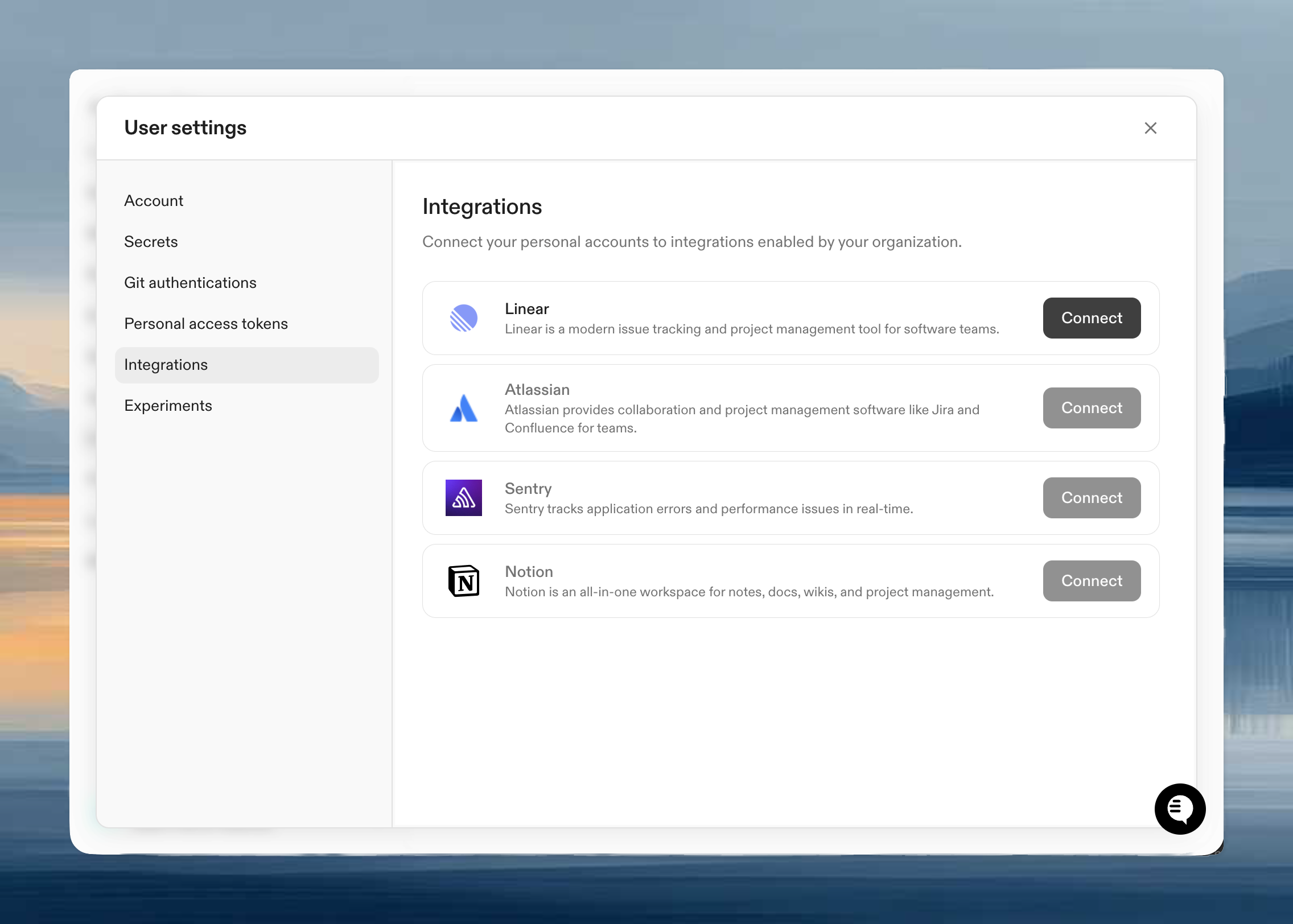
* **Principal authentication** happens after the org integration is enabled. Users connect personal accounts from **User Settings > Integrations**. Service accounts connect from the service account details page so automations can run with service-account credentials.
In short:
1. **Organization-level enablement** by an administrator
2. **User or service-account authentication** so the agent acts with the right identity
 Available integrations:
| Integration | What agents can do | Setup |
| ----------- | --------------------------------------------------------------------------------- | ------------------------------------------------------------ |
| Linear | Read issues, update status, use backlog context, and start sessions from an issue | [Configure Linear](/ona/integrations/configure-linear) |
| Slack | Mention Ona to start and follow agent sessions from a channel or DM | [Configure Slack](/ona/integrations/configure-slack) |
| Atlassian | Work with Jira and Confluence | [Configure Atlassian](/ona/integrations/configure-atlassian) |
| Notion | Search and read workspace docs | [Configure Notion](/ona/integrations/configure-notion) |
| Sentry | Inspect errors and issue context | [Configure Sentry](/ona/integrations/configure-sentry) |
| Granola | Search meeting notes and transcripts | [Configure Granola](/ona/integrations/configure-granola) |
| GitHub | Mention `@ona-agent` on a pull request to start an agent on the PR | [Configure GitHub](/ona/integrations/configure-github) |
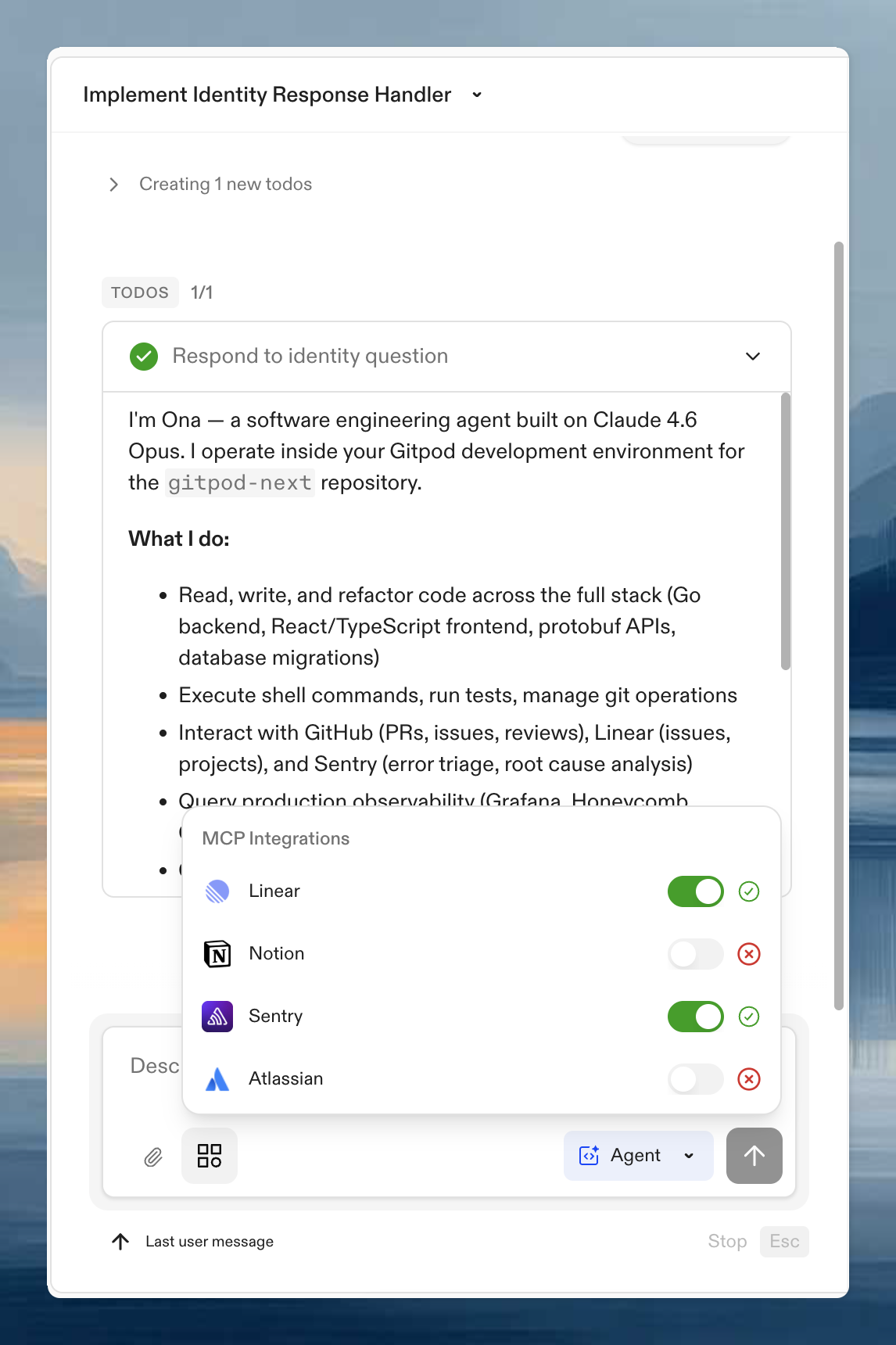
To check status during a session, open the **MCP Integrations** panel in the prompt input.
Available integrations:
| Integration | What agents can do | Setup |
| ----------- | --------------------------------------------------------------------------------- | ------------------------------------------------------------ |
| Linear | Read issues, update status, use backlog context, and start sessions from an issue | [Configure Linear](/ona/integrations/configure-linear) |
| Slack | Mention Ona to start and follow agent sessions from a channel or DM | [Configure Slack](/ona/integrations/configure-slack) |
| Atlassian | Work with Jira and Confluence | [Configure Atlassian](/ona/integrations/configure-atlassian) |
| Notion | Search and read workspace docs | [Configure Notion](/ona/integrations/configure-notion) |
| Sentry | Inspect errors and issue context | [Configure Sentry](/ona/integrations/configure-sentry) |
| Granola | Search meeting notes and transcripts | [Configure Granola](/ona/integrations/configure-granola) |
| GitHub | Mention `@ona-agent` on a pull request to start an agent on the PR | [Configure GitHub](/ona/integrations/configure-github) |
To check status during a session, open the **MCP Integrations** panel in the prompt input.
 ## Cloud access
Ona environments can also federate into cloud providers using short-lived credentials instead of static secrets.
* [OpenID Connect (OIDC)](/ona/configuration/oidc) for the core model
* [AWS access from Ona](/ona/integrations/aws) for the AWS-specific setup
GCP follows the same OIDC pattern described in the OIDC guide.
## Related tools
Some things that used to get lumped in as "integrations" are better understood as developer interfaces or launch methods:
* [CLI](/ona/integrations/cli)
* [Ona SDK](/ona/integrations/sdk)
* [Personal access tokens](/ona/integrations/personal-access-token)
* [Browser extension](/ona/integrations/browser-extension)
* [Open from URL](/ona/integrations/ona-url)
* [README button](/ona/integrations/readme-button)
* [Port sharing](/ona/integrations/ports)
## Cloud access
Ona environments can also federate into cloud providers using short-lived credentials instead of static secrets.
* [OpenID Connect (OIDC)](/ona/configuration/oidc) for the core model
* [AWS access from Ona](/ona/integrations/aws) for the AWS-specific setup
GCP follows the same OIDC pattern described in the OIDC guide.
## Related tools
Some things that used to get lumped in as "integrations" are better understood as developer interfaces or launch methods:
* [CLI](/ona/integrations/cli)
* [Ona SDK](/ona/integrations/sdk)
* [Personal access tokens](/ona/integrations/personal-access-token)
* [Browser extension](/ona/integrations/browser-extension)
* [Open from URL](/ona/integrations/ona-url)
* [README button](/ona/integrations/readme-button)
* [Port sharing](/ona/integrations/ports)