> ## Documentation Index
> Fetch the complete documentation index at: https://ona.com/docs/llms.txt
> Use this file to discover all available pages before exploring further.
# Home notice
Available on the Enterprise plan. [Contact sales](https://ona.com/contact/sales) to learn more.
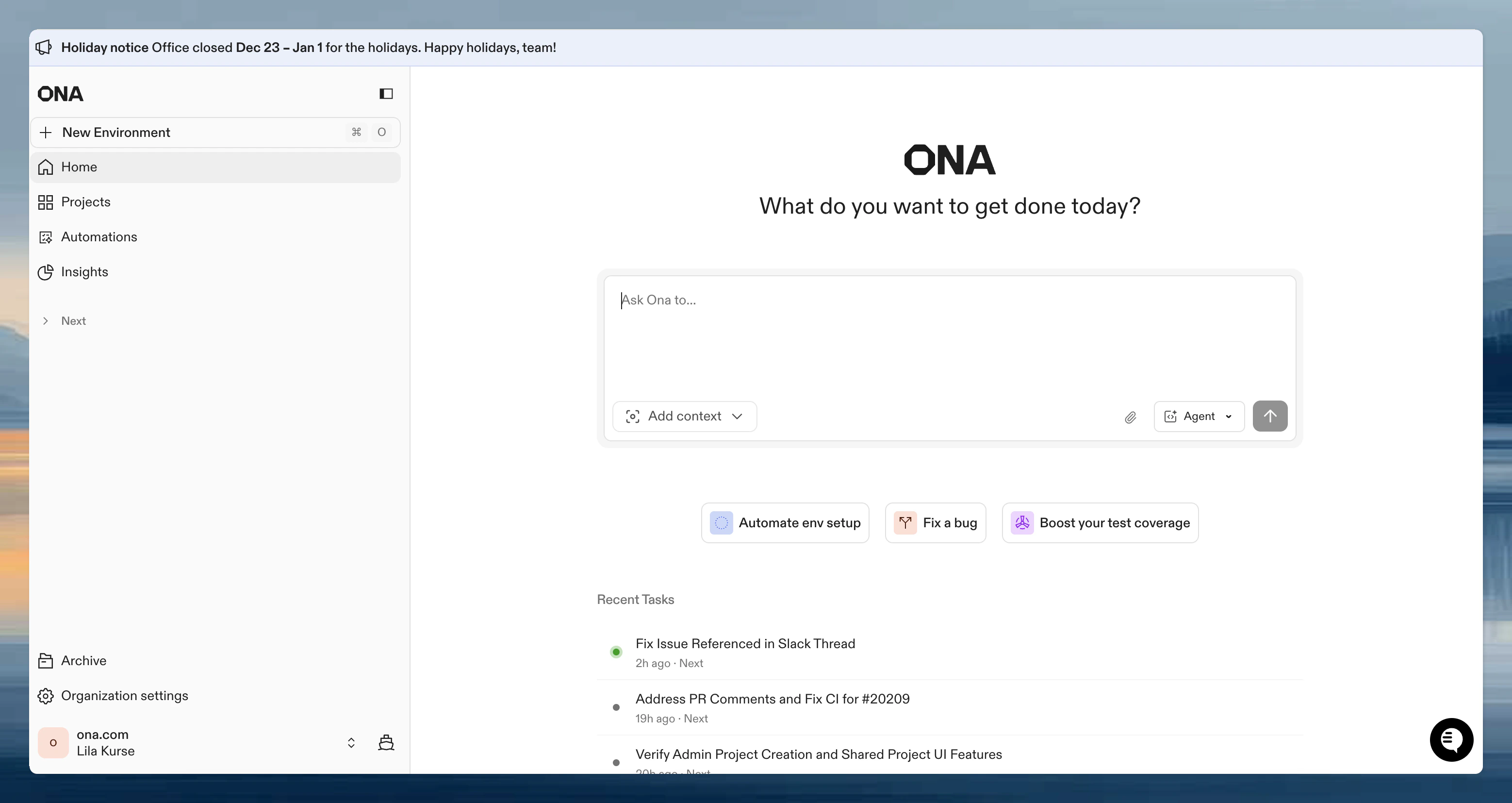
Home notices let organization admins communicate important information to all members. Notices appear on the Ona home page and remain visible until disabled.
 ## Configure the notice
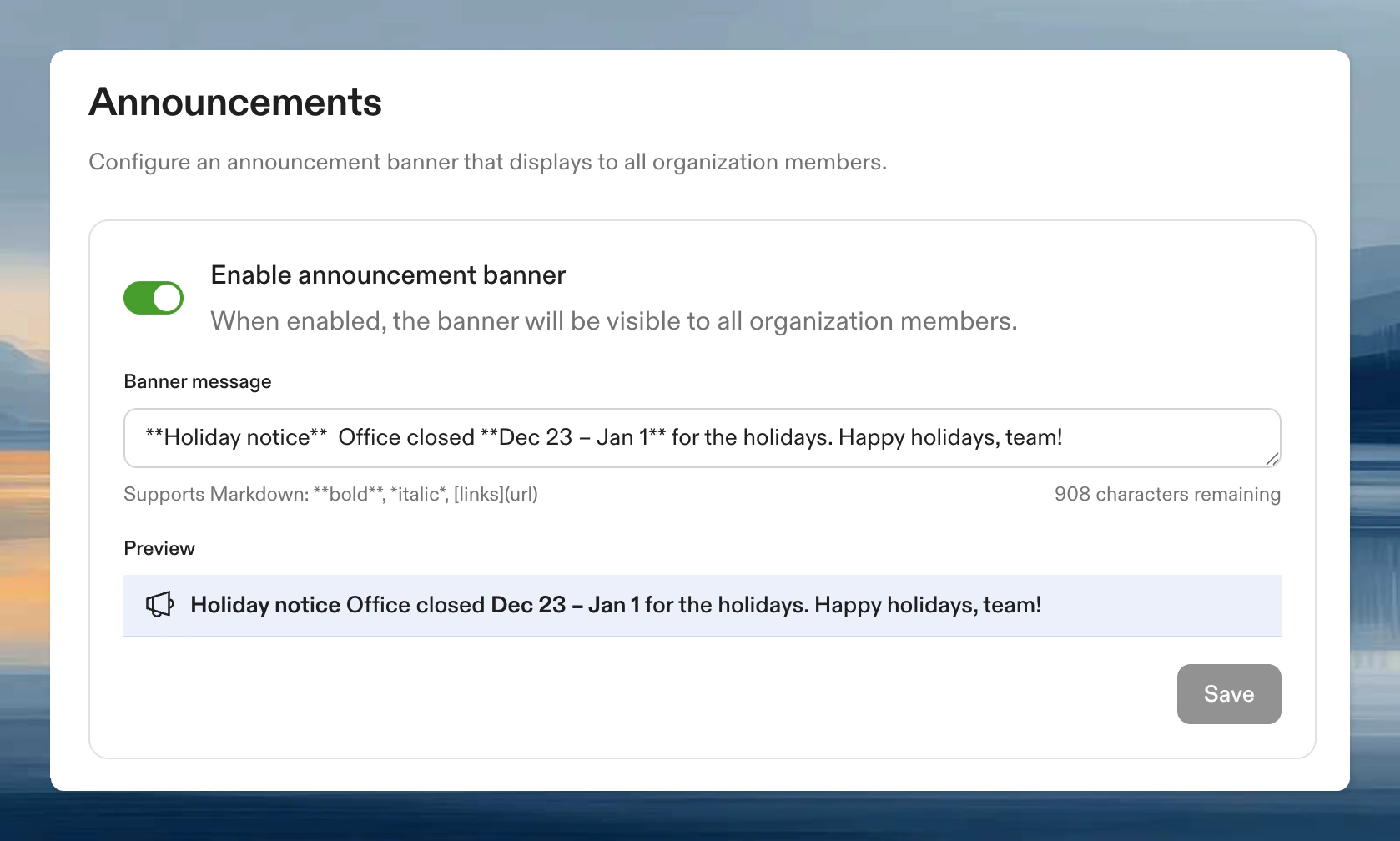
1. Go to **Settings → Organization → Announcements**
2. Turn on **Show announcement**
3. Enter your message (up to 1,000 characters)
4. Click **Save**
The notice appears immediately on the home page for all organization members.
## Configure the notice
1. Go to **Settings → Organization → Announcements**
2. Turn on **Show announcement**
3. Enter your message (up to 1,000 characters)
4. Click **Save**
The notice appears immediately on the home page for all organization members.
 ## Formatting
Home notices support basic Markdown for emphasis and links. A live preview shows exactly how your message will appear.
| Syntax | Result |
| ------------------------ | -------------- |
| `**bold**` | **bold** |
| `*italic*` or `_italic_` | *italic* |
| `[link text](url)` | Clickable link |
## Formatting
Home notices support basic Markdown for emphasis and links. A live preview shows exactly how your message will appear.
| Syntax | Result |
| ------------------------ | -------------- |
| `**bold**` | **bold** |
| `*italic*` or `_italic_` | *italic* |
| `[link text](url)` | Clickable link |
 ## Use cases
* Scheduled maintenance windows
* New feature announcements
* Policy changes or reminders
* Security notices
* Team-wide updates
## Disable the notice
Toggle off **Show announcement** in the settings. Your message is preserved and can be re-enabled later.
## FAQ
All organization members see the notice when logged in. It appears on the Ona home page.
Yes. When you enter a message, a live preview appears below the text field showing exactly how it will look.
Only organization administrators can access the Announcements settings page.
## Use cases
* Scheduled maintenance windows
* New feature announcements
* Policy changes or reminders
* Security notices
* Team-wide updates
## Disable the notice
Toggle off **Show announcement** in the settings. Your message is preserved and can be re-enabled later.
## FAQ
All organization members see the notice when logged in. It appears on the Ona home page.
Yes. When you enter a message, a live preview appears below the text field showing exactly how it will look.
Only organization administrators can access the Announcements settings page.