> ## Documentation Index
> Fetch the complete documentation index at: https://ona.com/docs/llms.txt
> Use this file to discover all available pages before exploring further.
# Manage organization
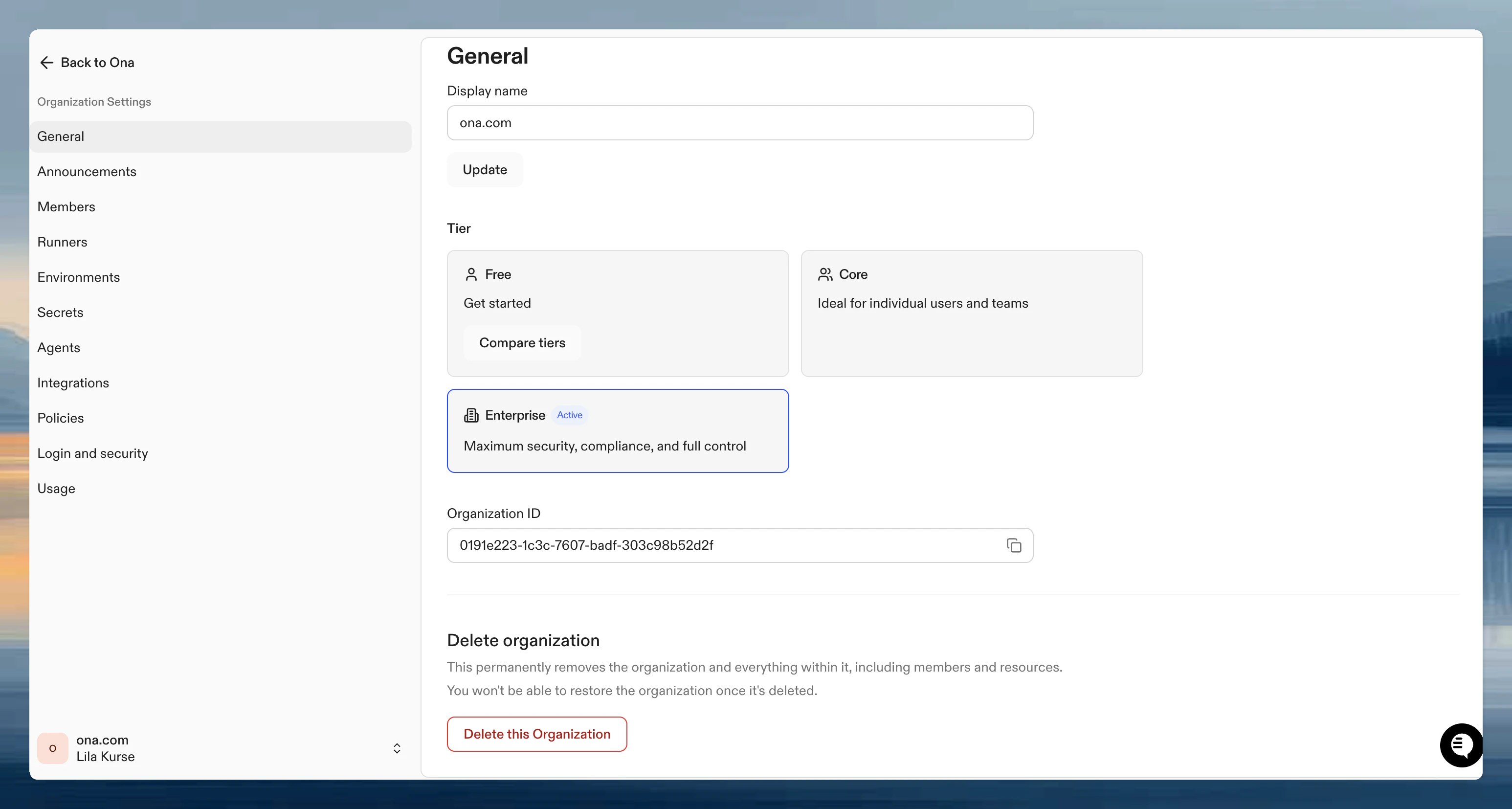
Organization admins can modify settings in **Organization Settings → General**.
 ## Display name
Change your organization's name at any time. This affects how it appears in the UI and invite links. The name must be at least 3 characters.
## Tier
The General page shows your organization's current tier (Core or Enterprise). Click **Compare tiers** to see what each tier includes.
Core tier organizations can manage their subscription and OCUs under **Billing** in the sidebar.
## Organization ID
A read-only, copyable UUID that identifies your organization. Use this when contacting support or integrating with the Ona API.
## Delete organization
At the bottom of the page, you can permanently delete the organization. This permanently removes the organization and everything within it, including members and resources. This action cannot be undone.
Review projects, runners, secrets, and billing implications before deleting an organization.
## Related
* [Create or join an organization](/ona/organizations/create-organization)
* [Team management](/ona/organizations/overview)
* [Manage members](/ona/organizations/manage-members)
## Display name
Change your organization's name at any time. This affects how it appears in the UI and invite links. The name must be at least 3 characters.
## Tier
The General page shows your organization's current tier (Core or Enterprise). Click **Compare tiers** to see what each tier includes.
Core tier organizations can manage their subscription and OCUs under **Billing** in the sidebar.
## Organization ID
A read-only, copyable UUID that identifies your organization. Use this when contacting support or integrating with the Ona API.
## Delete organization
At the bottom of the page, you can permanently delete the organization. This permanently removes the organization and everything within it, including members and resources. This action cannot be undone.
Review projects, runners, secrets, and billing implications before deleting an organization.
## Related
* [Create or join an organization](/ona/organizations/create-organization)
* [Team management](/ona/organizations/overview)
* [Manage members](/ona/organizations/manage-members)