> ## Documentation Index
> Fetch the complete documentation index at: https://ona.com/docs/llms.txt
> Use this file to discover all available pages before exploring further.
# Recommended Editors
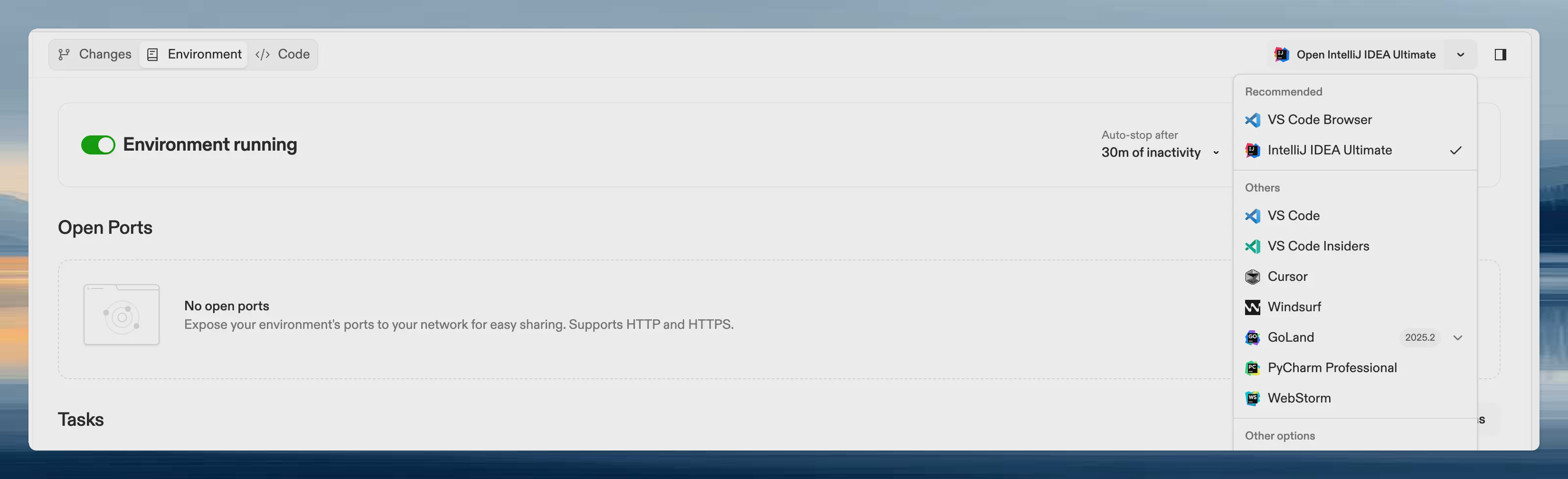
Recommended editors specify which editors work best for your project. Users see them highlighted at the top of the editors list in the environment details page. JetBrains warmup uses this configuration to determine which editors to warm up during prebuilds.
 ## Why configure recommended editors
* **Guide users**: Help team members pick the right editor for your project's language and tooling
* **JetBrains warmup**: Warm up the JetBrains editors you recommend during [prebuilds](/ona/projects/prebuilds#jetbrains-warmup)
* **Consistency**: Keep team members on editors that work well with your project's configuration
## Configure recommended editors
1. Navigate to your project settings
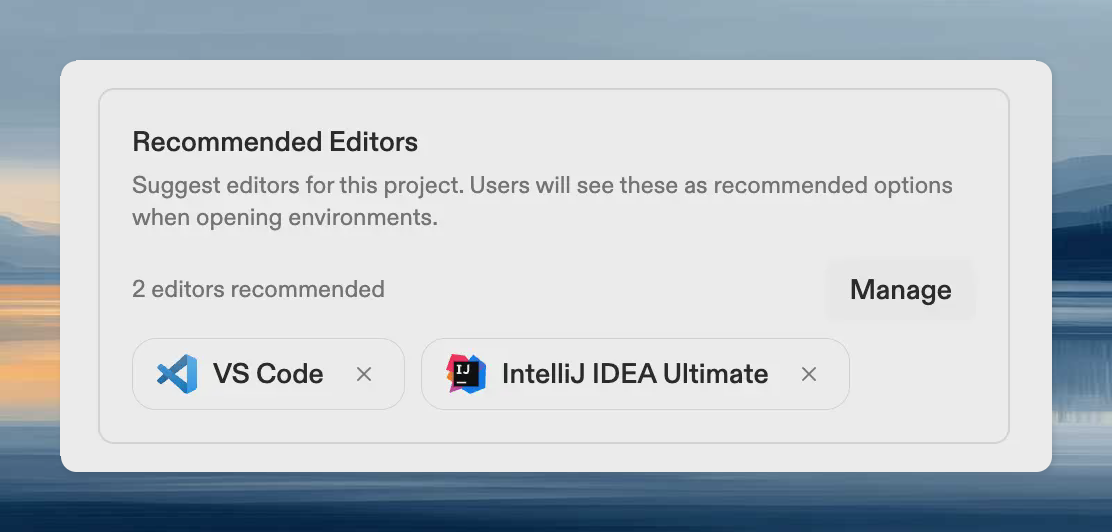
2. Find the **Recommended Editors** section
3. Select the editors you want to recommend
## Why configure recommended editors
* **Guide users**: Help team members pick the right editor for your project's language and tooling
* **JetBrains warmup**: Warm up the JetBrains editors you recommend during [prebuilds](/ona/projects/prebuilds#jetbrains-warmup)
* **Consistency**: Keep team members on editors that work well with your project's configuration
## Configure recommended editors
1. Navigate to your project settings
2. Find the **Recommended Editors** section
3. Select the editors you want to recommend
 ## JetBrains warmup integration
When [JetBrains warmup](/ona/projects/prebuilds#jetbrains-warmup) is enabled, recommended JetBrains editors are warmed up during prebuilds:
1. The JetBrains backend is pre-installed for each recommended editor
2. Project indexes are built for each editor
3. Users skip the download and indexing steps when opening the editor
To use JetBrains warmup:
1. Add the JetBrains editors your team uses to recommended editors
2. Enable JetBrains warmup in your prebuild configuration
## Best practices
* **Match your stack**: Recommend editors with strong support for your project's languages and frameworks
* **Consider team preferences**: If your team already uses specific editors, recommend those
* **Enable warmup for JetBrains**: If you recommend JetBrains editors, enable JetBrains warmup to reduce startup time
## Related
* [Prebuilds overview](/ona/projects/prebuilds)
* [JetBrains warmup](/ona/projects/prebuilds#jetbrains-warmup)
* [Editors overview](/ona/editors/overview)
## JetBrains warmup integration
When [JetBrains warmup](/ona/projects/prebuilds#jetbrains-warmup) is enabled, recommended JetBrains editors are warmed up during prebuilds:
1. The JetBrains backend is pre-installed for each recommended editor
2. Project indexes are built for each editor
3. Users skip the download and indexing steps when opening the editor
To use JetBrains warmup:
1. Add the JetBrains editors your team uses to recommended editors
2. Enable JetBrains warmup in your prebuild configuration
## Best practices
* **Match your stack**: Recommend editors with strong support for your project's languages and frameworks
* **Consider team preferences**: If your team already uses specific editors, recommend those
* **Enable warmup for JetBrains**: If you recommend JetBrains editors, enable JetBrains warmup to reduce startup time
## Related
* [Prebuilds overview](/ona/projects/prebuilds)
* [JetBrains warmup](/ona/projects/prebuilds#jetbrains-warmup)
* [Editors overview](/ona/editors/overview)