> ## Documentation Index
> Fetch the complete documentation index at: https://ona.com/docs/llms.txt
> Use this file to discover all available pages before exploring further.
# Environment classes
Environment classes define computing resources (instance type, disk size) for development environments.
## Default classes
| Class Name | Instance Type | Disk Size | Spot Instance |
| ---------------- | ------------------------- | --------- | ------------- |
| Small | M6i Large (m6i.large) | 45 GB | No |
| Regular | M6i XLarge (m6i.xlarge) | 80 GB | No |
| Large | M6i 2XLarge (m6i.2xlarge) | 100 GB | No |
| Extra Large | M6i 8XLarge (m6i.8xlarge) | 200 GB | No |
| Extra Large Spot | M7i 8XLarge (m7i.8xlarge) | 200 GB | Yes |
| GPU Large | G5 4XLarge (g5.4xlarge) | 300 GB | No |
| GPU Large Spot | G5 4XLarge (g5.4xlarge) | 300 GB | Yes |
## Create custom classes
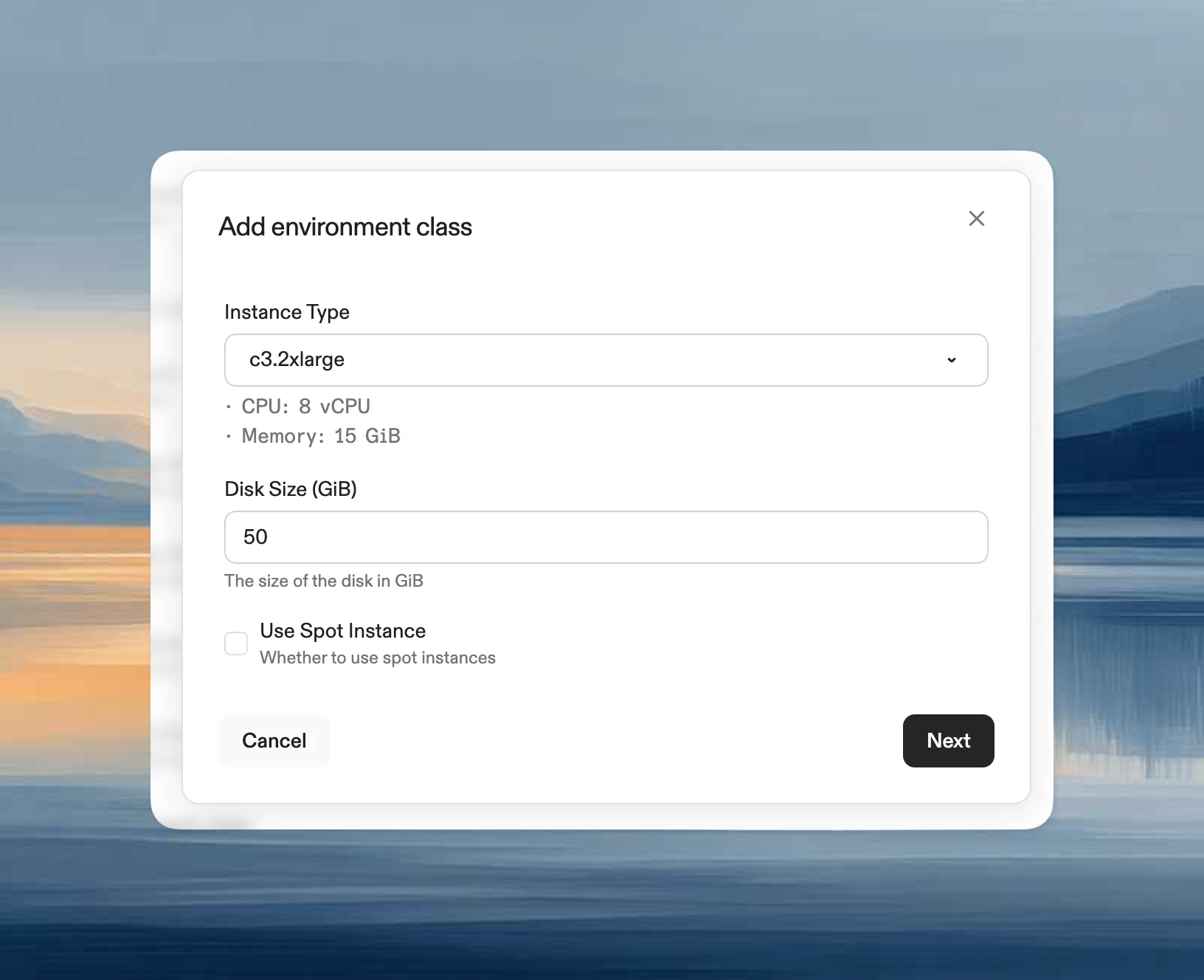
1. Go to **Organization settings → Environment Classes** (under AWS runners)
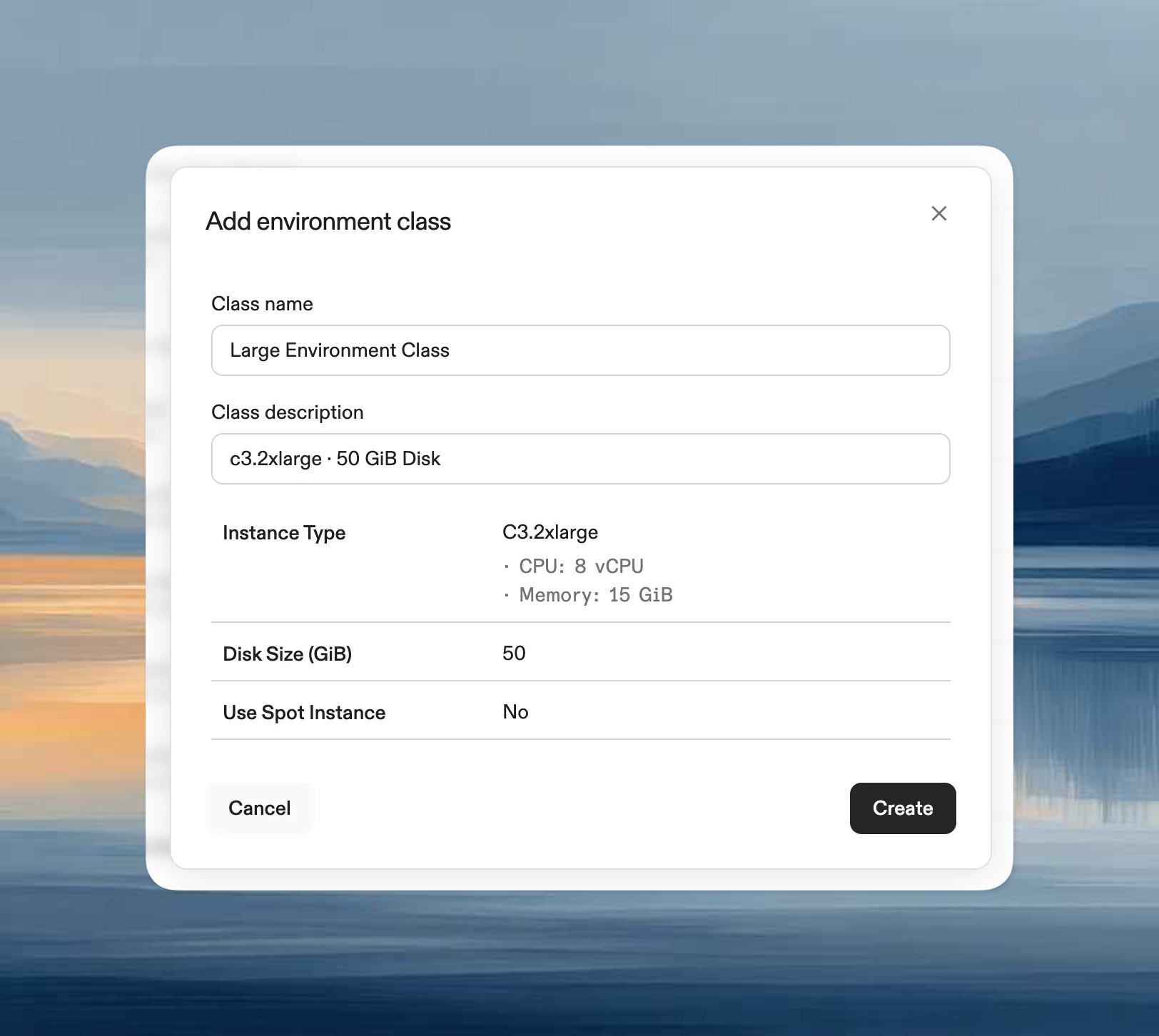
2. Click **Add Environment Class**
3. Configure:
* **Name** and **Description**
* **Disk size**: Storage capacity
* **Instance type**: Any x64 EBS-enabled type (e.g., t3.medium, m5.large, c5.xlarge)
 ## Modify classes
Only name and description can be edited after creation. To change disk size or instance type, create a new class and optionally disable the old one.
## Disable classes
When disabled:
* Existing environments continue running
* No new environments can use this class
## Use classes
Select environment classes when creating environments manually or via project configuration.
## Supported instance types
Requirements:
* EBS volume support
* X64 architecture (Intel or AMD)
ARM-based instance types (e.g., Graviton) are not currently supported.
Examples by category:
* **General purpose**: `t3.medium`, `t3.large`, `m5.large`, `m5.xlarge`
* **Compute optimized**: `c5.large`, `c5.xlarge`
* **Memory optimized**: `r5.large`, `r5.xlarge`
* **Storage optimized**: `i3.large`, `d2.xlarge`
### Considerations
* **Regional availability**: Not all types available in every region
* **Quotas**: Ensure sufficient AWS account quota
* **Costs**: Pricing varies by instance family
* **Instance generations**: Newer generations offer better price-performance
* **Storage**: Choose instances with more storage than RAM
See [AWS EC2 Instance Types](https://aws.amazon.com/ec2/instance-types/) for details.
## Spot instance reclamation
When using AWS Spot instances, Ona automatically handles reclamation:
1. The environment on the reclaimed instance is terminated
2. A new instance is provisioned automatically
3. The EBS volume is reattached to the new instance
4. All data on the EBS volume is preserved
## GPU / CUDA workloads
To run NVIDIA CUDA workloads, select the **Data Science** environment class (`g5.4xlarge`) when creating an environment or configuring a project. See the [gpu-demo repository](https://github.com/ona-samples/gpu-demo) for a working `devcontainer.json` and Dockerfile with CUDA support via [containers.dev features](https://containers.dev/features).
## Best practices
* Standardize classes across your organization
* Limit to classes teams actually need
* Create specialized classes for specific workloads (data processing, frontend, etc.)
* Review usage patterns and adjust regularly
## Modify classes
Only name and description can be edited after creation. To change disk size or instance type, create a new class and optionally disable the old one.
## Disable classes
When disabled:
* Existing environments continue running
* No new environments can use this class
## Use classes
Select environment classes when creating environments manually or via project configuration.
## Supported instance types
Requirements:
* EBS volume support
* X64 architecture (Intel or AMD)
ARM-based instance types (e.g., Graviton) are not currently supported.
Examples by category:
* **General purpose**: `t3.medium`, `t3.large`, `m5.large`, `m5.xlarge`
* **Compute optimized**: `c5.large`, `c5.xlarge`
* **Memory optimized**: `r5.large`, `r5.xlarge`
* **Storage optimized**: `i3.large`, `d2.xlarge`
### Considerations
* **Regional availability**: Not all types available in every region
* **Quotas**: Ensure sufficient AWS account quota
* **Costs**: Pricing varies by instance family
* **Instance generations**: Newer generations offer better price-performance
* **Storage**: Choose instances with more storage than RAM
See [AWS EC2 Instance Types](https://aws.amazon.com/ec2/instance-types/) for details.
## Spot instance reclamation
When using AWS Spot instances, Ona automatically handles reclamation:
1. The environment on the reclaimed instance is terminated
2. A new instance is provisioned automatically
3. The EBS volume is reattached to the new instance
4. All data on the EBS volume is preserved
## GPU / CUDA workloads
To run NVIDIA CUDA workloads, select the **Data Science** environment class (`g5.4xlarge`) when creating an environment or configuring a project. See the [gpu-demo repository](https://github.com/ona-samples/gpu-demo) for a working `devcontainer.json` and Dockerfile with CUDA support via [containers.dev features](https://containers.dev/features).
## Best practices
* Standardize classes across your organization
* Limit to classes teams actually need
* Create specialized classes for specific workloads (data processing, frontend, etc.)
* Review usage patterns and adjust regularly