> ## Documentation Index
> Fetch the complete documentation index at: https://ona.com/docs/llms.txt
> Use this file to discover all available pages before exploring further.
# Automated updates
> How runners are updated automatically and how to configure update windows.
Runners include a built-in update mechanism that automatically applies new features, improvements, and security patches. This page covers how automatic updates work and how to configure update windows. For cloud-specific infrastructure upgrades, see the [GCP](/ona/runners/gcp/update-runner) or [AWS](/ona/runners/aws/update-runner) update guides.
## Automatic updates
The runner periodically checks the Ona API for new versions. When a newer version is available and the infrastructure is compatible, the runner updates itself automatically.
* Updates are non-disruptive to running environments
* Failed updates automatically roll back without impacting existing functionality
* The runner maintains its configuration and credentials through updates
* View the current version at **Settings → Runners**
Automatic updates cover application-level changes. Infrastructure changes (Terraform modules, CloudFormation templates) require manual upgrades. See your provider's update guide.
## Update window
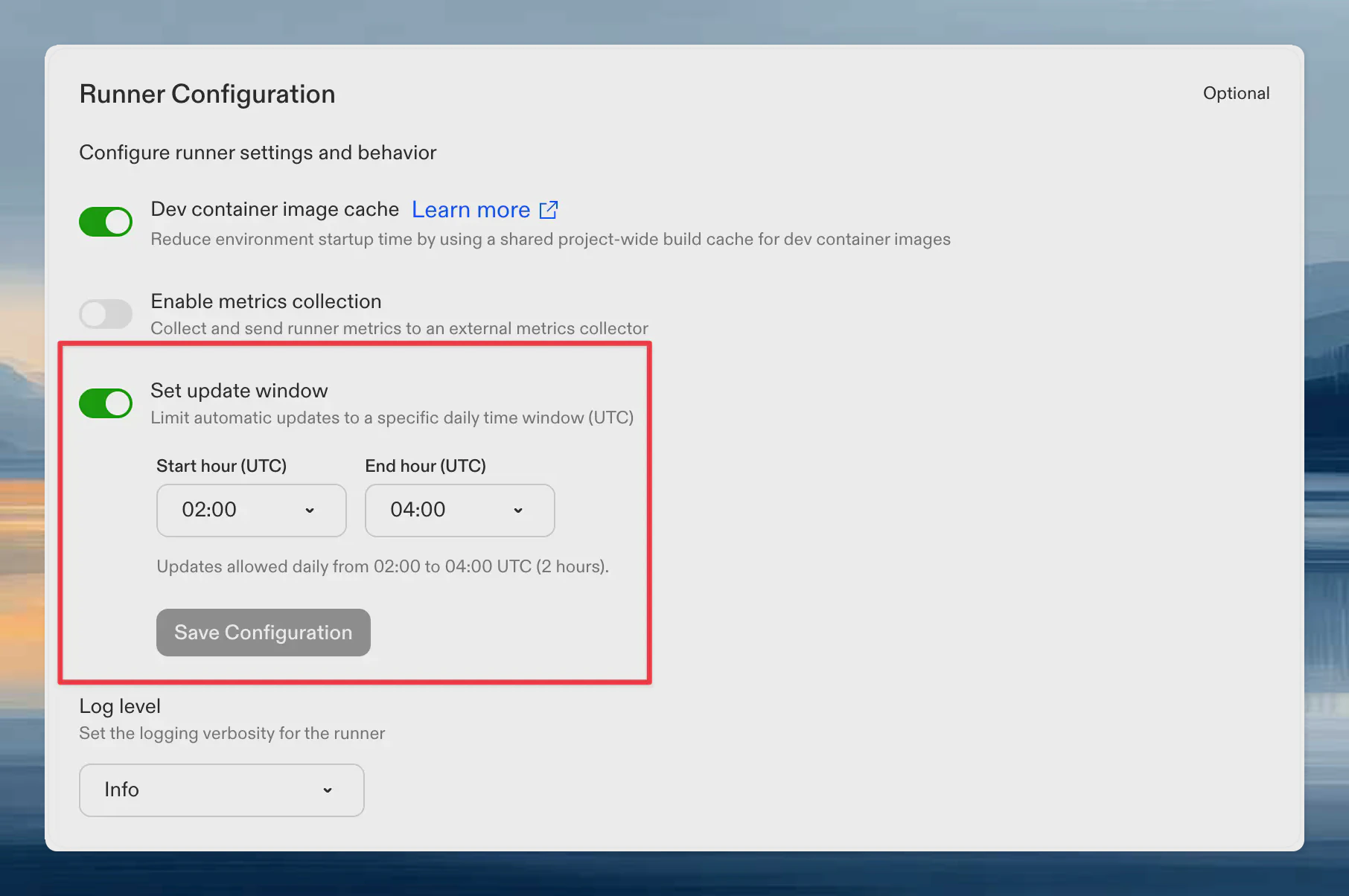
By default, automatic updates can occur at any time. You can restrict updates to a specific daily time window (UTC) to align with your maintenance schedule.
1. Navigate to **Settings → Runners** and select your runner
2. Scroll to **Runner Configuration**
3. Enable **Set update window**
4. Select a **Start hour** and **End hour** (UTC). The window must be at least 2 hours long. Overnight windows are supported (e.g., 22:00 to 04:00 UTC).
5. Click **Save Configuration**
 To remove the restriction and allow updates at any time, disable the **Set update window** toggle. When the toggle is off, the runner applies updates as soon as they are available.
The update window controls when routine automatic updates are applied. It does not affect manual infrastructure upgrades.
In rare cases, Ona may push a **hotfix release** that bypasses the update window. Hotfixes are reserved for fixes to functional degradation of the runner or critical security patches. You will be notified before a hotfix is applied.
To remove the restriction and allow updates at any time, disable the **Set update window** toggle. When the toggle is off, the runner applies updates as soon as they are available.
The update window controls when routine automatic updates are applied. It does not affect manual infrastructure upgrades.
In rare cases, Ona may push a **hotfix release** that bypasses the update window. Hotfixes are reserved for fixes to functional degradation of the runner or critical security patches. You will be notified before a hotfix is applied.