> ## Documentation Index
> Fetch the complete documentation index at: https://ona.com/docs/llms.txt
> Use this file to discover all available pages before exploring further.
# Git providers
> Source control integrations in Ona
Ona connects to your existing Git provider to clone repositories into environments, push commits, and enable agents to interact with pull requests and issues. Source control integration is the bridge between your code host and Ona's [runner infrastructure](/ona/runners/overview).
Ona's [two-plane architecture](/ona/understanding/architecture) keeps source control credentials on runners. They never reach the management plane.
* **Your code stays where you choose.** With a self-hosted runner, source code and SCM credentials never leave your infrastructure. With [Ona Cloud](/ona/runners/ona-cloud), code runs on Ona-managed infrastructure separate from the management plane.
* **Authentication is per-user.** Each developer authorizes their own access via OAuth or a Personal Access Token (PAT). Ona uses these credentials to clone repos and push changes on behalf of that user.
* **Agents inherit your permissions.** When an agent creates a pull request or adds a review comment, it acts using the environment owner's SCM credentials and respects the same repository permissions.
## How it works
Source control configuration happens at two levels:
1. **Runner level**: An administrator configures which Git providers and authentication methods (OAuth, PAT) are available on a runner. This determines what providers developers can connect to.
2. **User level**: Each developer authorizes access to their Git provider. On first environment creation, Ona prompts for authorization using the methods the administrator configured.
When a developer or agent starts an environment, the runner uses the developer's credentials to clone the repository. All subsequent git operations (commits, pushes, fetches) use the same credentials within that environment.
## Supported providers
| Provider | OAuth | PAT | Agent SCM tools |
| ------------------------------------------------ | ----- | ------- | ---------------- |
| [GitHub](/ona/source-control/github) | Yes | Yes | Yes |
| [GitLab](/ona/source-control/gitlab) | Yes | Yes | Yes |
| [Bitbucket Cloud](/ona/source-control/bitbucket) | Yes | Planned | Yes (Cloud only) |
| [Azure DevOps](/ona/source-control/azuredevops) | Yes | Yes | No |
[Agent SCM tools](/ona/agents/scm-tools) let agents create pull requests, manage issues, and add code review comments directly through your provider's API.
### Organization controls for SCM tools
Administrators can control whether agents are allowed to use SCM tools across the organization. This is useful when your team requires human review of all SCM interactions, or when rolling out agent-assisted workflows gradually.
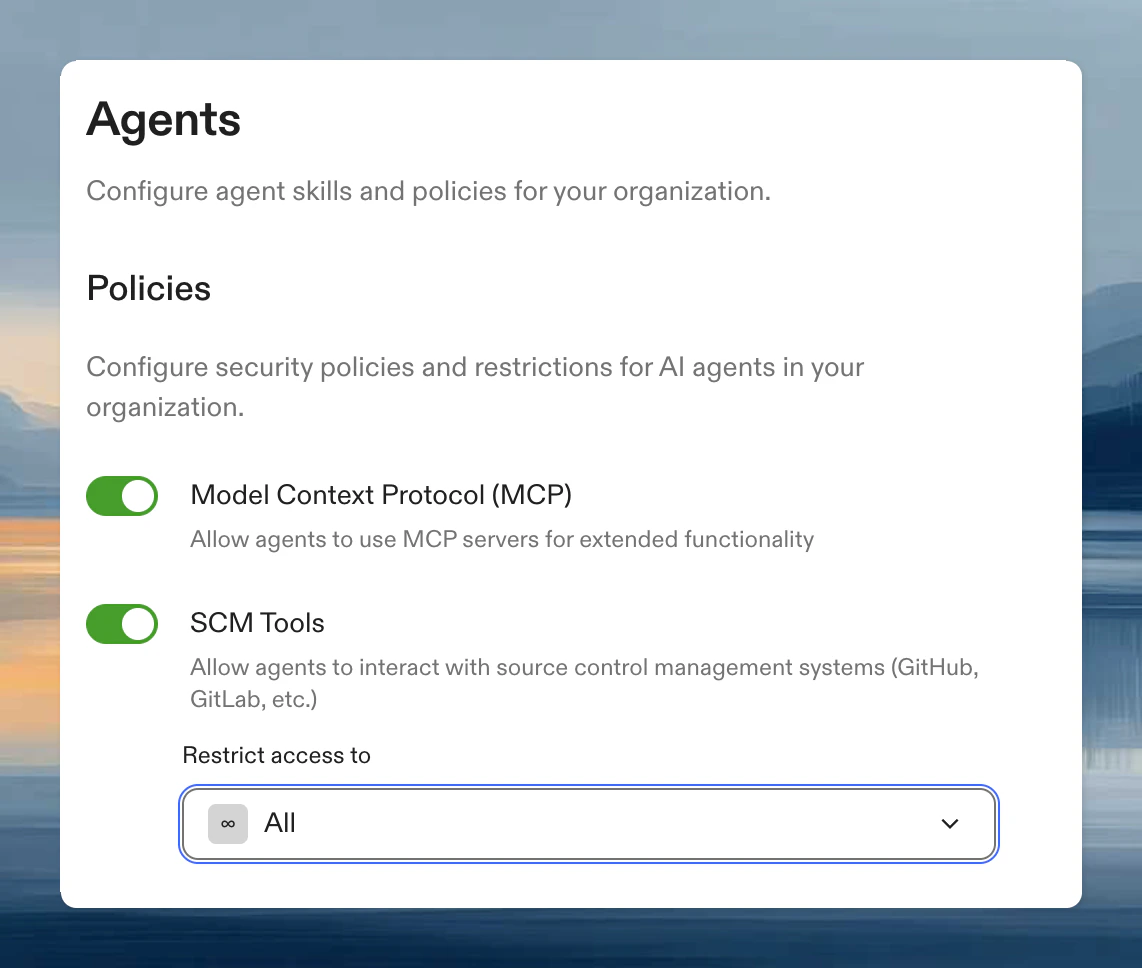 Configure this in [Settings > Agents > Policies](https://app.ona.com/settings/agent-policies). When SCM tools are disabled, agents can still clone, commit, and push code using git, but cannot interact with your provider's API to create PRs or manage issues. See [SCM tools policy](/ona/organizations/policies/scm-tools) for details.
## Setting up Git authentication
To connect a Git provider to your Ona account:
1. Set up the SCM integration for your runner at [Settings > Runners](https://app.ona.com/settings/runners). **This is required for Enterprise only.**
2. Connect or disconnect available providers at [Settings > Git Authentications](https://app.ona.com/settings/git-authentications)
For provider-specific setup instructions including required scopes and OAuth app configuration, see the individual provider pages above.
## Troubleshooting
If you see `Failed to create provider - Aborted: operation cancelled` when configuring repository access, switch from Personal Access Token to **OAuth** authentication.
Configure this in [Settings > Agents > Policies](https://app.ona.com/settings/agent-policies). When SCM tools are disabled, agents can still clone, commit, and push code using git, but cannot interact with your provider's API to create PRs or manage issues. See [SCM tools policy](/ona/organizations/policies/scm-tools) for details.
## Setting up Git authentication
To connect a Git provider to your Ona account:
1. Set up the SCM integration for your runner at [Settings > Runners](https://app.ona.com/settings/runners). **This is required for Enterprise only.**
2. Connect or disconnect available providers at [Settings > Git Authentications](https://app.ona.com/settings/git-authentications)
For provider-specific setup instructions including required scopes and OAuth app configuration, see the individual provider pages above.
## Troubleshooting
If you see `Failed to create provider - Aborted: operation cancelled` when configuring repository access, switch from Personal Access Token to **OAuth** authentication.