

- A one-time registration of the GHE server with Gitpod.
- Each Gitpod user connects their account to GHE the first time they start a workspace.
Registering a GitHub Enterprise Server
The GHE Admin can register the GHE server in their own Gitpod account settings. Start by creating a New Integration and entering the Provider Host Name of GHE server.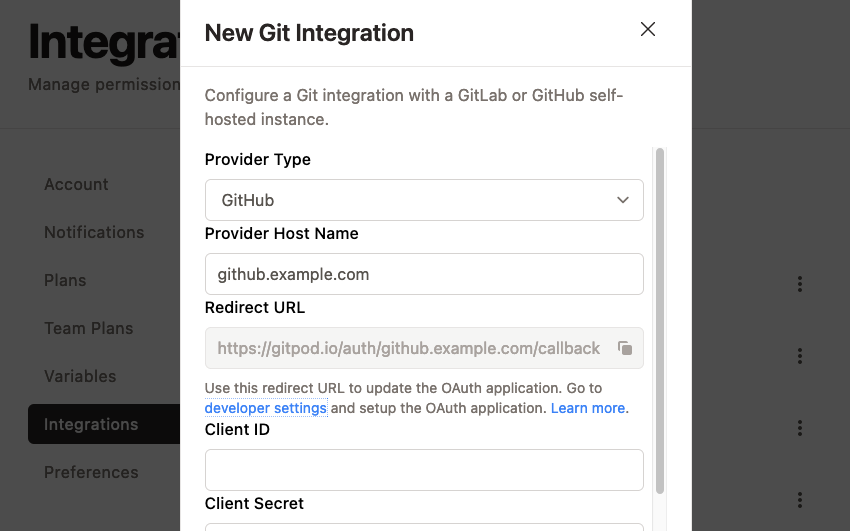
Gitpod New Git Integration form
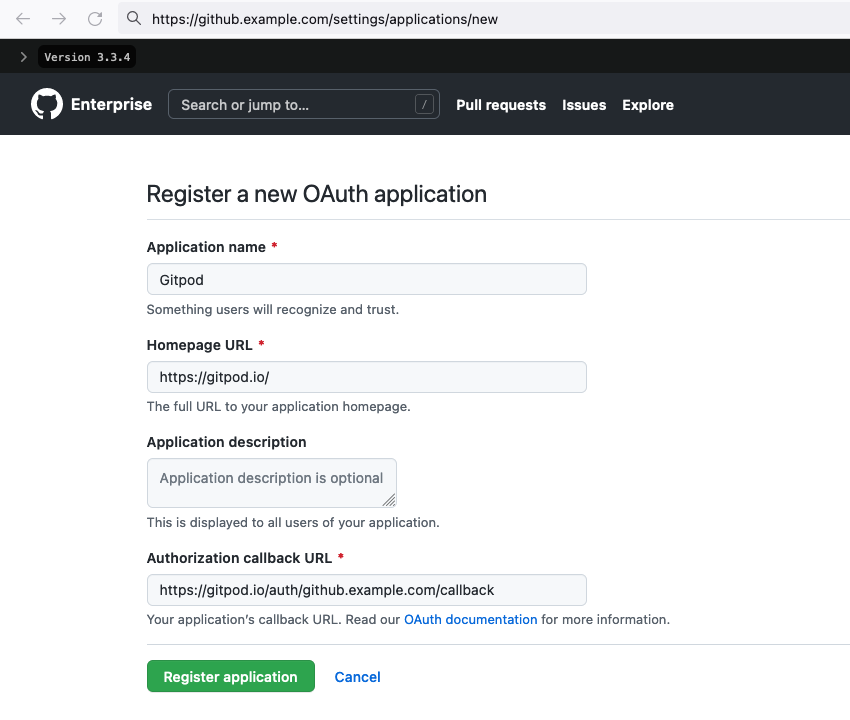
GitHub Enterprise register new OAuth application form
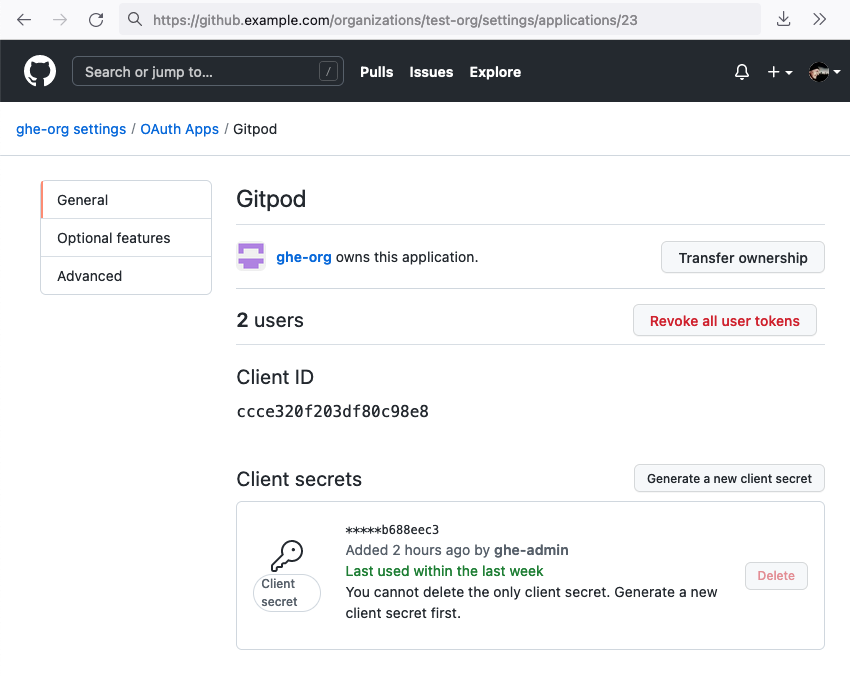
GitHub Enterprise new OAuth client ID and secret
Connecting Gitpod accounts to GHE
GHE users connect their Gitpod account to their GHE account by starting a workspace. To start a workspace, paste the URL of a GHE repository into the New Workspace popup (Ctrl/Cmd + O) in Gitpod, or prefix the repository URL as described in Getting started.
The first time you do this, you will be prompted to authorize with your GHE instance.
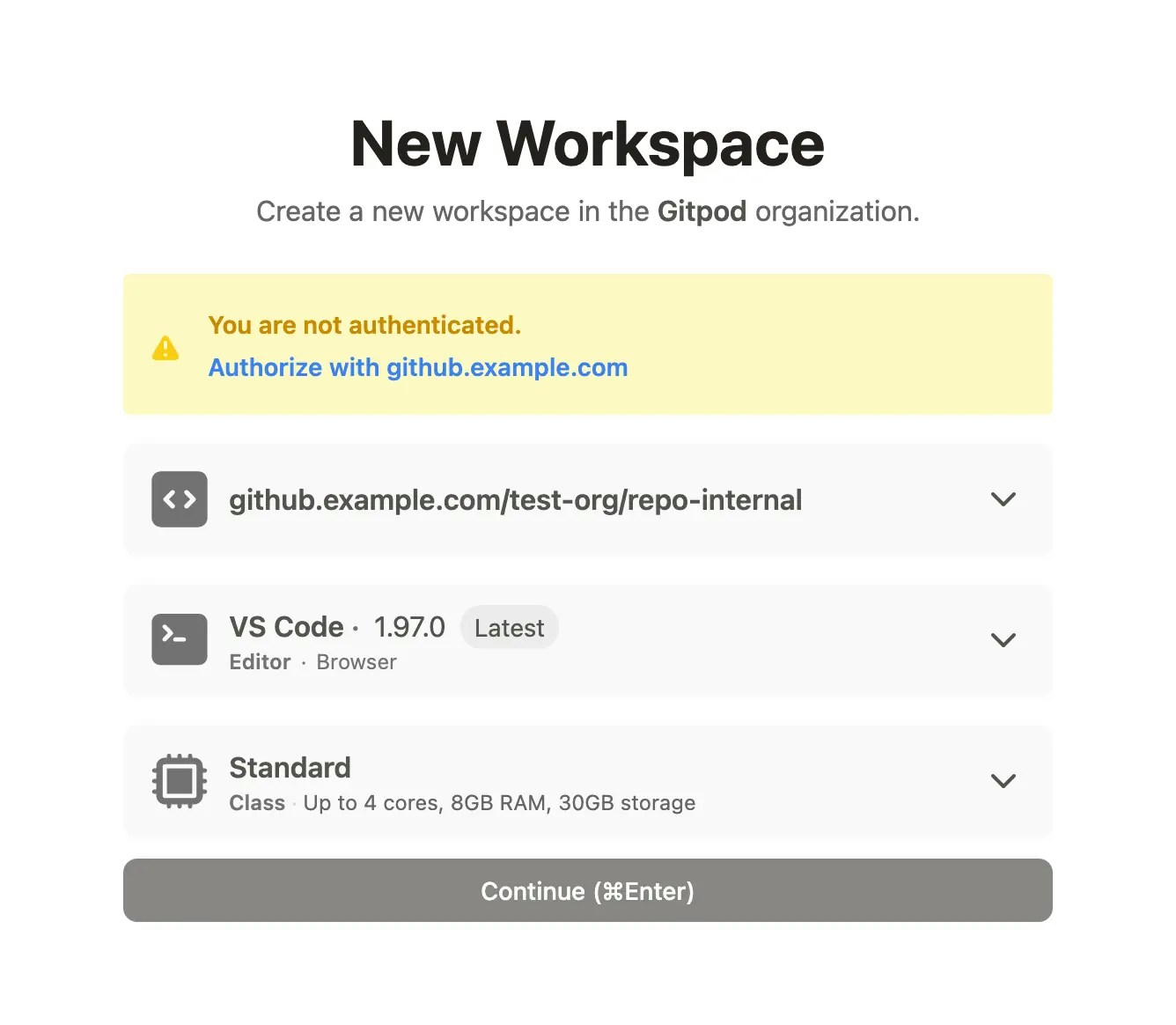
Prompt to authorize with GitHub Enterprise
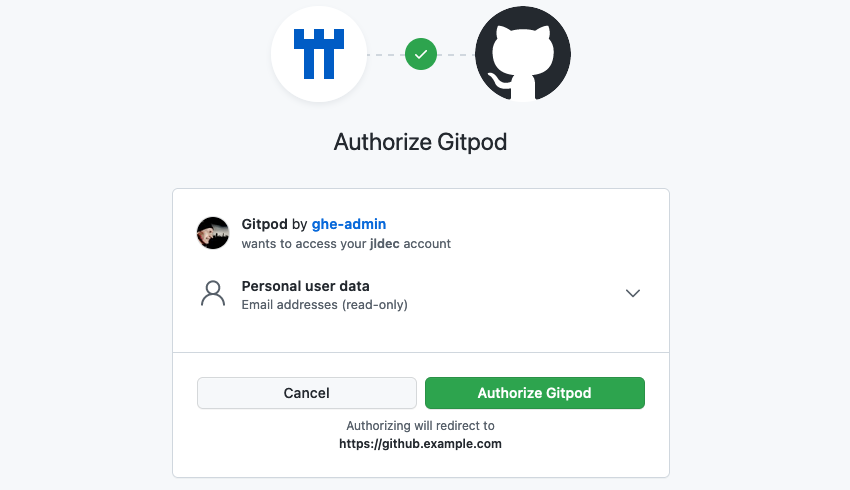
OAuth confirmation from GitHub Enterprise
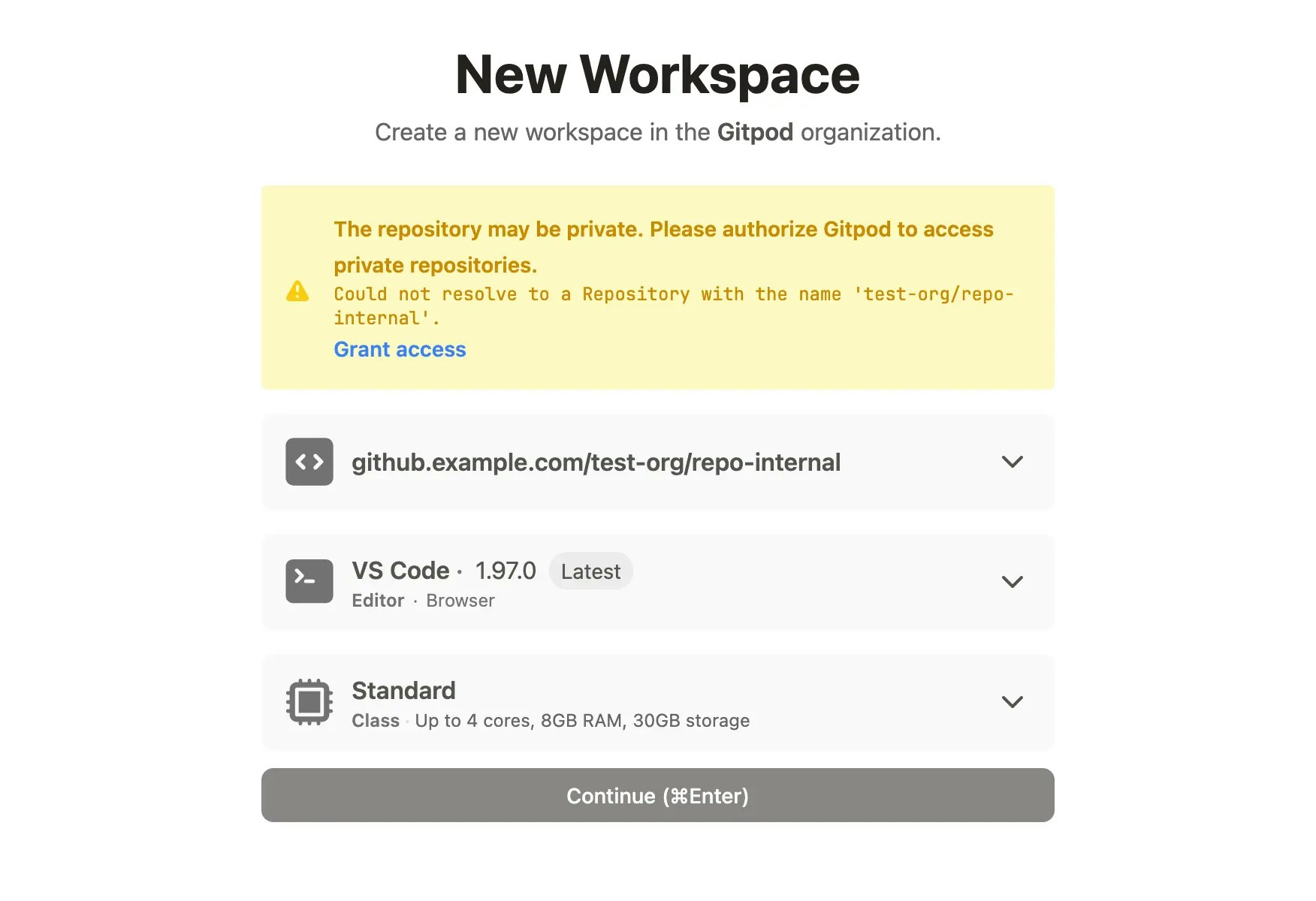
Private repo OAuth authorization from GitHub Enterprise
Validating your GHE connection with Gitpod
You should see the connection to your GHE instance, with your GHE account ID, in your Gitpod integration settings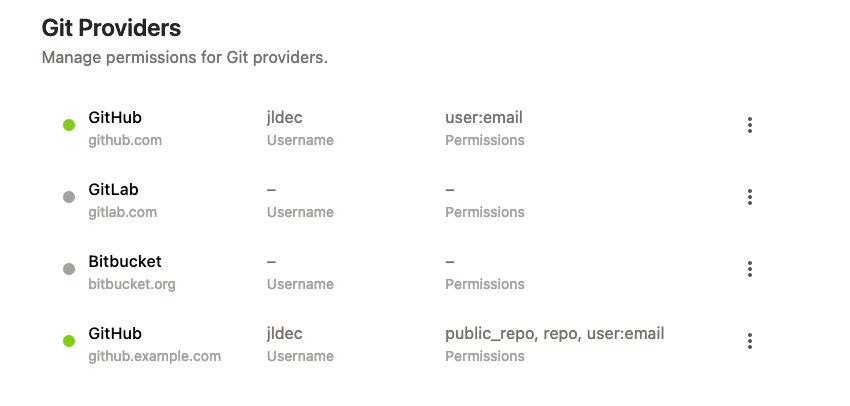
GitHub Enterprise connection in Gitpod integration settings
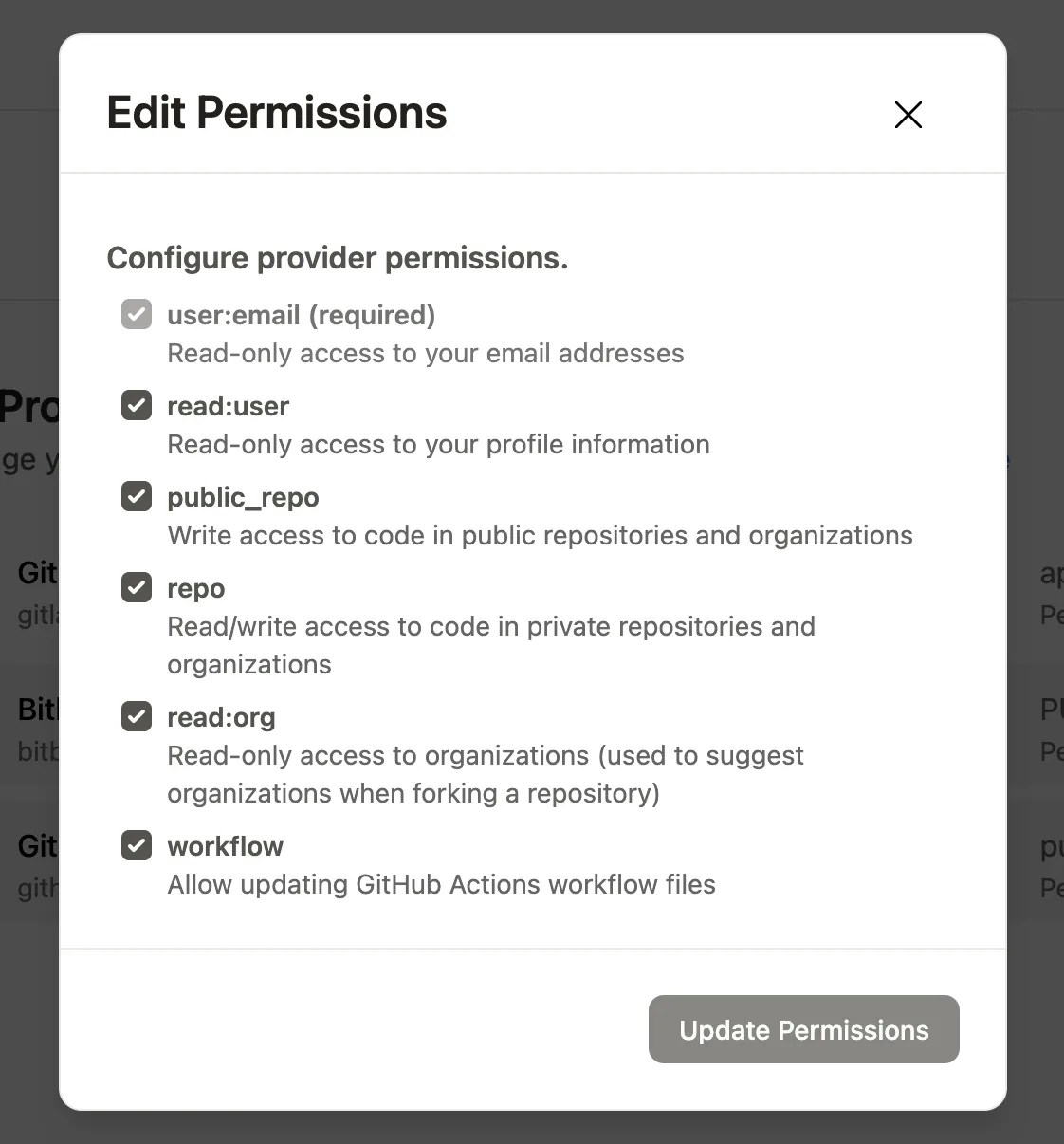
Gitpod settings for GitHub integration permissions