

Registering an Azure DevOps Integration
To integrate Azure DevOps with Gitpod, you need to create a new integration in your Gitpod organization settings and register an application in Azure Active Directory. The process is as follows: Create a New Integration with Azure DevOps under Organization Settings > Git Providers. Providedev.azure.com as the Provider Host Name and copy the Redirect URI from the form.
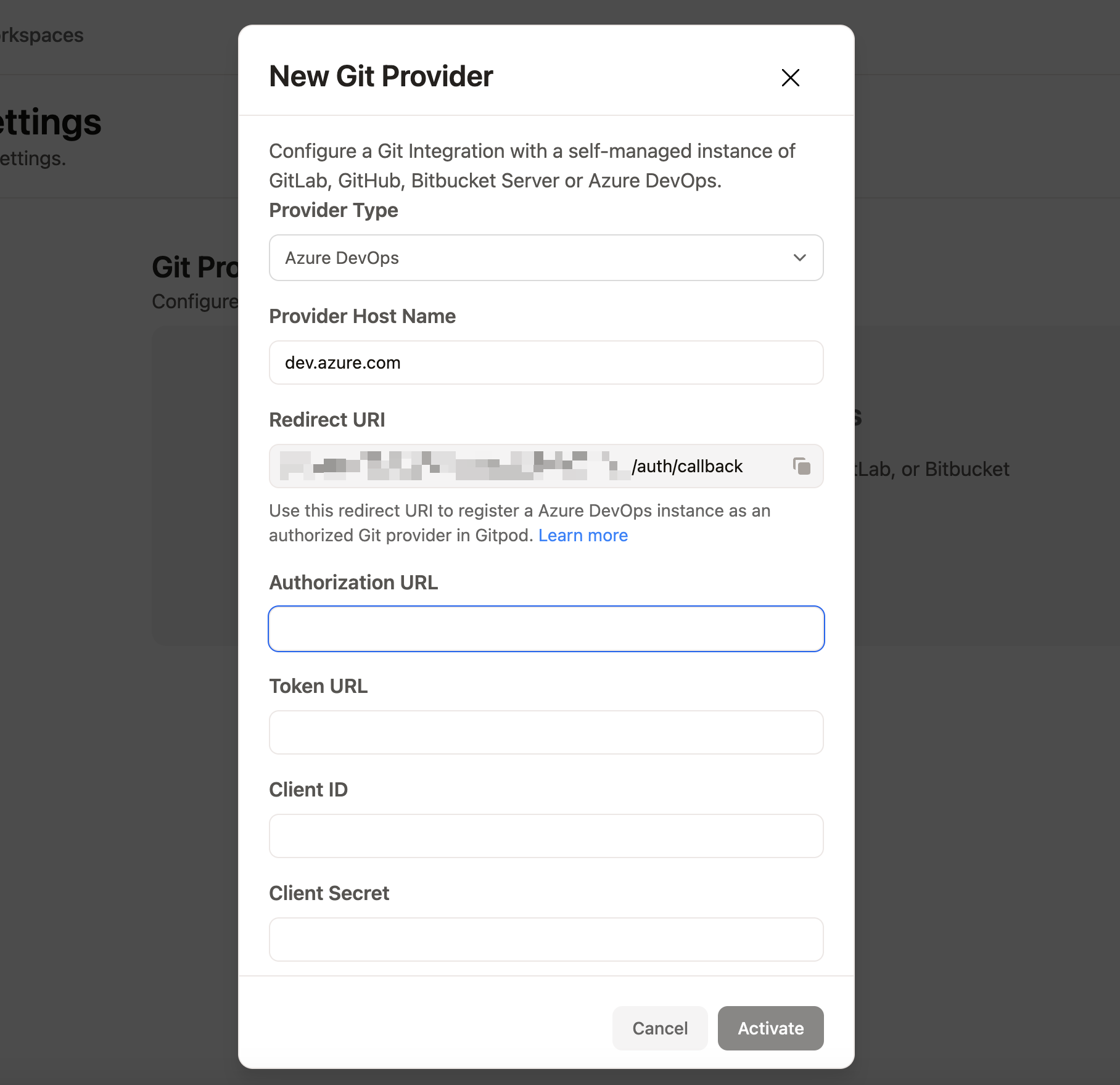
Gitpod New Git Integration form
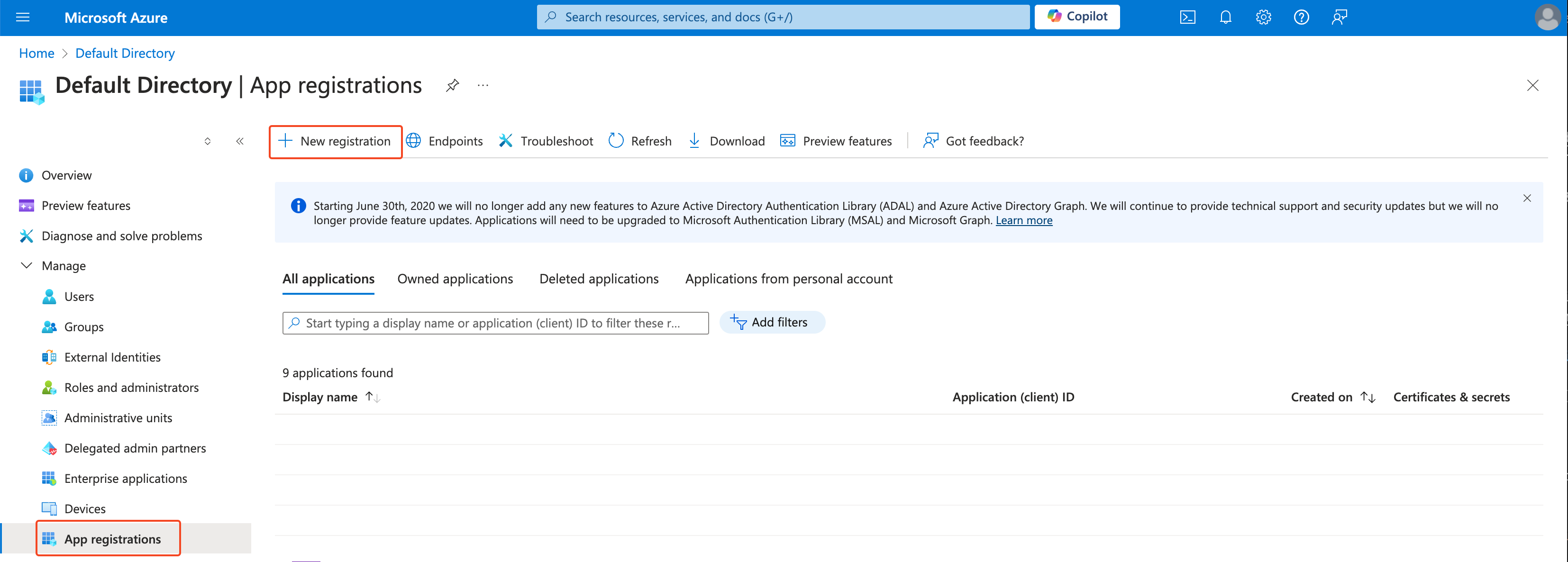
Azure App registration
Gitpod in the Name field, select Web as the platform, and fill in the Redirect URI with the value you copied from the Gitpod Dashboard. You can modify the Redirect URI later in the Authentication tab if needed.
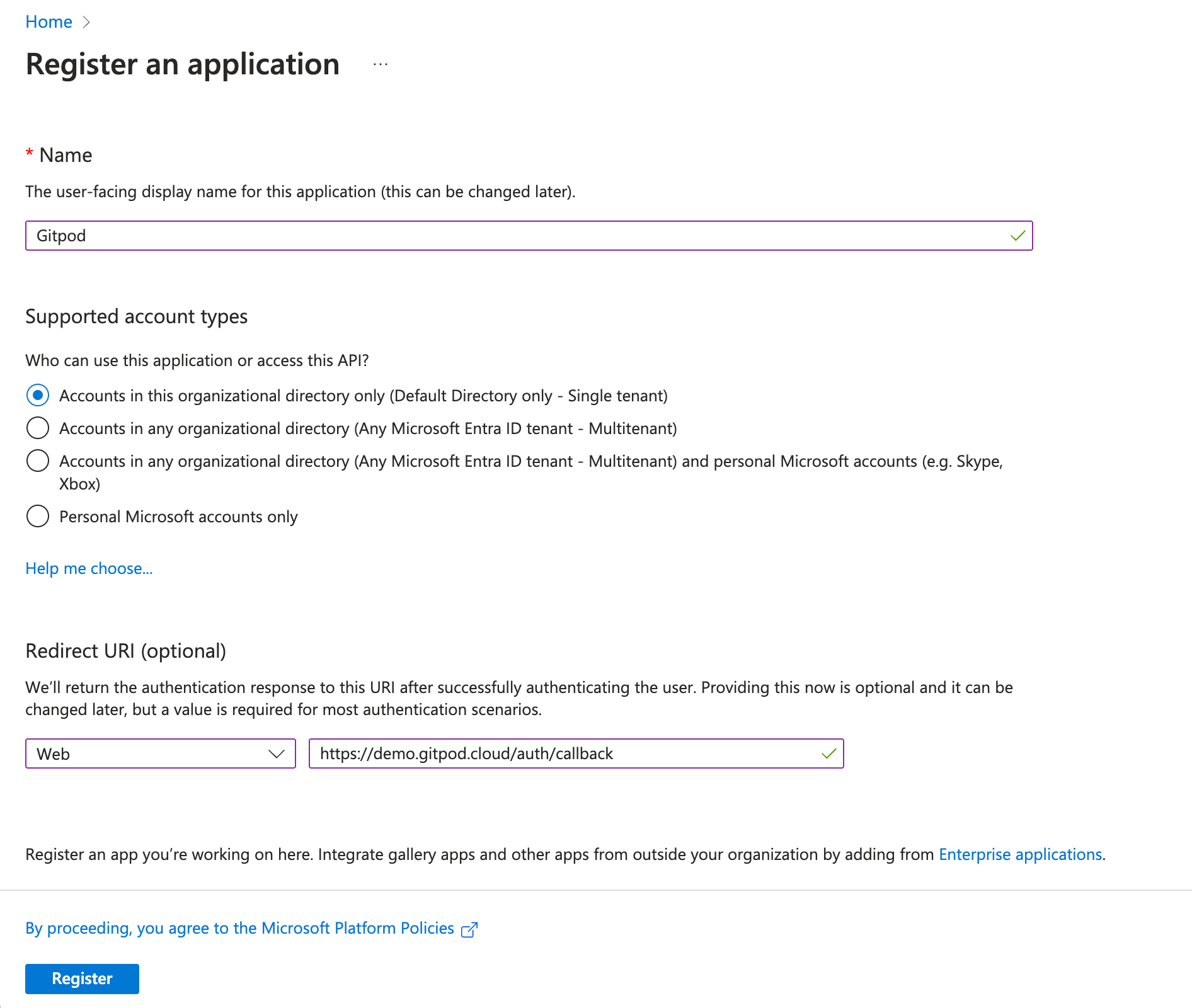
Azure App registration
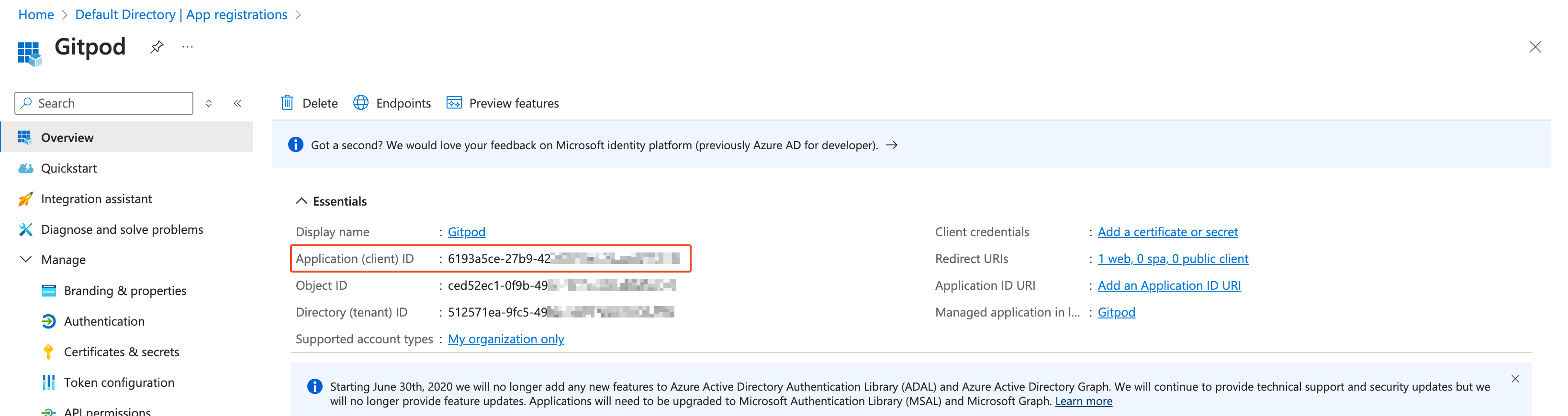
Azure Client ID
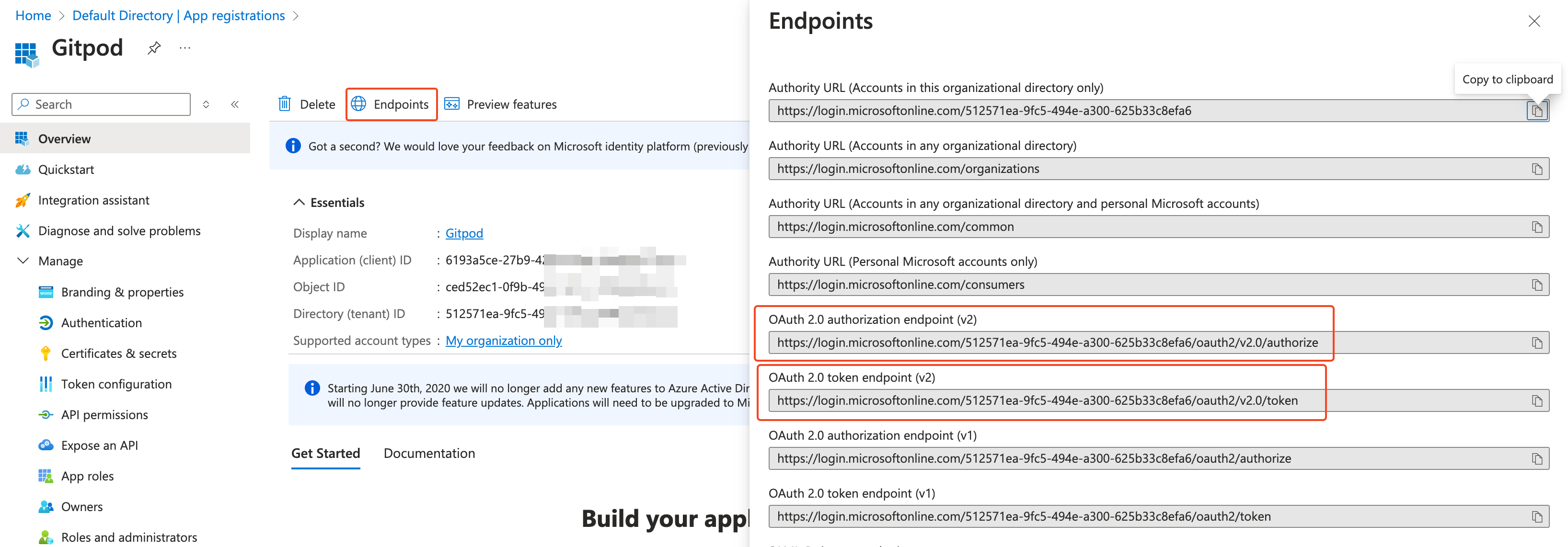
Azure OAuth endpoints
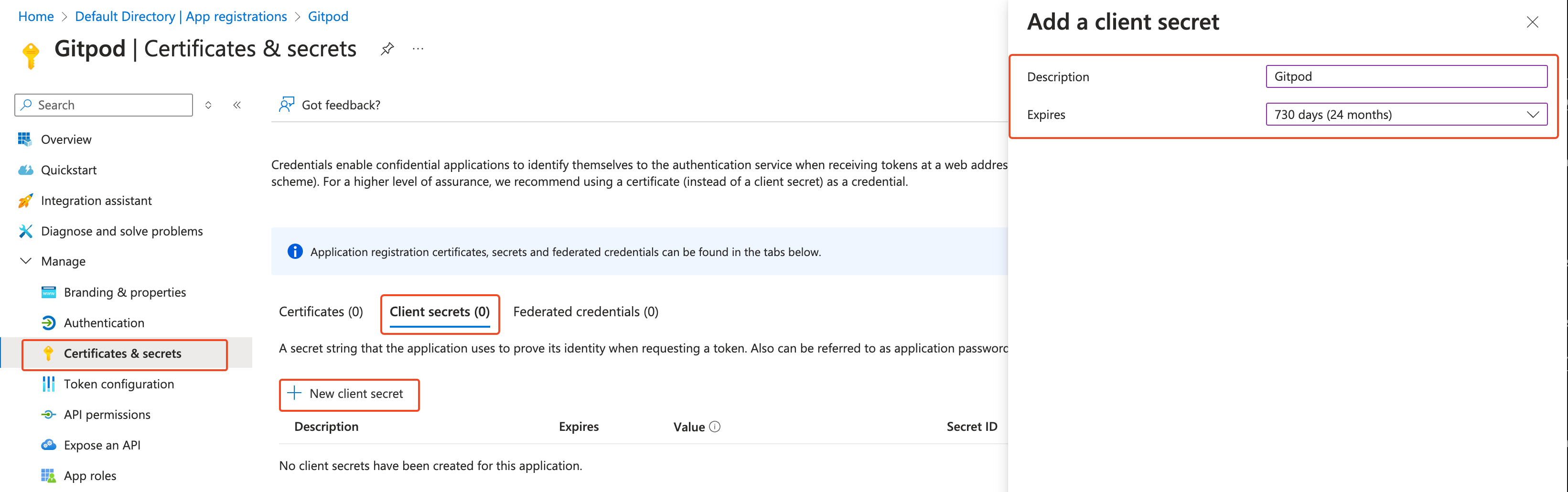
Azure Client Secret creation
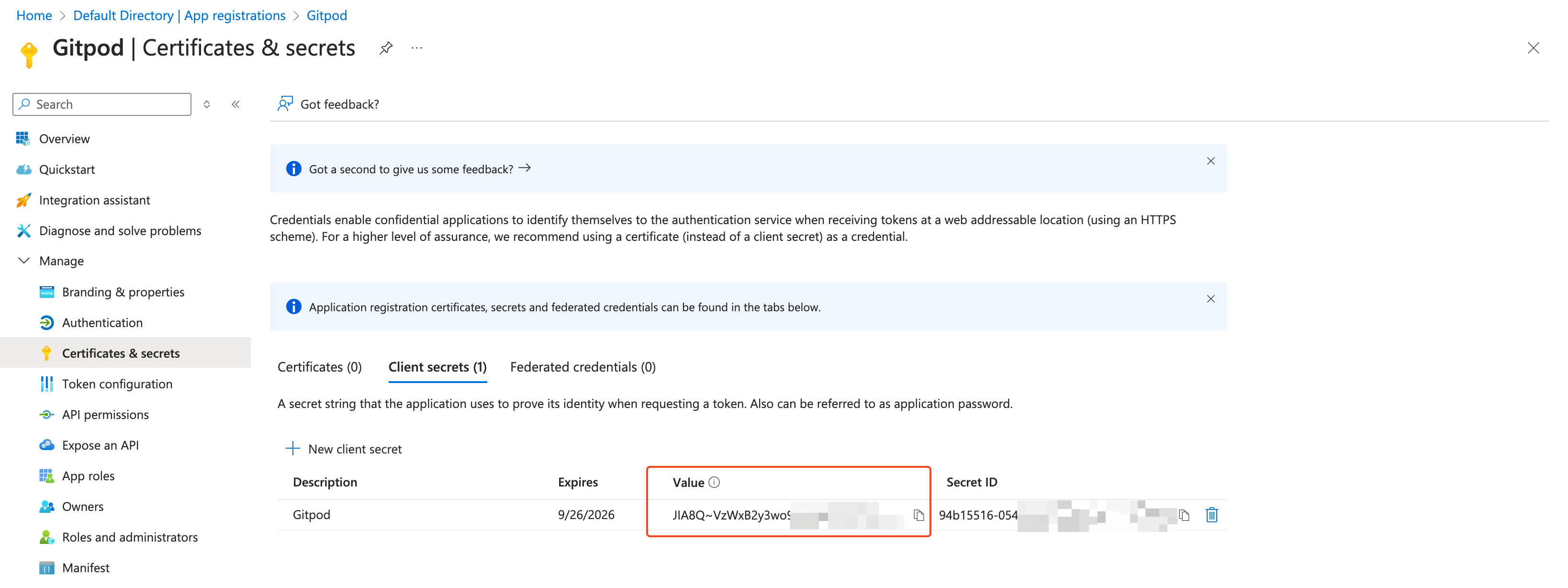
Azure Client Secret
vso.code_writevso.profile(User.Readis required and selected by default)
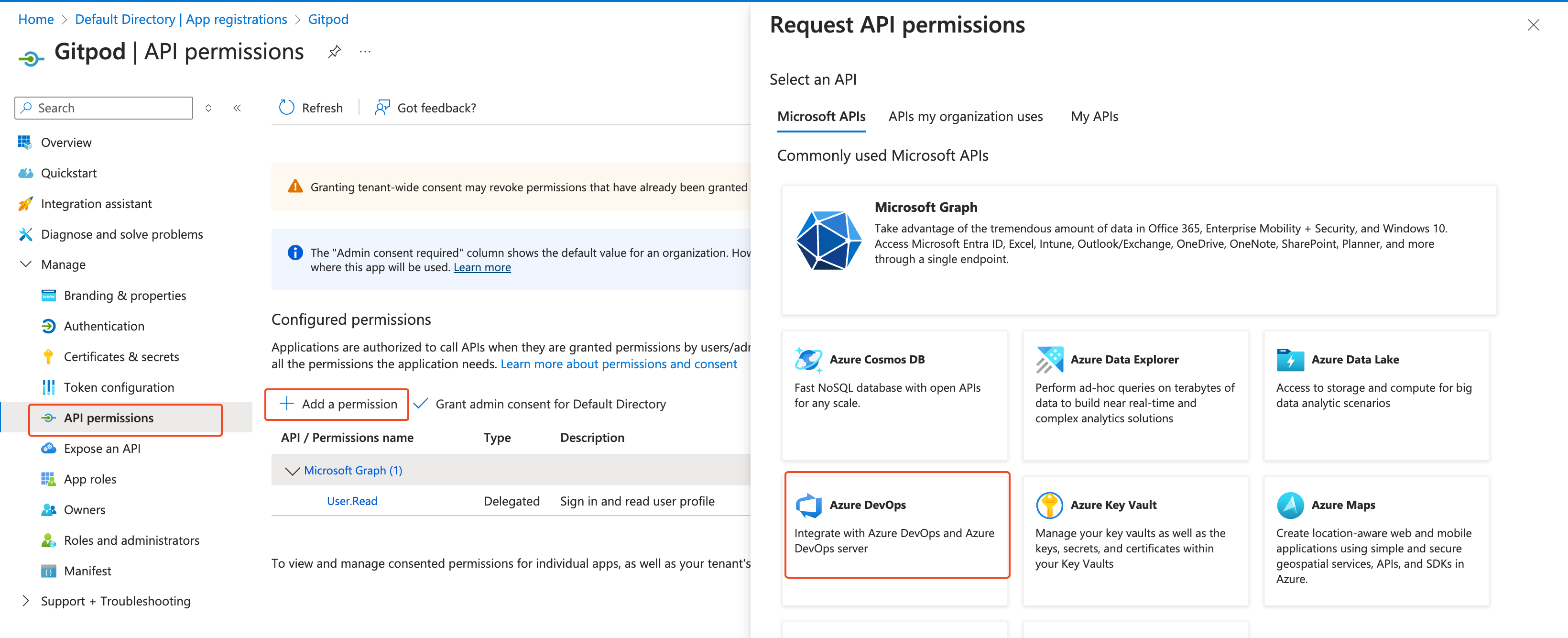
Azure API permission create
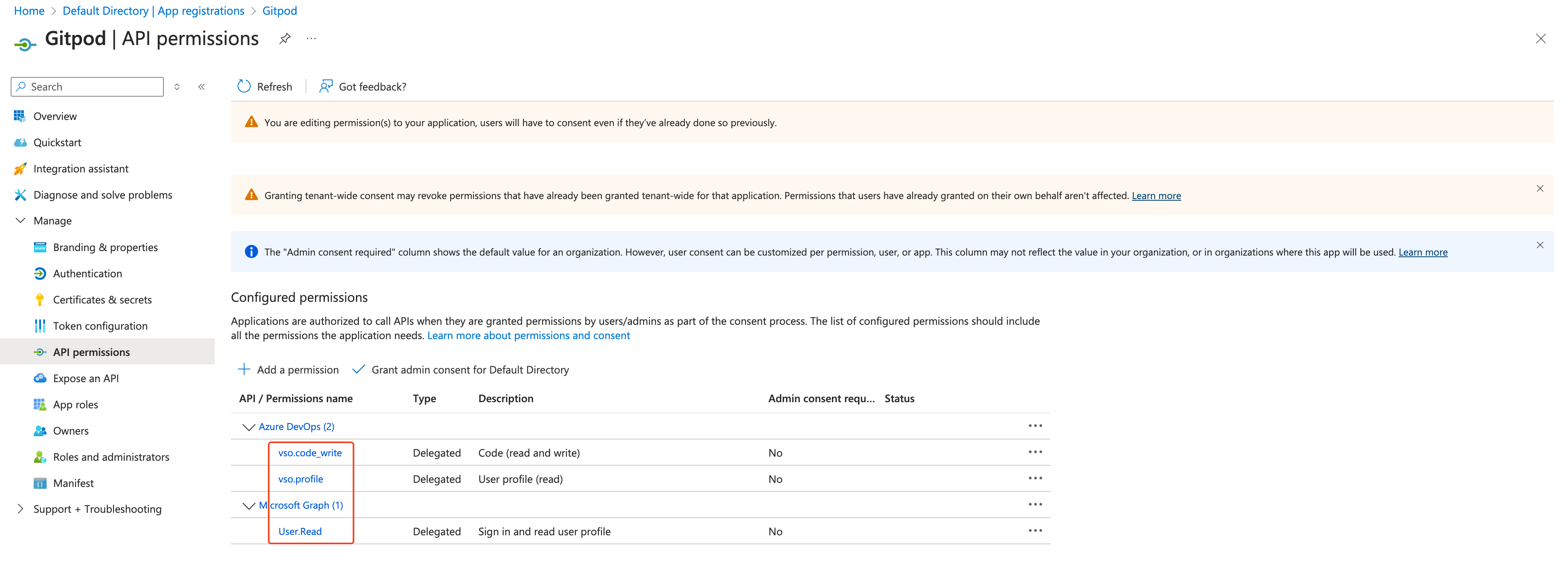
Azure API permission results
- Authorization URL: (authorization endpoint)
- Token URL: (token endpoint)
- Client ID: (Application (client) ID)
- Client Secret
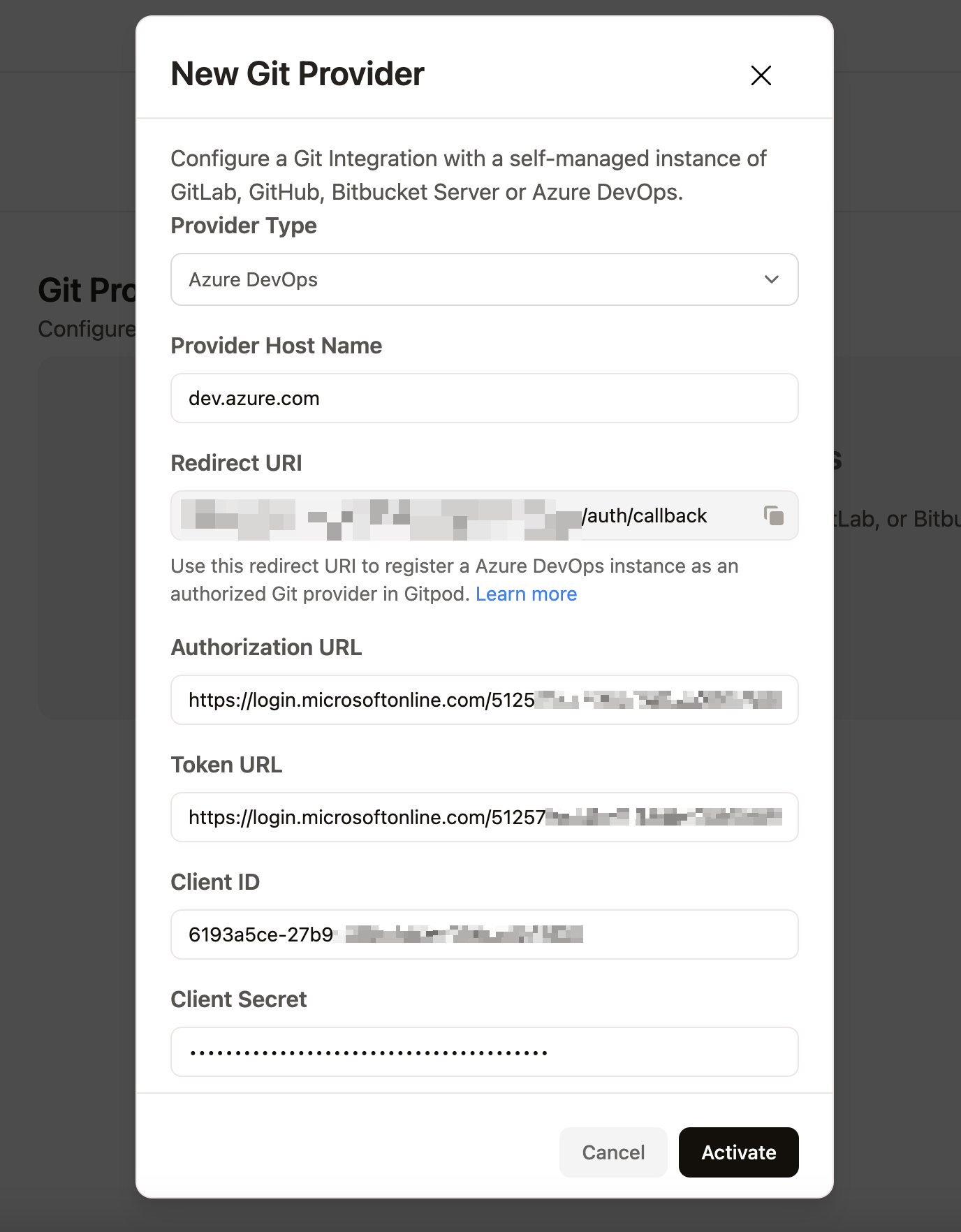
Gitpod Git Integration from result
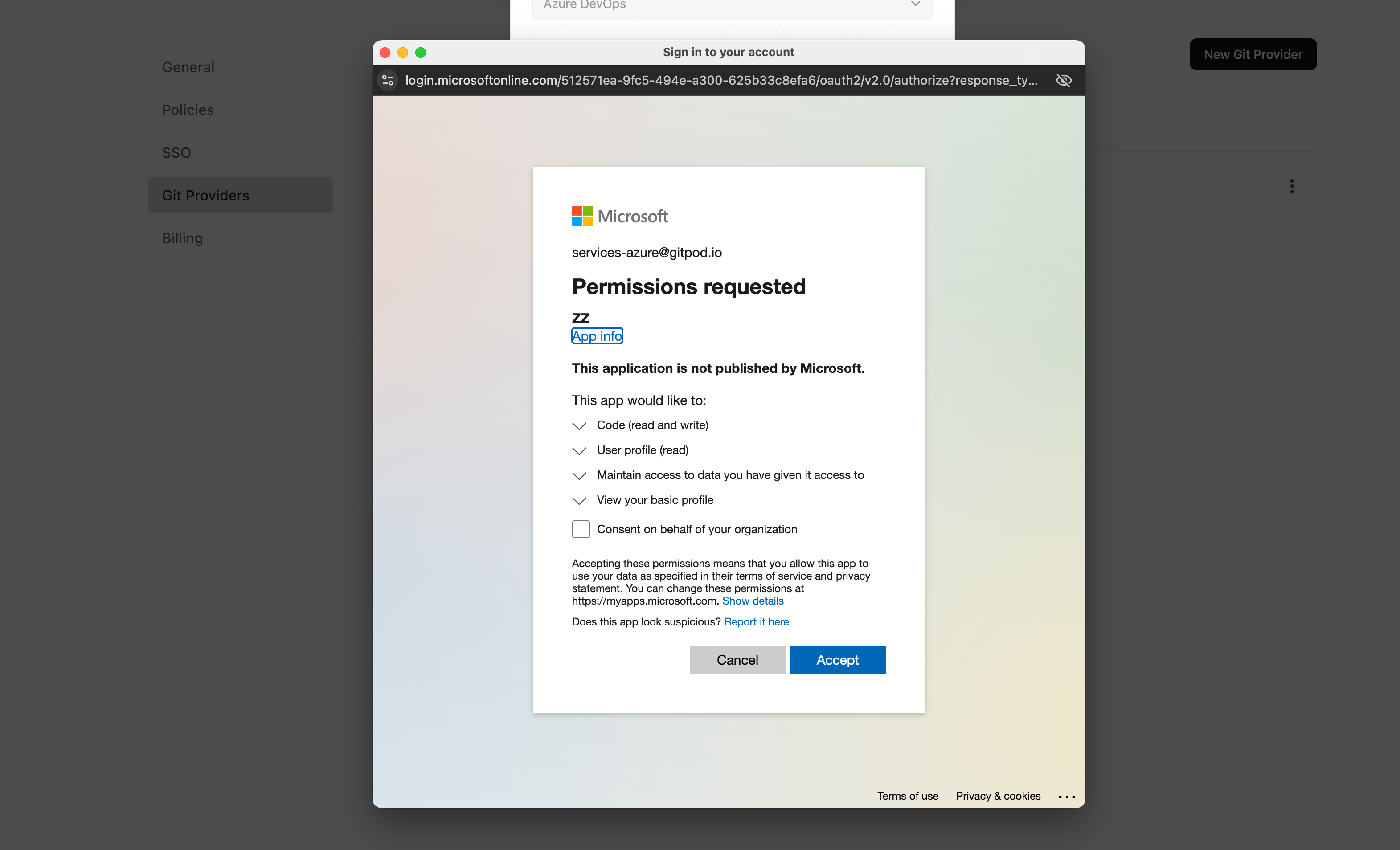
Gitpod Azure DevOps approval