



2026 Edition

An engineering leader's guide to background agents

You're figuring out background agents but don't know where to start. Here's what we've learned from how Stripe, Ramp, and Spotify built their agent infrastructure, and from building our own.

Your developers are faster than they've ever been. Copilot, Cursor, and Claude Code deliver on their promise at the individual level. But organizational velocity hasn't moved:

  • Features still take the same number of weeks to ship.
  • The tech debt backlog keeps growing.
  • CVEs sit unpatched for months.
  • Every vendor pitches a different angle, every blog post offers a different opinion.
  • The status quo feels safe, even though you know it's not sustainable.

If any of this sounds familiar, you're not alone. Every engineering leader we've spoken to is working through some version of it. This guide distills those conversations.

This post is a decision-making companion. Bookmark it and come back when you need it. Each section answers one of the questions that keeps coming up when teams evaluate background agents, so jump to whichever one applies. We built background-agents.com as a resource for engineering leaders working through this shift, and this article ties together what we've learned from talking to hundreds of teams going through the same process.

01

Proven patterns from teams who built it

Before you decide what to build, it's helpful to see what the ideal end state looks like.

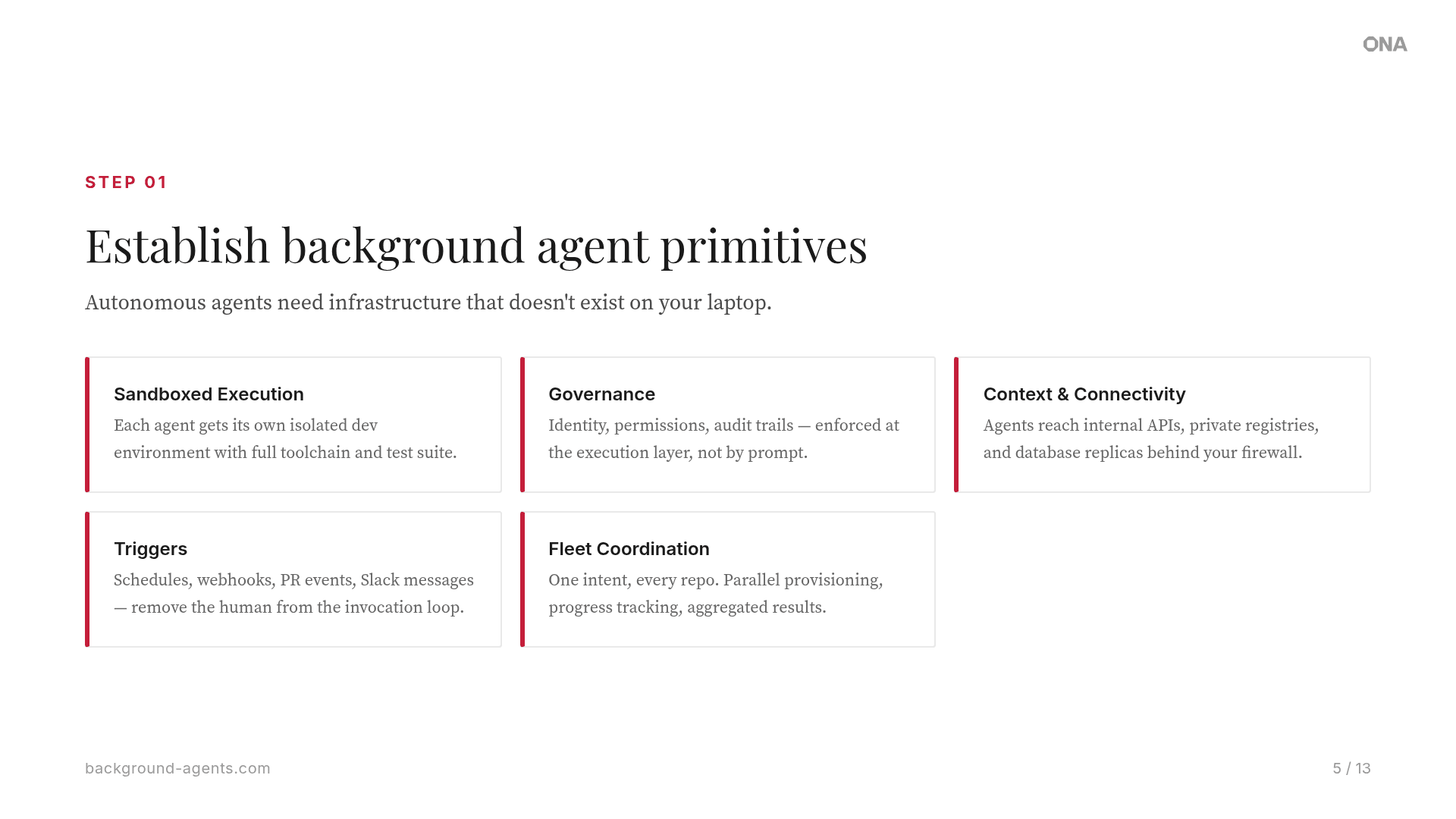
Six companies with high performing engineering teams have published the most detailed accounts of what they built and why. Every one of them built it themselves. Every one converged on the same five infrastructure primitives. Each invested months of dedicated platform engineering to get there, often more than a year. We pulled the pattern into a one-page reference that walks through each primitive with a visual.

What follows is inspiration, not instruction. After this section, the rest of the guide gets into what you should actually do.

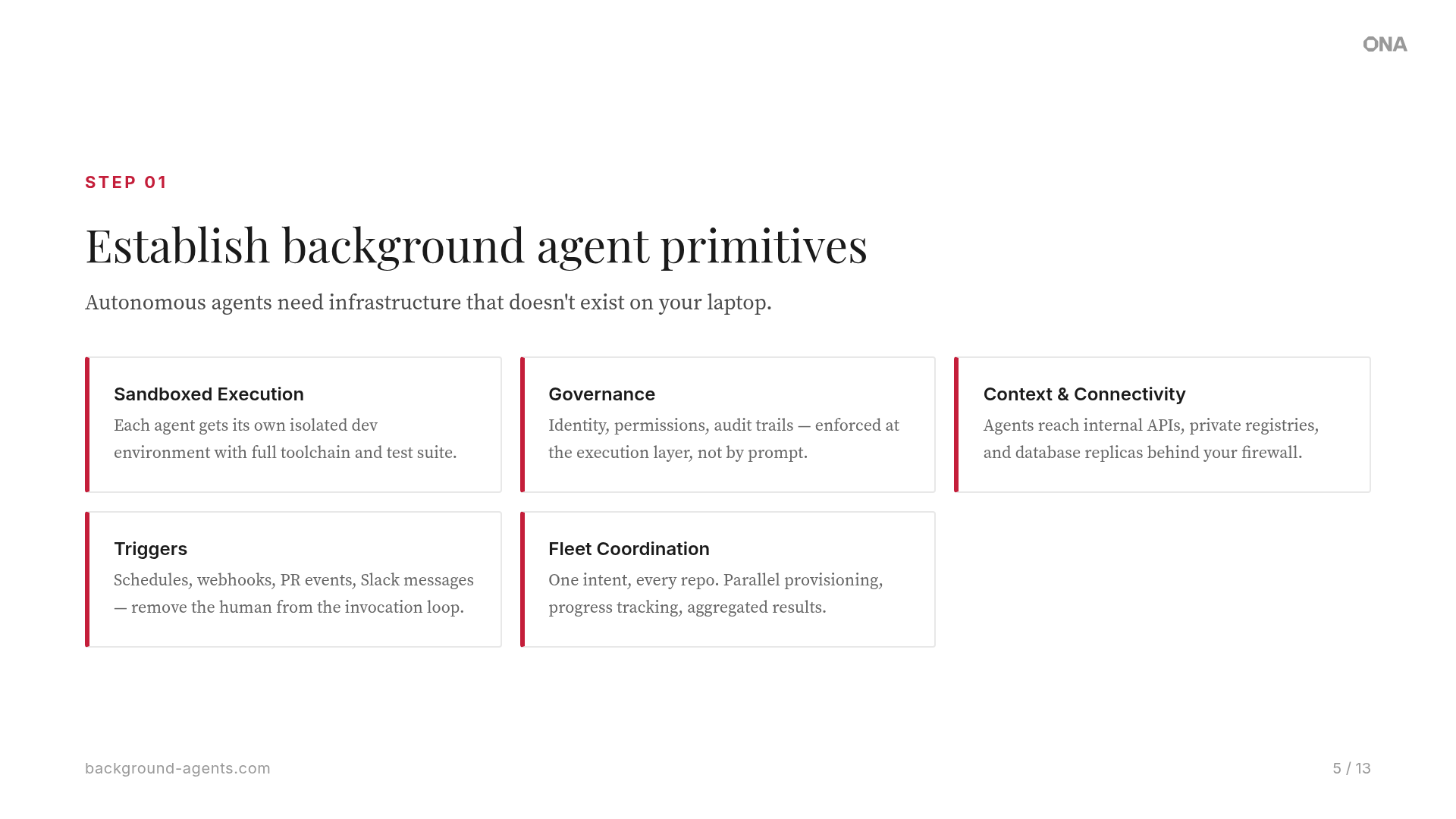
The five primitives every team converged on

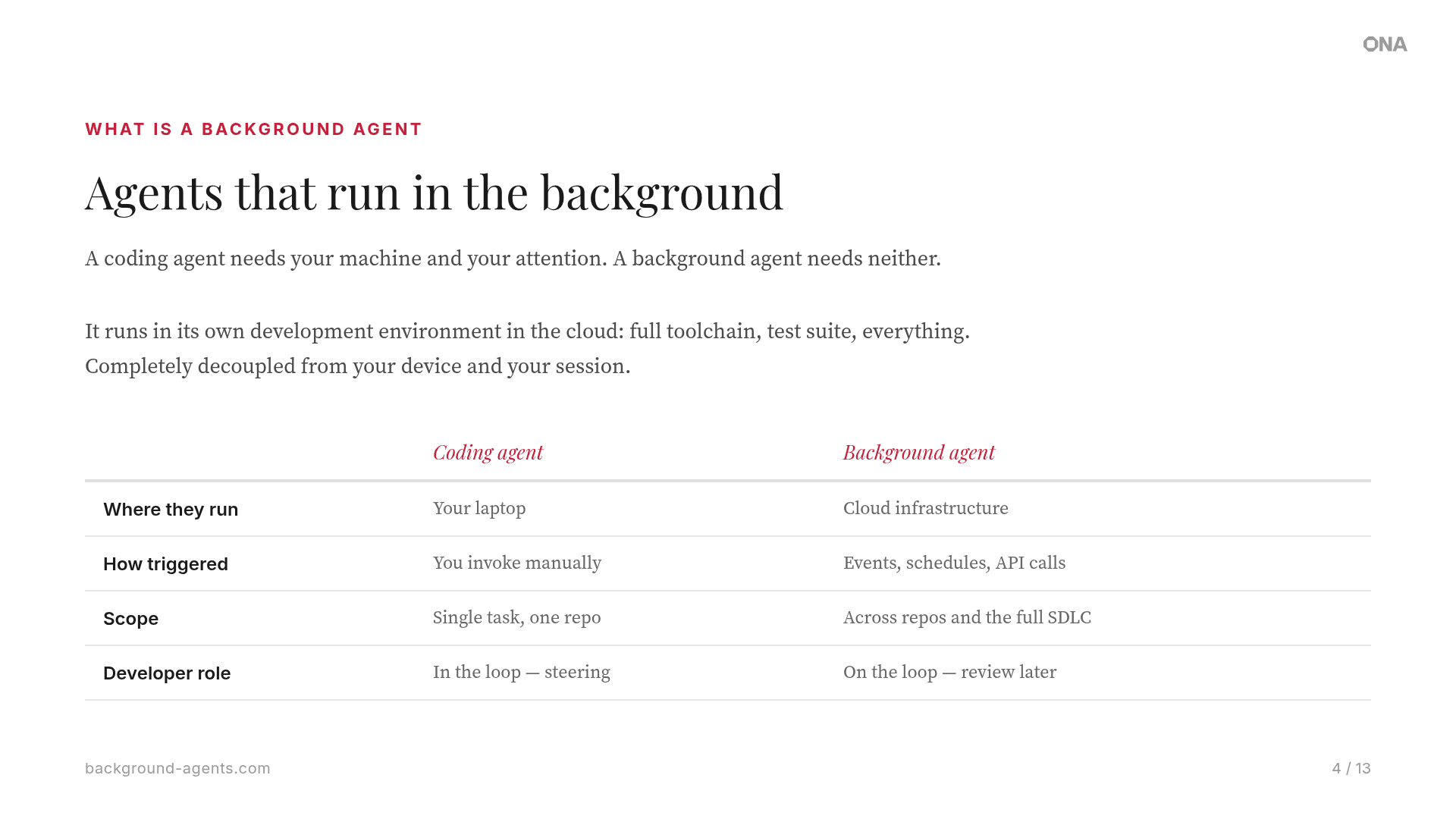
What every one of these teams figured out boils down to one fact: Your agents need a computer. A Mac Mini or a developer's machine is not enough. Your agents need infrastructure that looks like the production environment, with the right access, guardrails, and tools, that you can run a hundred of in parallel without anyone having to be at the keyboard.

The diagram below maps each company's architecture against these five primitives. Every team arrived at the same structural pattern independently.

Click to zoom
Overview of background agent infrastructure across Stripe, Ramp, Spotify, Uber, Harvey, and OpenAI

The case studies in this guide are based on talks from the Background Agents Summit. Watch the full sessions from Stripe, Harvey, Cloudflare, and more.

02

Map your maturity

Before you pick a use case or write a single line of platform code, get clear on where you are now and where you're heading before rushing to jump to the end of the path.

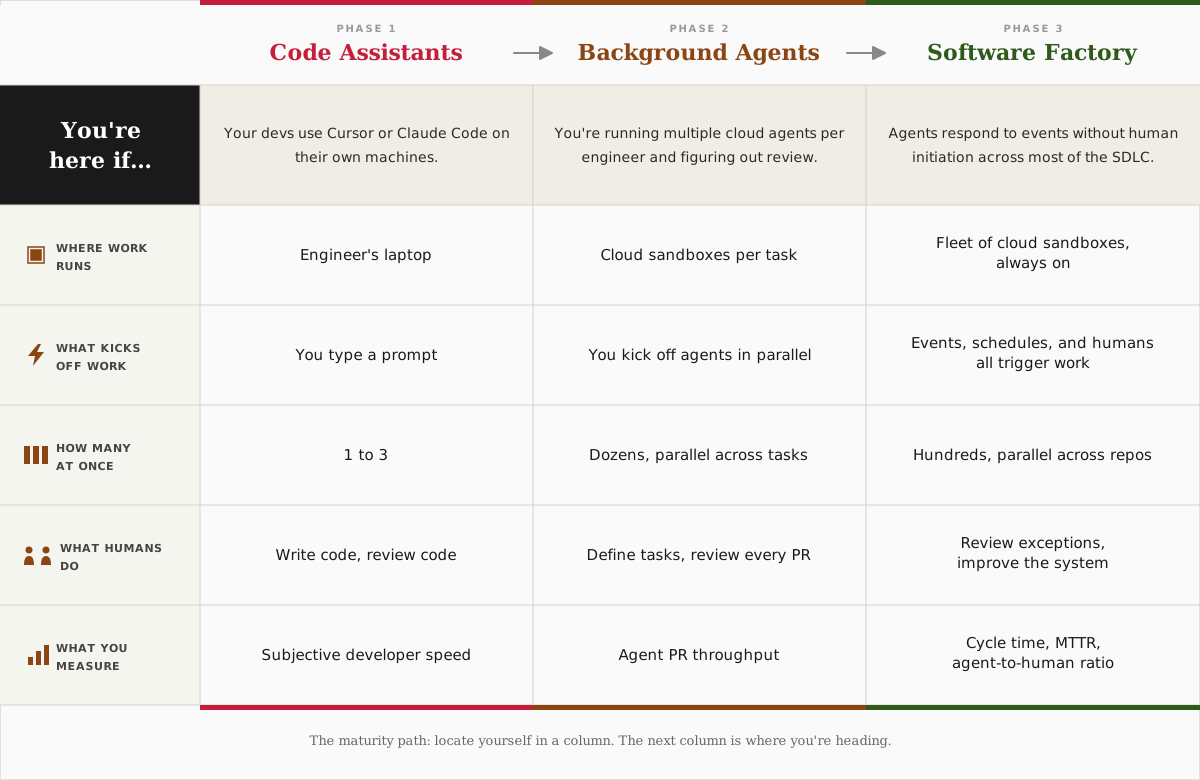
Code assistants → Background agents → Software factory.

Background agent maturity model: from code assistants to parallel agents to software factory

The three phases explained

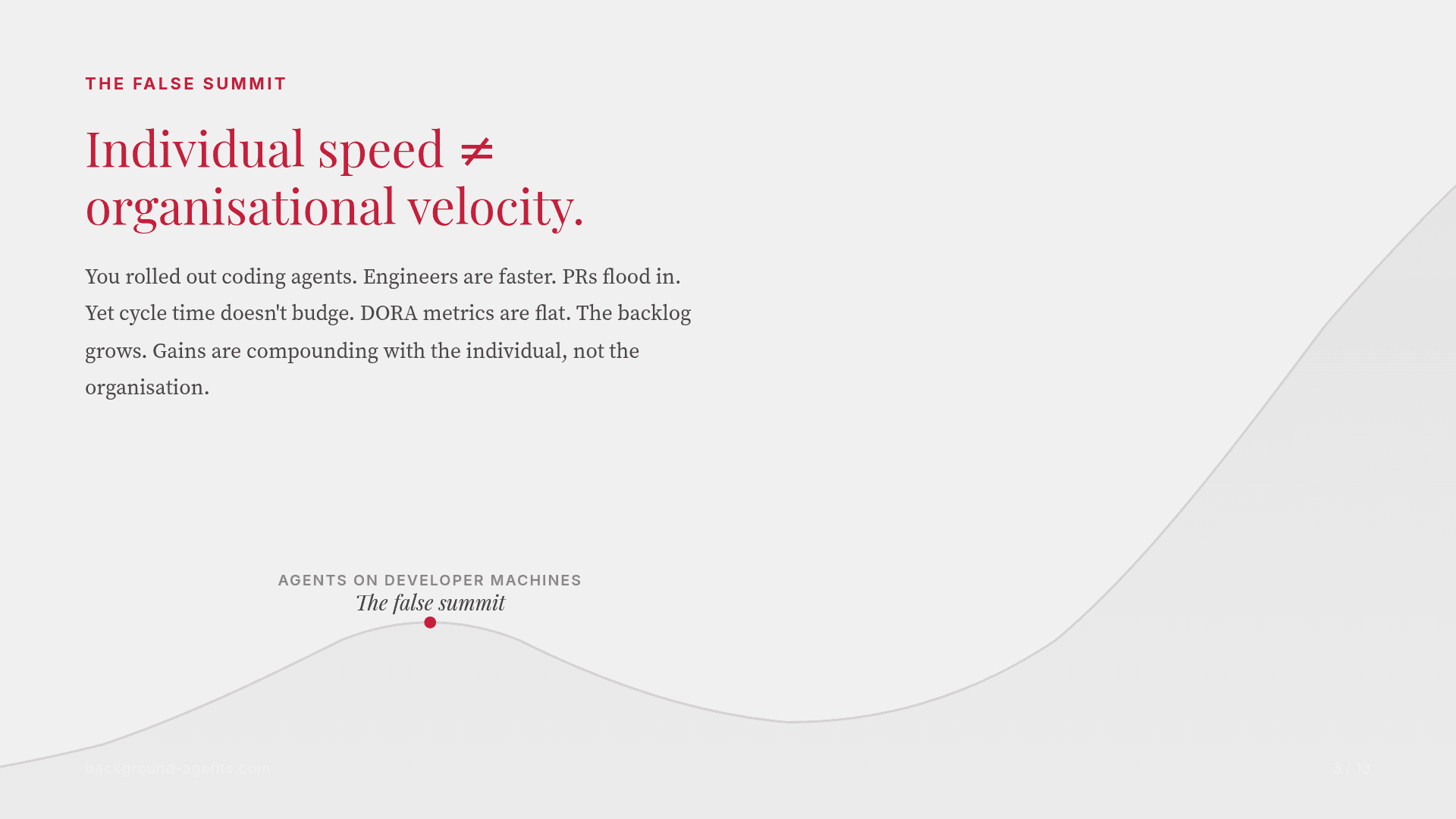
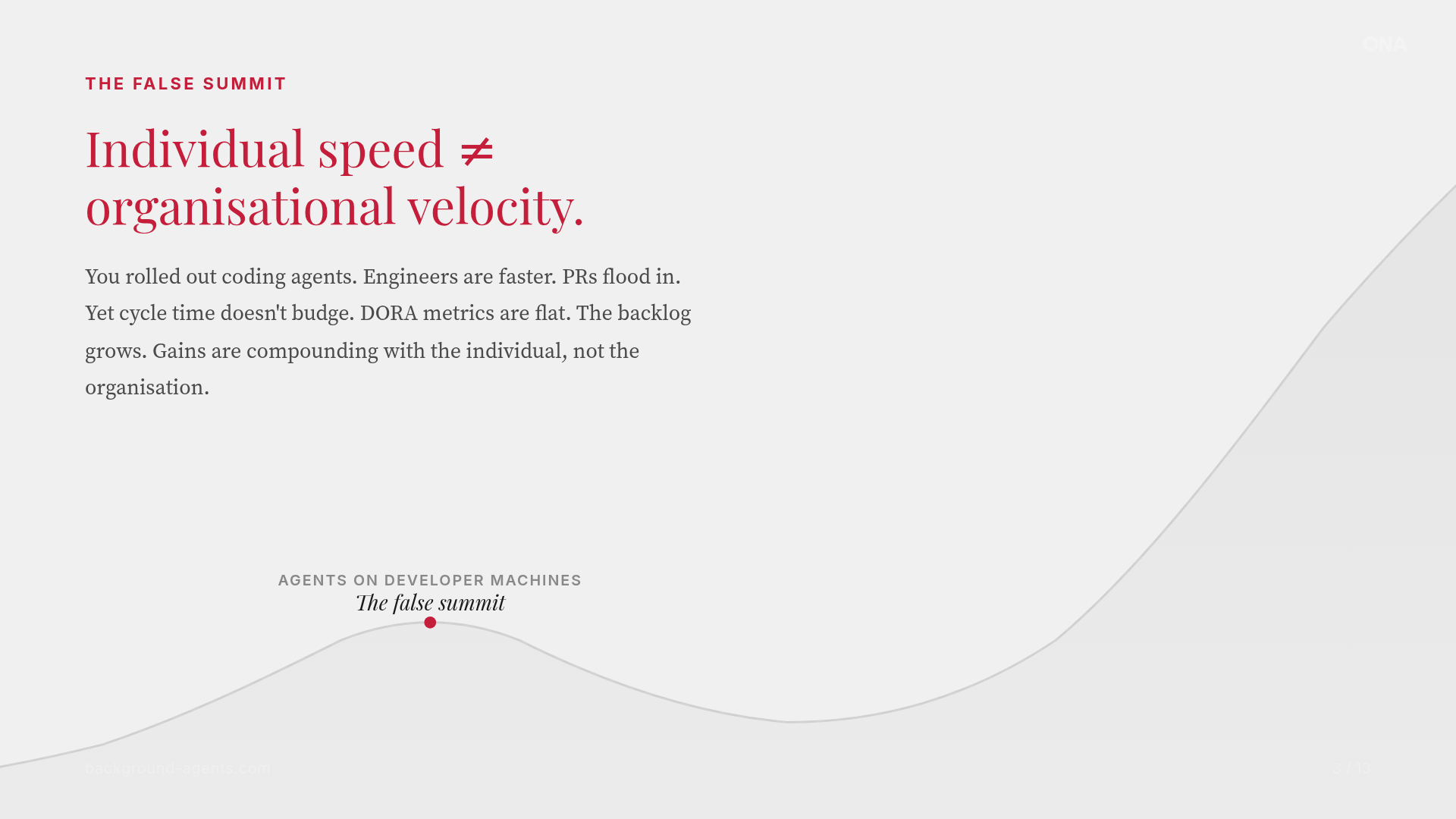
Code assistants are a false summit. Running agents on your laptop, buying a Mac Mini, or even using cloud-based tools like Claude Code or Codex optimizes personal throughput without changing organizational throughput. The bottleneck was never typing speed. It's coordination, review cycles, legacy systems, and the accumulated weight of technical decisions made years ago. Making one developer 2x faster doesn't help when the constraint is the 47 repos that need the same security patch applied, reviewed, and merged.

Background agents unlock operational trust. This is where you move agents to the cloud with proper isolation, build integrations with your existing tooling (Linear, Sentry, GitHub), and progressively increase agent autonomy as trust builds. This phase builds the operational trust and context engineering practices that make the next phase work. You can't skip this phase. It's where you learn what governance model fits your org, which integrations matter, and how much autonomy your team is actually comfortable with.

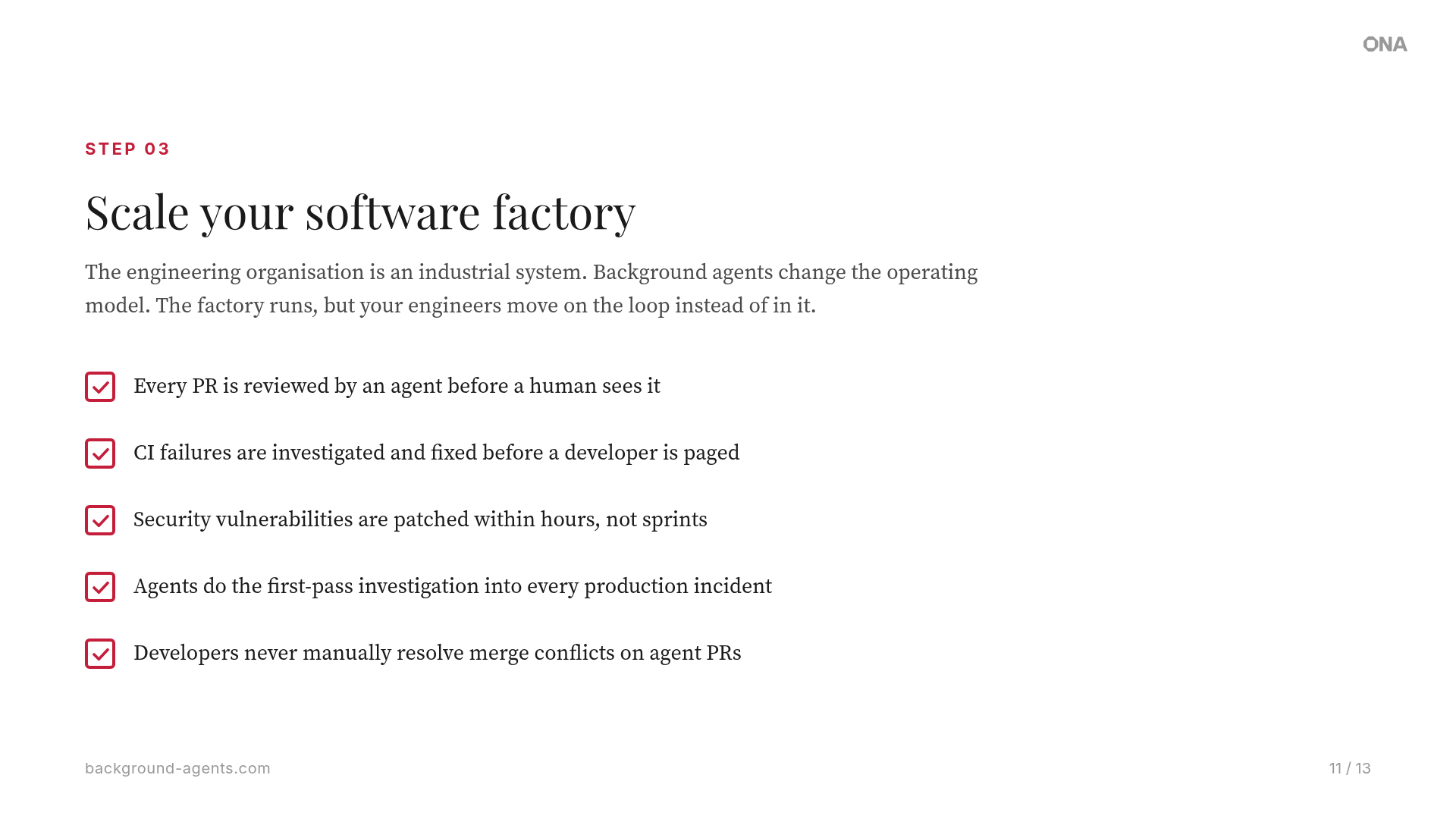
The software factory model standardizes and automates SDLC tasks at scale. Agents respond to events autonomously, humans review output rather than initiate work, and the entire SDLC is instrumented for agent participation. Most teams aren't ready for this yet, and the ones that are got there by going through the middle phase deliberately, not by trying to leap.


03

Find your use case

Once you know which phase you're in, the next move is to pick a starting point. It's easy to read about what Stripe or Spotify built, get excited, and then freeze on where to begin. Go where the pain lives and start small.

A first use case is a starting wedge, not the strategy. Look for work that scores well on four filters:

  • High-volume: repeats often enough that the time savings compound.
  • Well-defined: has a clear "done" state where the agent can verify success itself.
  • Low blast radius: failure is recoverable and visible.
  • Measurable: you can show before-and-after numbers without inventing a metric.

Another way to read these filters: pick the boring work first. Adoption is faster when you take work developers don't want to do.

If you don't have a use case yet, pick one of the ones below. They're proven, measurable, and they build the operational trust your org needs before you take on something more ambitious. Each has a ready-to-use automation template in our templates library.

Automated code review: Every PR gets a first pass from an agent before a human looks at it. Catches bugs, enforces standards, and leaves structured comments. Reviewers spend time on architecture, not style nits.
CI/CD migration: Define the target CI configuration once, then let agents apply it across hundreds of repos. Each migration runs in its own environment, opens a PR, and validates the pipeline before requesting review.
CVE remediation: A vulnerability is published. Agents scan your repos, generate patches, run tests, and open PRs across every affected repository, in parallel. What used to take weeks of engineering time happens in hours.
Legacy modernization: Migrate COBOL to Java, upgrade frameworks, modernize APIs. Agents handle the repetitive transformation work that no one wants to do manually across thousands of files.
Documentation: Generate and maintain docs, READMEs, and catalog entries. Keep documentation in sync with code changes automatically, so it never falls behind.
Test generation: Automatically generate and maintain test suites. Agents write tests, verify they pass, and open PRs, increasing coverage without pulling engineers off feature work.
04

Decide build or buy

The teams that built their own agent infrastructure (Stripe, Ramp, Spotify, Uber) had something most companies don't: pre-existing investment in cloud development environments. They already had the isolation layer, the image pipelines, and the credential scoping before they ever pointed an agent at a codebase. A dedicated platform team and many months of runway helped, but the foundation was already there.

Building this is possible. The question is whether it's worth it.

Building agent infrastructure means owning it, and the five primitives from Section 1 (sandboxed environments, context connectivity, triggers, fleet orchestration, governance) are each a system that needs to be built, maintained, secured, and scaled. The teams that built it themselves did so because agent infrastructure is core to their competitive advantage. For most companies, it isn't.

The build-vs-buy decision comes down to three questions: Do you have a platform team that can own this full-time? Do you have 12-18 months before you need results? And is agent infrastructure a competitive differentiator for your business, or is it table stakes that you need in order to compete?

The component shopping list

Here's what you're actually signing up for if you build:

Sandboxed dev environments. Custom Docker/VM orchestration, image management, network isolation, credential scoping. 3-6 months to build, ongoing maintenance. With Ona: included, cloud or VPC.

Agent orchestration. Custom workflow engine, job scheduling, retry logic, state management. Ongoing maintenance as agent frameworks evolve. With Ona: Automations, built-in.

Trigger system. Webhook plumbing, event routing, deduplication, rate limiting. With Ona: built-in triggers for PR, issue, schedule, API, and custom events.

Agent harness. Integrate Claude Code, Codex, Cursor, or whatever comes next. Keep up with breaking changes. With Ona: pre-integrated, swap anytime.

Observability. Custom logging, dashboards, cost tracking, usage analytics. With Ona: audit logs, usage analytics, cost attribution.

Security & isolation. Network policies, secrets management, RBAC, audit trails. With Ona: SOC 2 Type II, VPC deployment, policy guardrails.

The background agent tool landscape

If you decide to build, here's what the shopping list actually looks like: 95+ infrastructure providers and open-source tools mapped across every layer of the stack. Click any provider to see details.

Ona provides all five as a managed platform. Your agents run in isolated cloud environments with full access to your toolchain, triggered by events across your SDLC. Security is enforced at the infrastructure level: zero standing credentials, ephemeral environments, full audit trails, and the option to run entirely inside your network. Your team focuses on the integrations and workflows specific to your codebase.


05

Get buy-in

You're convinced. Your team is curious. But your VP of Engineering wants to see numbers, and your CISO wants to see a security review. This is the section you'll bookmark and share internally.

The ROI case for background agents is straightforward but needs to be framed for your audience. Lead with a specific pain point your org already feels: the backlog that's been growing for two years, the CVEs that sit unpatched for months, the migrations that never get prioritized.

The most effective internal pitch we've seen follows this structure: start with a specific, measurable use case (CVE remediation is popular because it's quantifiable). Run a proof of value for 2-4 weeks, measure before and after, then expand.

Security buy-in is often the harder conversation. The key insight: agents running in sandboxed, ephemeral environments with no persistent access to production are actually more secure than developers with standing credentials on their laptops. Every action is logged, every environment is destroyed after use, and there's no persistent access to anything.

Metrics that matter to each stakeholder

For engineering leadership:
  • PRs merged per week (before/after)
  • Mean time to remediate CVEs
  • Developer satisfaction scores (are they doing more interesting work?)
  • Backlog velocity: is the backlog actually shrinking?
For security/compliance:
  • Zero standing credentials: agents get scoped, short-lived tokens
  • Ephemeral environments: nothing persists after the run
  • Full audit trail of every agent action
  • SOC 2 Type II certified platform
  • VPC deployment: code never leaves your network
For finance:
  • Cost per PR (agent vs. human)
  • Time saved on repetitive tasks (hours/week × fully loaded eng cost)
  • Infrastructure cost vs. developer time cost: the math almost always favors agents for high-volume work
06

Avoid these traps

We've watched dozens of teams attempt this transition. The ones that stall share common patterns. Here are the traps that keep coming up.

Trap 1: Starting too big. Don't try to automate your entire SDLC on day one. Pick one use case, prove it works, and expand from there. The teams that succeed start narrow and go deep before going wide.

Trap 2: Treating agents like junior developers. Agents aren't interns. They don't need hand-holding, but they do need clear specifications. The teams that succeed invest in context engineering (structured AGENTS.md files, clear repo conventions, good test suites), not vague prompts.

Trap 3: Running agents on laptops. Running agents on a developer's laptop or a Mac Mini is a dead end. You need isolated, reproducible environments with proper network boundaries and credential scoping. This is the infrastructure problem that Ramp and Stripe solved first, before they even thought about agents.

Trap 4: No observability. If you can't see what your agents are doing, you can't trust them. And if you can't trust them, you'll babysit them, which defeats the purpose. You need audit logs, cost tracking, and usage analytics from day one.

Trap 5: Trusting agent-level security. As you increase agent autonomy, the temptation is to rely on deny lists and permission boundaries defined at the agent level. The problem: agents can reason around their own constraints. Prompt-level guardrails don't work. If the guardrail lives inside the same context window as the agent, it's a suggestion, not a boundary. Security enforcement needs to happen at the infrastructure layer (network policies, kernel-level controls, scoped credentials) where the agent has no ability to override it.

Trap 6: Waiting for the perfect model. The model is not the bottleneck. Context, tooling, and infrastructure are. Teams that wait for the next model to "get good enough" are optimizing the wrong variable. The teams shipping today are shipping because they invested in the surrounding infrastructure, not because they have access to a better model.

Red flags: Signs your agent adoption is going sideways

  • Developers are spending more time reviewing agent PRs than writing code themselves
  • Agent PRs have a lower merge rate than human PRs
  • You're running agents on developer laptops or shared CI runners
  • No one can tell you how many agent-hours ran last week or what they cost
  • Security hasn't been involved in the conversation yet
  • You're using 3+ different tools to orchestrate what should be one workflow
  • The "AI initiative" has been in pilot for 6+ months with no production deployment
  • Your agents don't have access to tests, linting, or CI, so they can't verify their own work

07

The shortest path to production

Ona gives you the five primitives out of the box (sandboxed environments, context connectivity, triggers, fleet orchestration, and governance) so you can skip the 18 months of platform building and go straight to the use case.

01

Pick a use case

Start with one high-volume, low-risk workflow. CVE remediation, code review, or CI migration are proven starting points with measurable outcomes.

02

Run a proof of value

Deploy agents on real tasks for 2-4 weeks. Measure PRs merged, time saved, and merge rate. Compare against your baseline.

03

Deploy Ona

Cloud or VPC, your choice. SOC 2 Type II certified, ephemeral environments, full audit trail. Security sign-off is straightforward.

04

Scale to fleets

Roll out to more teams and use cases. Go from one agent to fleets, from one repo to hundreds. The infrastructure scales with you.

08

Take your next step

You've worked through the playbook. Pick the action that fits where you are right now.

Evaluating the space

Use the five primitives as your evaluation checklist for any solution you consider.

View the checklist

Try it hands-on

Run an automation template against your own repo. Seeing agents work on your codebase tells you more than any evaluation framework.

Browse templates

Free consultation

A 30-minute working session on your specific situation, not a product demo. You leave with insight into where you are, a recommended first use case, and a best first step to take.

Book a session

The destination is engineers on the loop, not in the loop. Agents run autonomously, triggered by events across your SDLC. Humans improve the system, review output, and handle the work that requires judgment. The teams that start now will compound their advantage every quarter.

Deploy AI software engineers alongside your team.

Start with one use case. Scale to fleets.

This website uses cookies to enhance the user experience. Read our cookie policy for more info.