

Automatic updates
The runner periodically checks the Ona API for new versions. When a newer version is available and the infrastructure is compatible, the runner updates itself automatically.- Updates are non-disruptive to running environments
- Failed updates automatically roll back without impacting existing functionality
- The runner maintains its configuration and credentials through updates
- View the current version at Settings → Runners
Update window
By default, automatic updates can occur at any time. You can restrict updates to a specific daily time window (UTC) to align with your maintenance schedule.- Navigate to Settings → Runners and select your runner
- Scroll to Runner Configuration
- Enable Set update window
- Select a Start hour and End hour (UTC). The window must be at least 2 hours long. Overnight windows are supported (e.g., 22:00 to 04:00 UTC).
-
Click Save Configuration
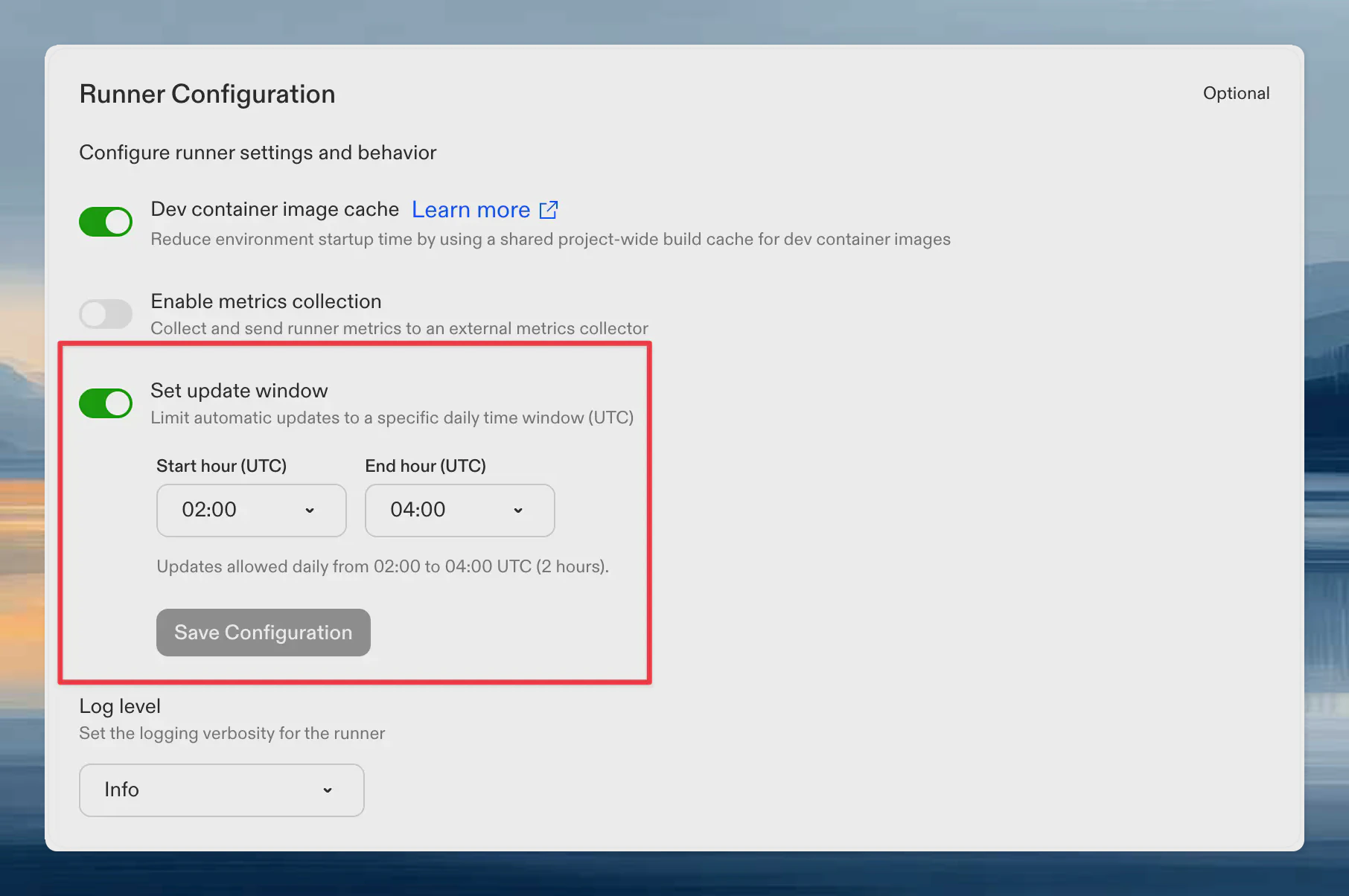
The update window controls when routine automatic updates are applied. It does not affect manual infrastructure upgrades.In rare cases, Ona may push a hotfix release that bypasses the update window. Hotfixes are reserved for fixes to functional degradation of the runner or critical security patches. You will be notified before a hotfix is applied.