

Available on the Enterprise plan. Contact sales to learn more.
Why enable managed metrics
Without metrics visibility, Ona cannot detect runner issues until you report them. Managed metrics close this gap:- Proactive monitoring: Ona detects degraded runners, resource exhaustion, and elevated error rates before developers are impacted.
- Faster incident resolution: When you contact support, the Ona team already has the operational context they need.
- Zero setup on your side: No Prometheus endpoint to configure, no dashboards to build. Toggle it on and the runner handles the rest.
- Non-sensitive data only: The curated metric set contains only operational counters, gauges, and histograms. No user data, source code, or secrets are ever sent.
Enabling managed metrics
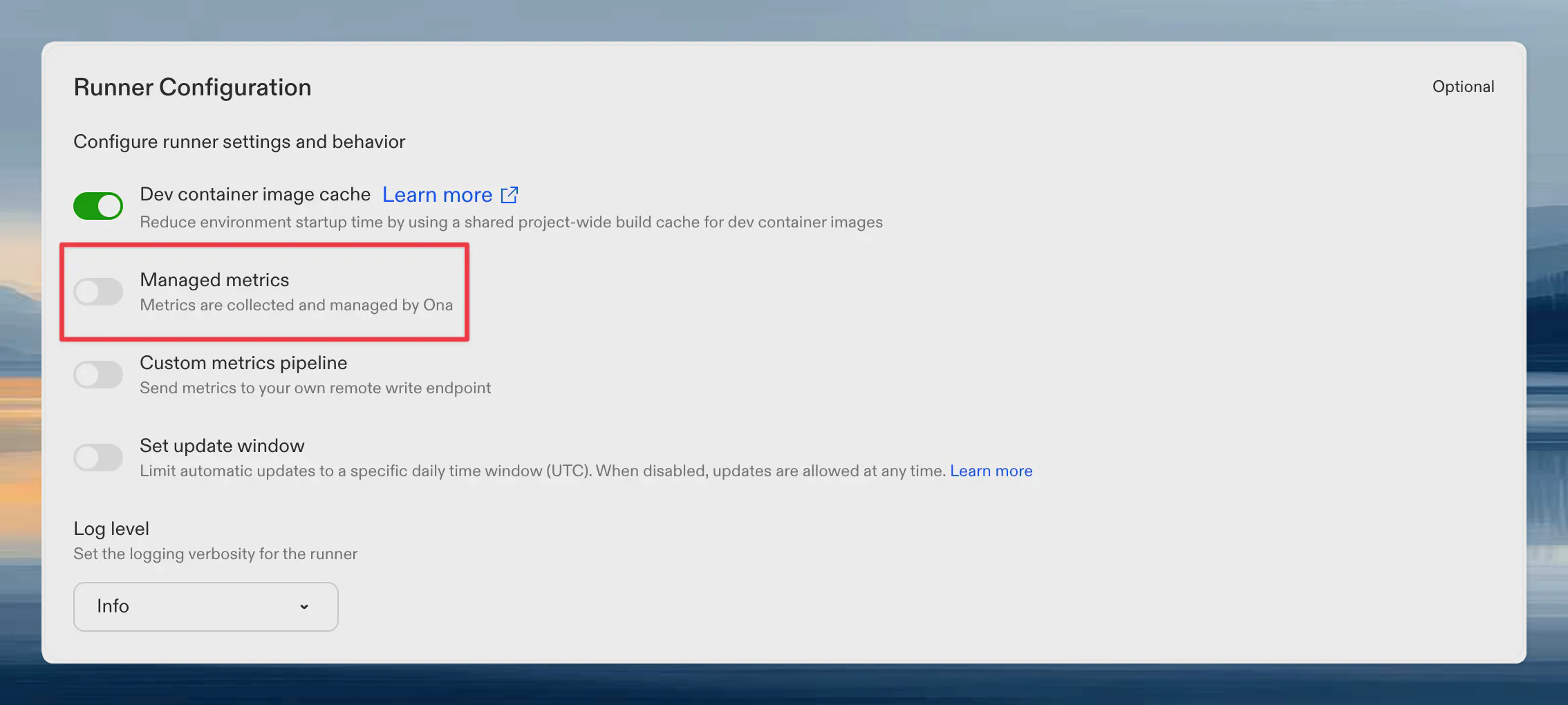
- Go to Settings → Runners
- Select your runner
- Toggle Ona managed metrics
What metrics are reported
The curated metric set answers: “Is this runner healthy and performing well?” Metrics are filtered to a hardcoded allowlist in the runner binary. Adding or removing metrics requires a runner release, which provides a natural review gate.Environment lifecycle
Supervisor connectivity
Inverted RPC
These metrics track request delivery from the management plane to the runner over the runner’sWatchRequests stream.
reason="not_owner" is expected when broadcast delivery reaches a replica that does not own the resource. Treat this counter as diagnostic context, not as a failure signal; use the backend bridge completion metrics to determine the terminal caller outcome.
Snapshots and warm pools
Work queue health
LLM proxy health
Scoped to proxy health only. No token counts, no prompts, no usage patterns. Ona can see whether the proxy is succeeding and how fast it responds, but nothing about what you send through it.
Token usage metrics (
gitpod_llm_input_tokens_total, gitpod_llm_output_tokens_total, cache counters, etc.) are deliberately excluded from the allowlist. They remain available to your own custom metrics pipeline if you want them, but they are never forwarded to Ona.
Agent and MCP
Runner operations
Process health
Cloud-specific metrics
- AWS
- GCP
How it works
- The runner’s Prometheus registry collects metrics every 15 seconds (this already happens for normal runner operation).
- A managed metrics reporter filters the registry to the curated allowlist, encodes the result as a Prometheus remote write payload, and compresses it with Snappy.
- The runner pushes the compressed payload to the Ona management plane every 60 seconds over the existing authenticated connection.
- The management plane validates the payload, adds identifying labels (
organization_id,runner_id,runner_region,runner_type), and forwards it to Ona’s internal monitoring infrastructure.
Auditing reported metrics
Every metrics payload the runner sends to Ona is also written to your cloud storage bucket, so you can audit exactly what data leaves your network. Audit payloads are stored as Snappy-compressed Prometheus remote write protobufs at:Finding the bucket name
The bucket name is shown on your runner’s settings page. When Ona managed metrics is enabled, the bucket URI appears below the toggle. Click the copy icon to copy it.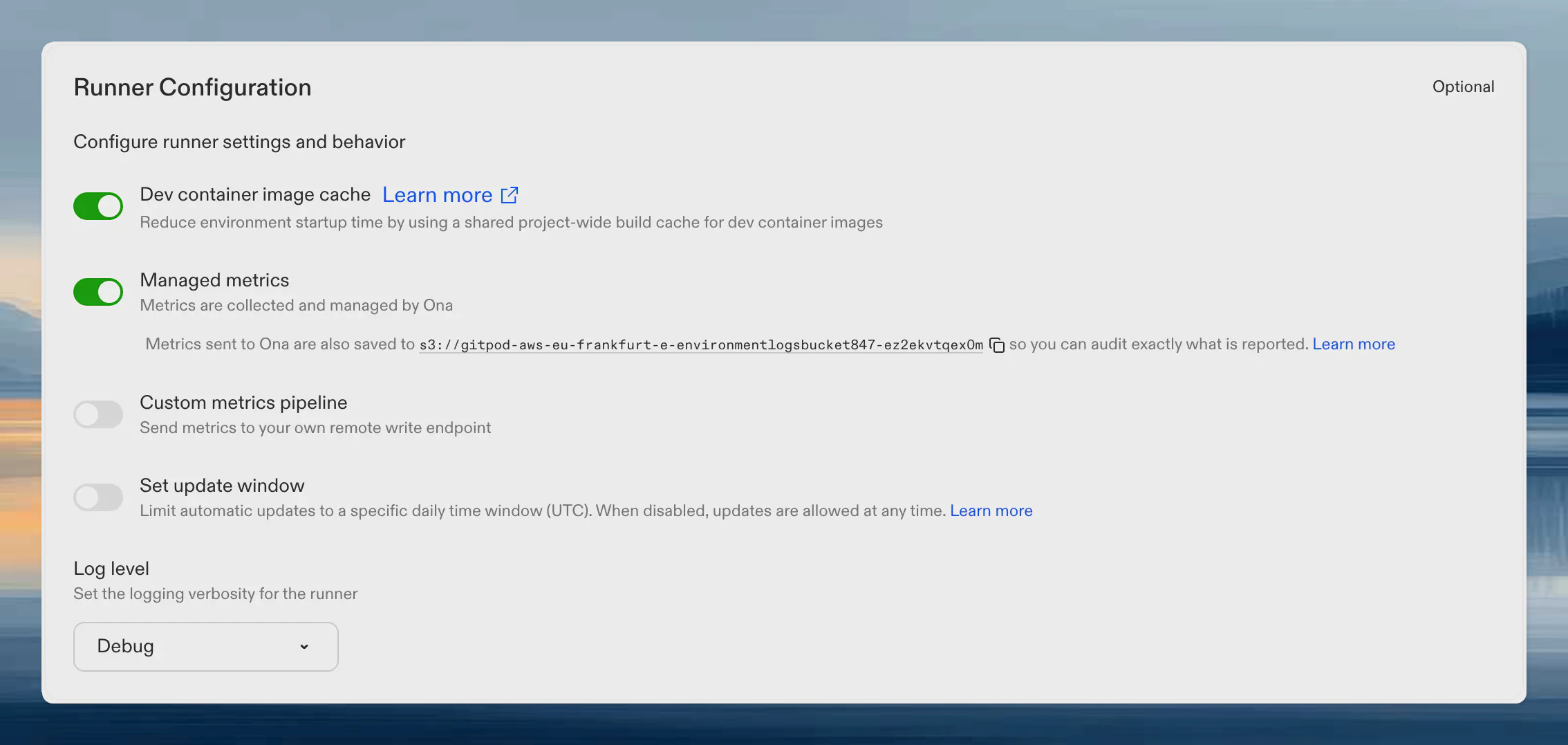
Listing and downloading audit payloads
- AWS
- GCP
Decoding audit payloads
Each.pb.snappy file is a Snappy-compressed Prometheus remote write WriteRequest protobuf. You can decode it with standard Prometheus tooling or any protobuf decoder:
Privacy and data handling
- Opt-in only. Disabled by default. You explicitly enable it per runner.
- Push-based. The runner pushes metrics to Ona. Ona never reaches into your runner or network.
- Non-sensitive. Only operational counters, gauges, and histograms. No user data, source code, environment variables, or secrets.
- Non-interfering. Independent of any self-managed metrics endpoint. Both can run simultaneously.
- Auditable. Every payload is persisted to your cloud storage for inspection.
- Transparent. The metric allowlist is hardcoded in the runner binary. Changes require a runner release and are documented on this page.