

Opening an environment
- Start an environment in Ona.
- Click the Code tab in the environment details page. VS Code Browser loads inline alongside the Ona session.
- To open VS Code Browser in a dedicated browser tab, select VS Code Browser from the editor dropdown next to the Open button on the action bar.
- On first use, click Allow when prompted to authenticate with your Ona account.
If authentication fails, close the browser tab and try opening the environment again.
Managing your environment
Commands
Open the Command Palette (Cmd+Shift+P / Ctrl+Shift+P) and type Ona to see all available commands.
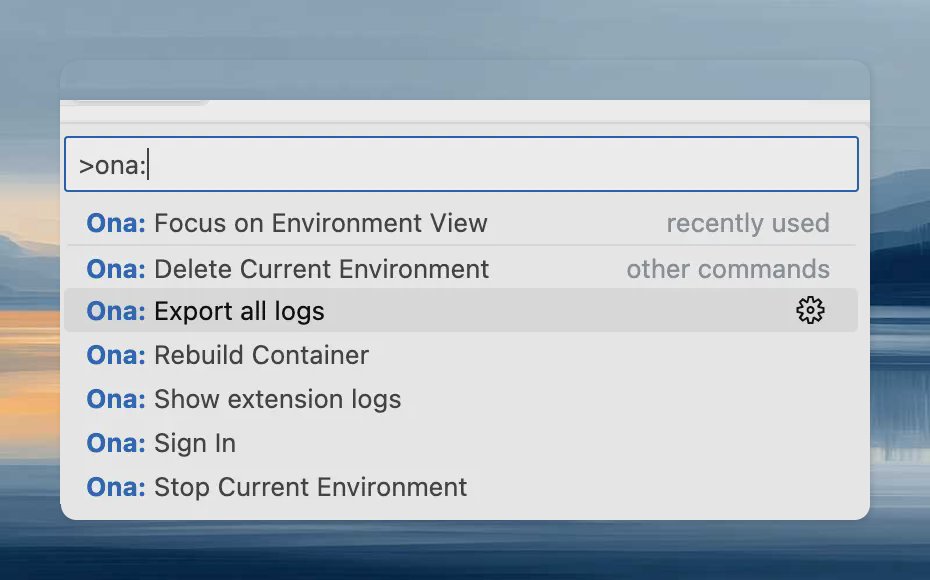
Rebuild
Rebuild the container to apply changes to.devcontainer.json, Dockerfile, or docker-compose.yml:
- Command Palette:
Ona: Rebuild Container - Prompt: VS Code detects configuration changes and offers to rebuild automatically.
Ona output channel for rebuild logs.
Full-screen editing
Use the Expand button in the top-right corner of the Code tab for a larger view, or select VS Code Browser from the editor dropdown to open in a dedicated browser tab.Settings Sync
Enable Settings Sync to sync your extensions and preferences from VS Code Desktop. See the official Settings Sync documentation.Troubleshooting
Limitations
Limitations
The following limitations apply in addition to the VS Code Desktop limitations:
- Docker Compose environments require
network_mode: "host"on the main service for VS Code Browser to connect. - VS Code Browser is not supported for local environments created using Ona Desktop.
- Opened ports are not automatically forwarded. Share them to access them.
Authentication issues
Authentication issues
- Use
Ona: Sign Outto sign out. - Sign in again with the same or a different account.
General issues
General issues
- Check the
Onaoutput view for errors. - When sharing reports with support:
- Set log level to Trace via
Developer: Set Log Level... - Use
Ona: Export all logsfrom the problematic window.
- Set log level to Trace via