

What agents can do with Granola
Once connected, agents can:- Search meeting notes: Find meetings by title, date, or attendees across your Granola account.
- Read transcripts: Access full meeting transcripts and notes without leaving your session.
- Extract action items: Pull out tasks, decisions, and follow-ups from past meetings.
- Answer questions from meetings: Ask natural language questions about what was discussed in any meeting.
Example workflows
Connect Granola
Step 1: Organization setup
An admin needs to enable Granola for your organization first.- Go to Organization Settings > Integrations
- Find Granola and click Enable
- Configure default settings if needed
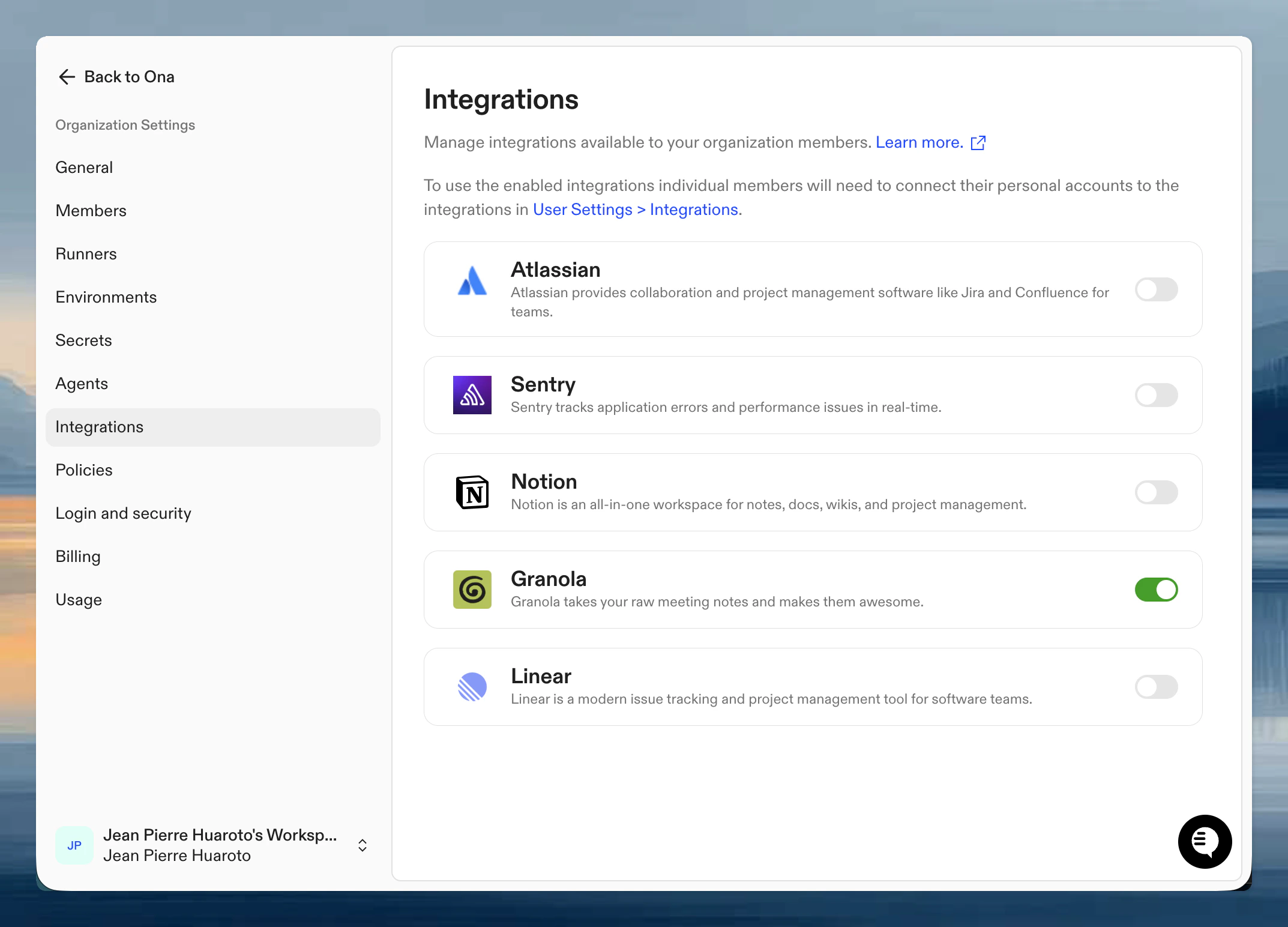
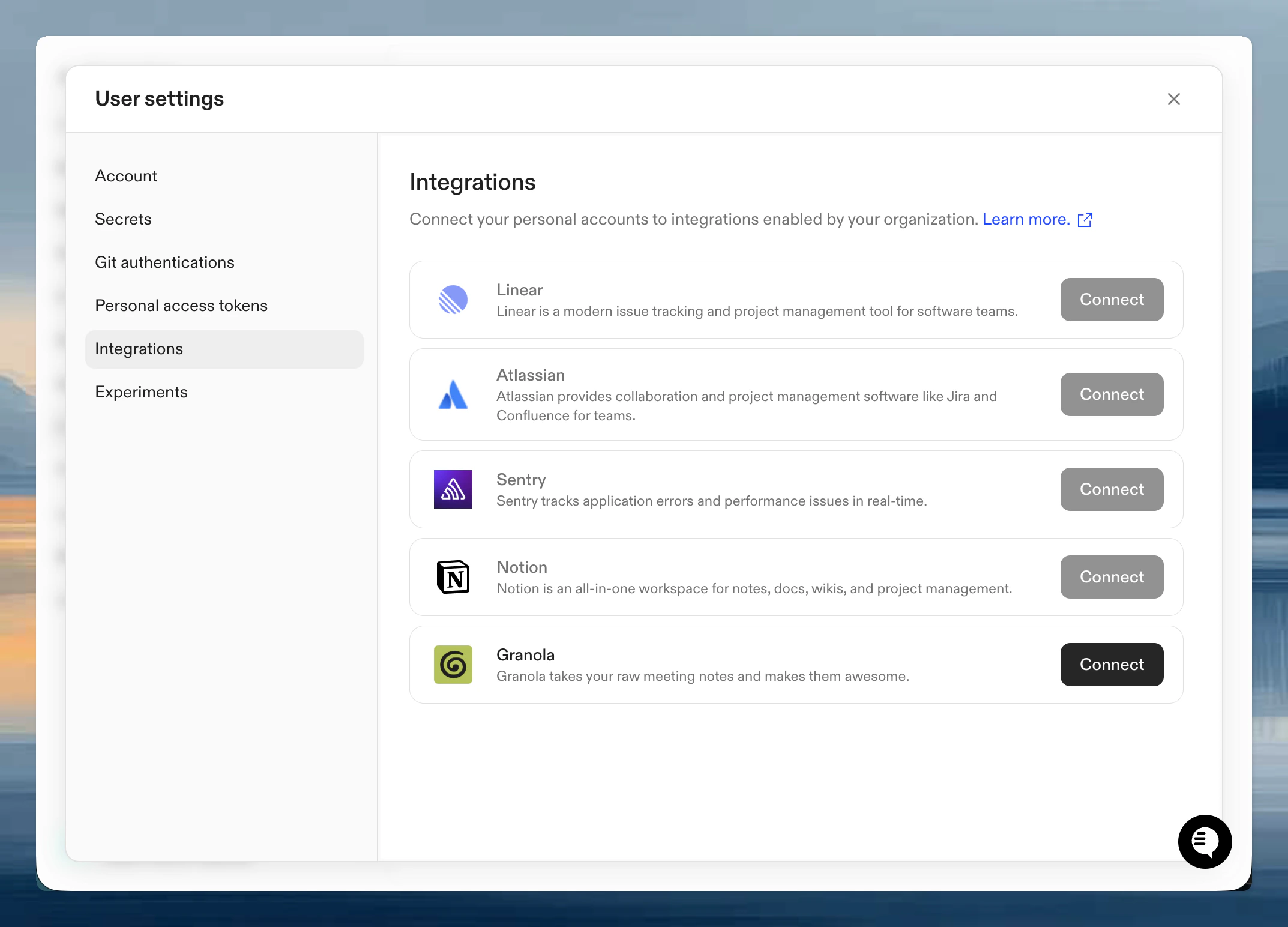
Step 2: Authenticate your account
Once enabled, connect your personal Granola account:- Go to User Settings > Integrations
- Click Connect next to Granola
- Authorize Ona to access your Granola meeting notes via browser-based OAuth
- Confirm which meetings and data the integration can access
Verify it works
Start a session with an agent and try:Tips for effective use
Be specific about meetings: If you have many meetings, give the agent specific details: “Find the meeting with the design team from last Tuesday about the onboarding flow.” Combine with code context: Ask the agent to cross-reference meeting decisions with actual code: “What did we agree on for error handling in the meeting last week? Show me the current implementation.” Use with AGENTS.md: Add references to recurring meetings or key decisions in AGENTS.md so agents know where to find relevant context from past discussions.Next steps
- Teach agents your codebase including references to key meeting decisions
- Organization-level skills for common workflows like
/meeting-summary - Learn about integrations for other available connections
Troubleshooting
No results found
No results found
You can only query meetings that you own. Shared meetings from other participants are not accessible through the integration. Make sure the meeting you’re looking for is in your own Granola account.
Limited meeting history
Limited meeting history
Users on Granola’s basic plan can only access notes from the last 30 days. If you need older meetings, check your Granola subscription tier.
Rate limits
Rate limits
Granola limits requests to approximately 100 per minute. If you’re running into errors during heavy use, wait briefly and try again.