

- Custom organization integrations: Administrators add HTTP MCP servers from the dashboard so everyone in the organization can use them. OAuth is set up automatically via Dynamic Client Registration, or manually with a client ID and secret.
- Repo-local configuration: Developers commit
.ona/mcp-config.jsonto a repository to configure servers per project. Supports both stdio and HTTP transports, and lets you inject secrets at runtime.
Custom organization MCP integrations
Administrators can add custom MCP servers to an organization from the dashboard. Custom integrations use HTTP transport and OAuth. You can set up OAuth in one of two ways:- Automatic (DCR): Ona registers itself with the MCP server using Dynamic Client Registration (DCR), with no pre-shared client ID or secret. Requires the MCP server to expose a DCR endpoint.
- Manual: You register Ona with your OAuth provider and supply a client ID and secret. Use this when the MCP server does not support DCR.
OAuth setup
Before adding an integration, decide how Ona authenticates with the MCP server. You’ll choose one of these modes in the create dialog. OAuth endpoints for custom organization integrations must use public HTTPS URLs. This requirement applies to authorization, token, and registration endpoints supplied manually or discovered from provider metadata, including every redirect followed by Ona’s backend. It does not apply to repo-local HTTP MCP servers configured in.ona/mcp-config.json.
Automatic (DCR)
The default. The MCP server must support RFC 7591 OAuth 2.0 Dynamic Client Registration. Ona registers itself with the server automatically on first use. No further configuration is required.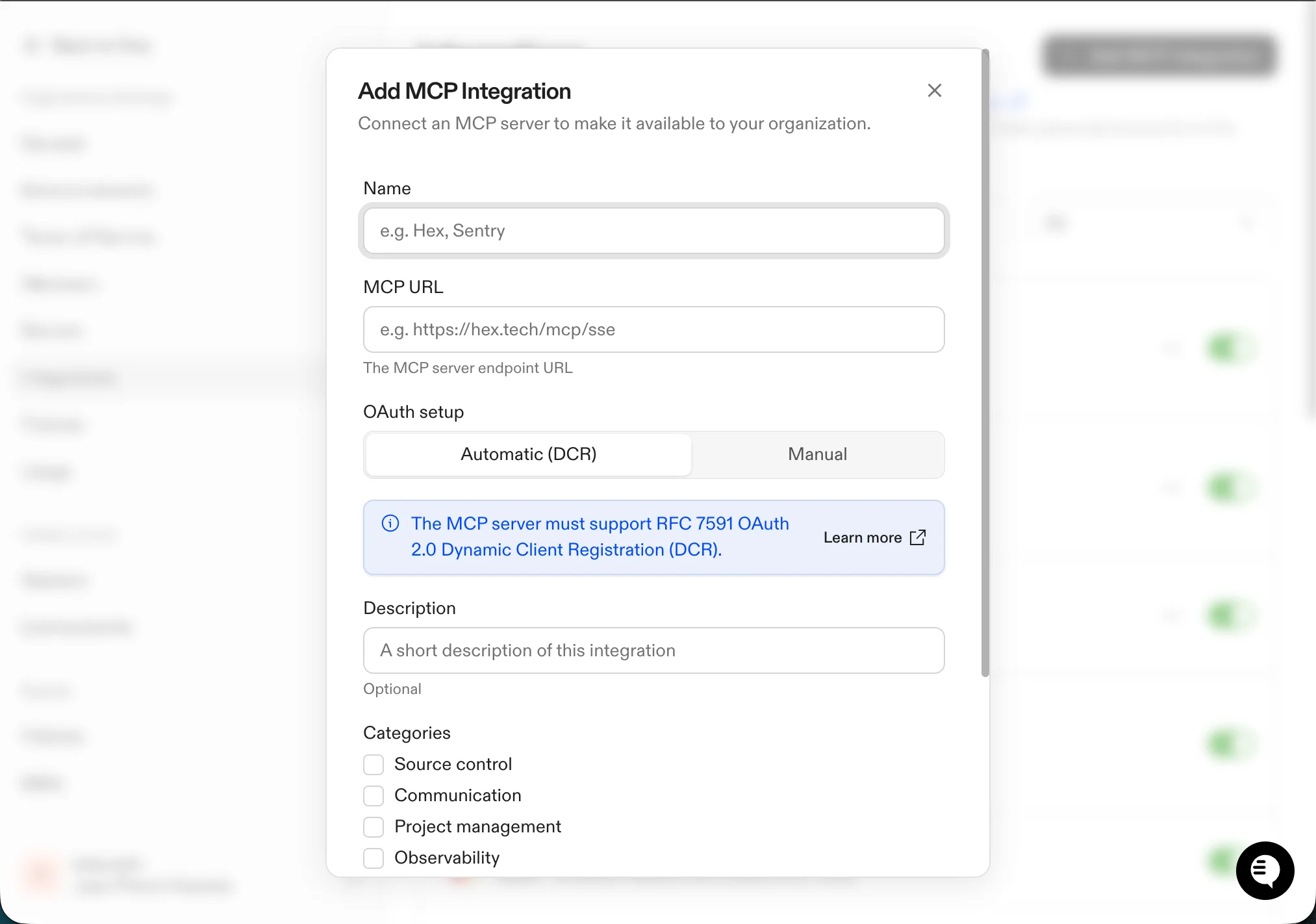
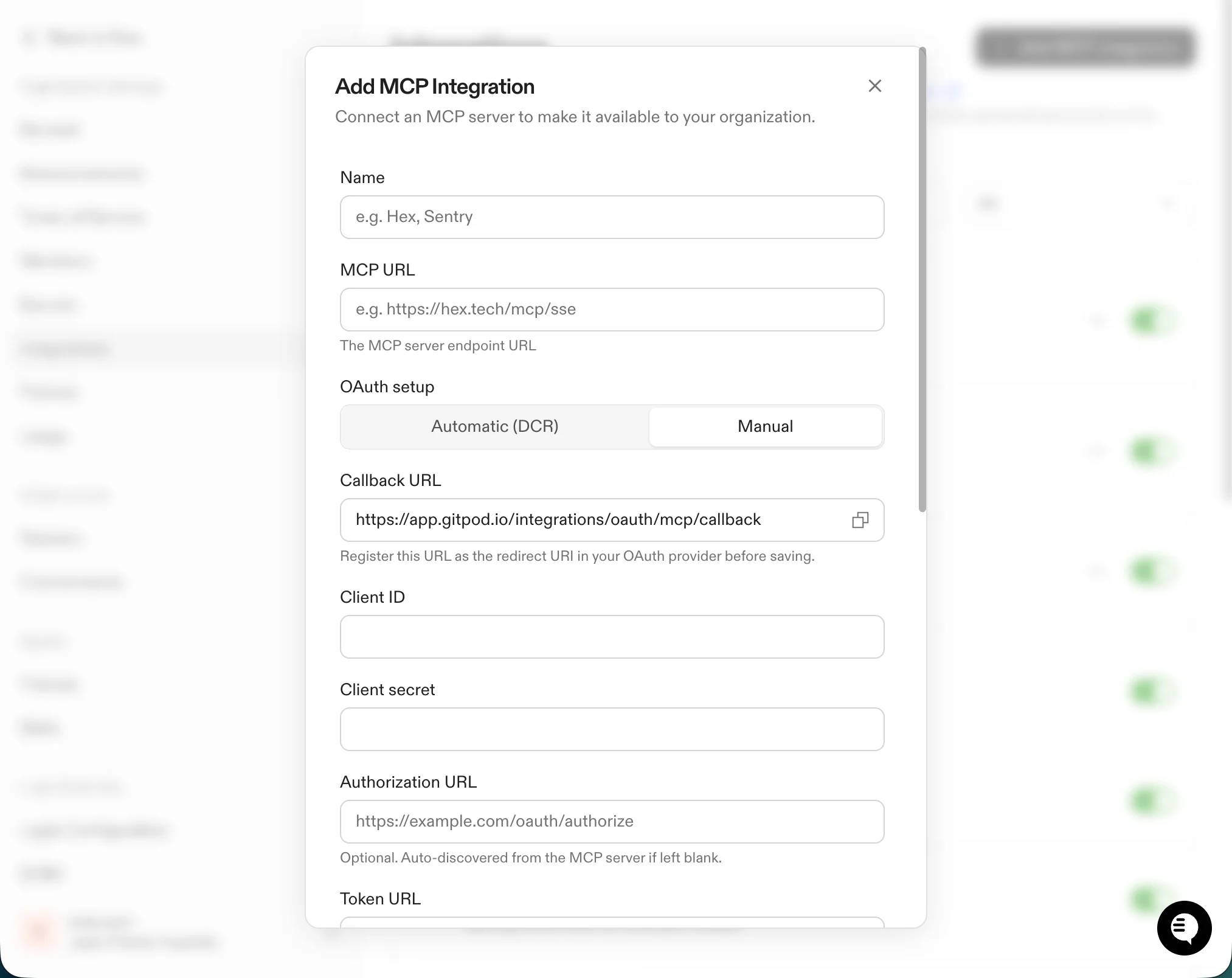
Manual
Use this when the MCP server does not support DCR. You register Ona with the OAuth provider yourself and provide the resulting credentials:- Callback URL: Copy this value and register it as the redirect URI in your OAuth provider before saving.
- Client ID: The client ID issued by your OAuth provider.
- Client secret: The client secret issued by your OAuth provider.
- Authorization URL (optional): The OAuth authorization endpoint. Auto-discovered from the MCP server’s RFC 8414 metadata if left blank.
- Token URL (optional): The OAuth token endpoint. Auto-discovered if left blank.
- Scopes (optional): OAuth scopes to request, separated by newlines, spaces, or commas. Auto-discovered when the authorization URL is left blank.
Add a custom integration
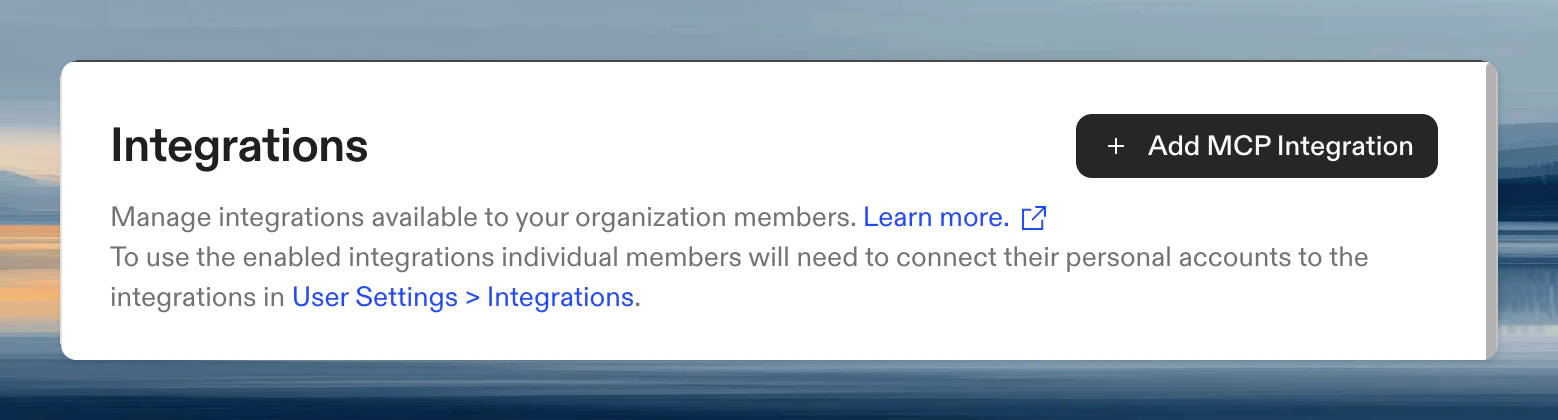
- Go to Settings > Integrations
- Click Add MCP Integration
- Enter:
- Name: Display name shown to members (for example,
Hex) - MCP URL: The MCP server endpoint (for example,
https://hex.tech/mcp/sse) - OAuth setup: Choose Automatic (DCR) or Manual (see OAuth setup above). Manual reveals additional credential fields.
- Description (optional): Short description shown on the integration card
- Name: Display name shown to members (for example,
- Click Create
Authenticate
Once enabled, each user connects their own account from User Settings > Integrations. Service accounts connect from the service account details page. Ona kicks off the OAuth flow so the agent acts with the selected user’s or service account’s permissions. For automatic integrations, Ona performs DCR against the MCP server on first use; for manual integrations, it uses the client credentials you provided.Repo-local MCP configuration
Create.ona/mcp-config.json in your repository:
Transport types
Each server uses either stdio or HTTP transport. Ona detects the transport from your config:- Set
commandfor stdio transport (runs a local process) - Set
urlfor HTTP transport (connects to a remote endpoint)
command and url.
Configuration options
Set
globalTimeout at the top level of the config to apply a default timeout to all servers.
Checking MCP server status
Click the MCP Integrations button in the session input to see server status. Each server shows whether it is connected, disabled, or experiencing errors.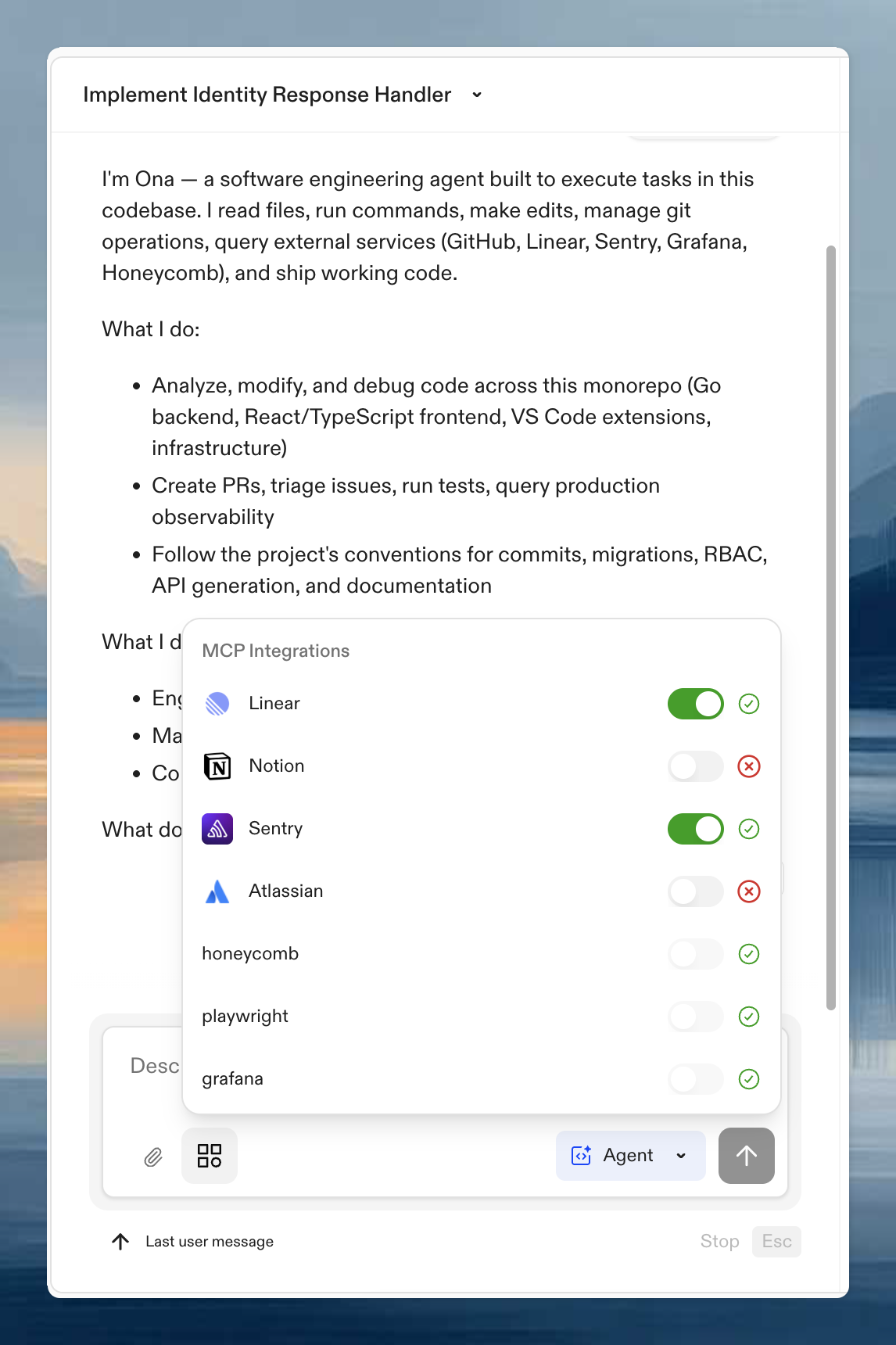
Examples
Stdio transport (local process)
@executeautomation/playwright-mcp-server runs as a local process vianpx:
HTTP transport (remote server)
Connect to an MCP server running over HTTP. Useurl instead of command:
headers supports ${exec:...} and ${file:...} expansion, like env. Inject tokens at runtime instead of committing secrets.
Credentials
Use Ona Secrets to inject credentials intoenv (stdio) or headers (HTTP):
headers:
- Environment variables:
${exec:printenv VAR_NAME} - Files:
${file:/path/to/secret} - External stores:
${exec:aws secretsmanager get-secret-value ...}
DevContainer requirements
MCP servers run inside your environment. The base image must include the tools they need (npx for Node-based servers, docker for container-based servers). If a server fails to start, verify the required runtime is in your Dev Container image.
Applying configuration changes
When MCP configuration changes take effect depends on where it is configured.Local config (.ona/mcp-config.json)
After creating or modifying the file:
- Save the file in your workspace
- Start a new agent execution: open a new Ona conversation, or wait for the current execution to finish and send a new message
Organization integrations (dashboard)
Codex refreshes organization MCP integrations before the next turn in an existing conversation. This includes authentication changes. After re-authenticating an integration, return to the conversation and send another message. You do not need to start a new conversation or rebuild the environment.Organization MCP toggle
Enabling or disabling MCP in Settings > Agents > Policies takes effect on the next agent execution.Organization controls
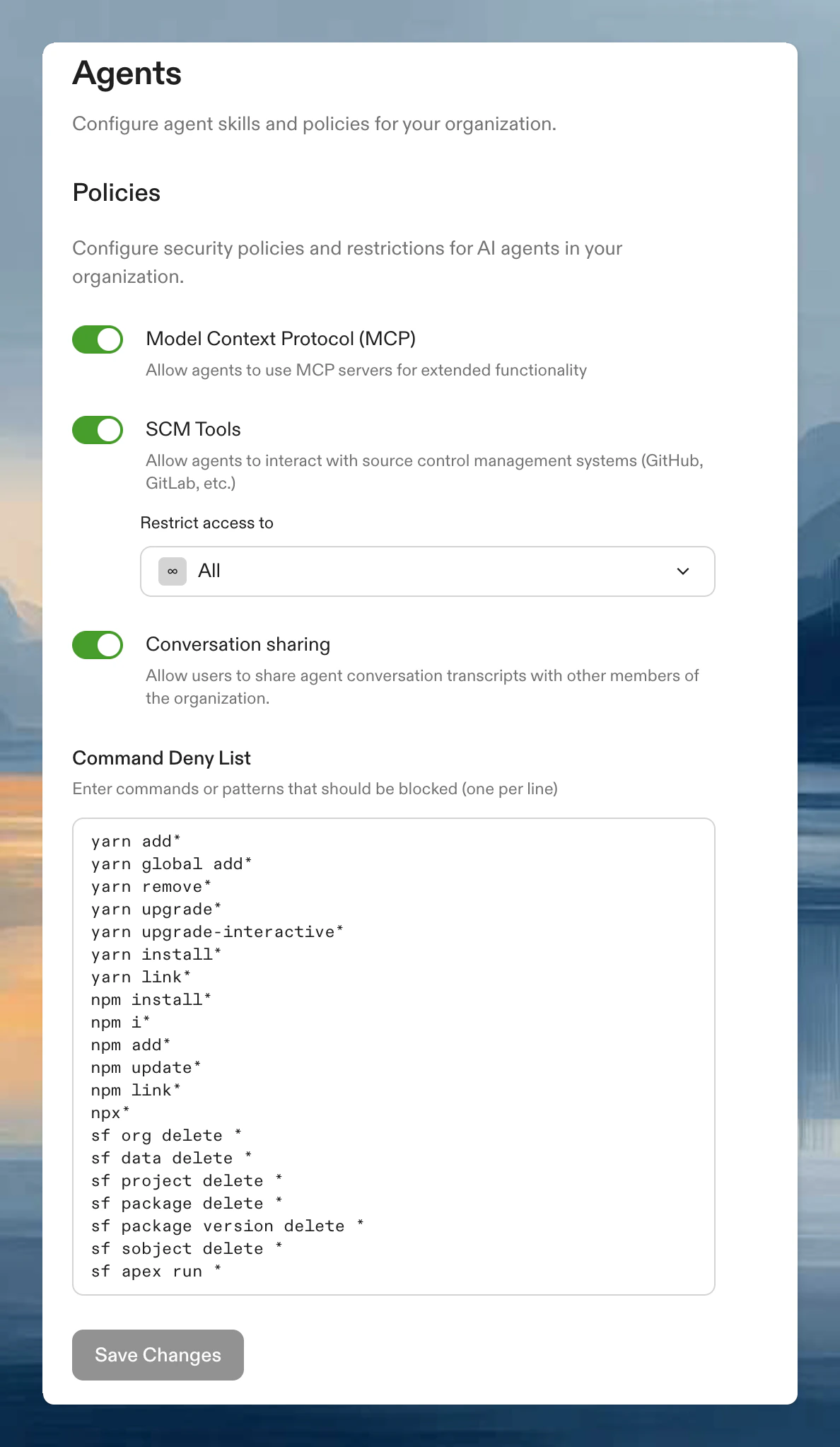
.ona/mcp-config.jsonfiles are ignored- Agent operates with built-in tools only
- External MCP connections are blocked
Troubleshooting
OAuth endpoint rejected
OAuth endpoint rejected
If authorization or token refresh reports that an endpoint must use public HTTPS, check the provider’s OAuth URLs, discovery metadata, and redirects. Ask the provider to correct HTTP or private endpoints. If stored OAuth URLs must change, delete and recreate the custom integration; OAuth configuration cannot be edited in place. For manual setup, register the new callback URL with the provider. Users and service accounts must connect again after recreation.
MCP tools not appearing
MCP tools not appearing
The agent may not list MCP tools when asked, but can still invoke them. Type
/support-bundle in your Ona session to verify servers are connecting.Configuration errors
Configuration errors
If your MCP configuration has syntax errors or invalid server definitions, the agent logs the error and skips the misconfigured server. Check the MCP Integrations panel in the conversation input for error details.