

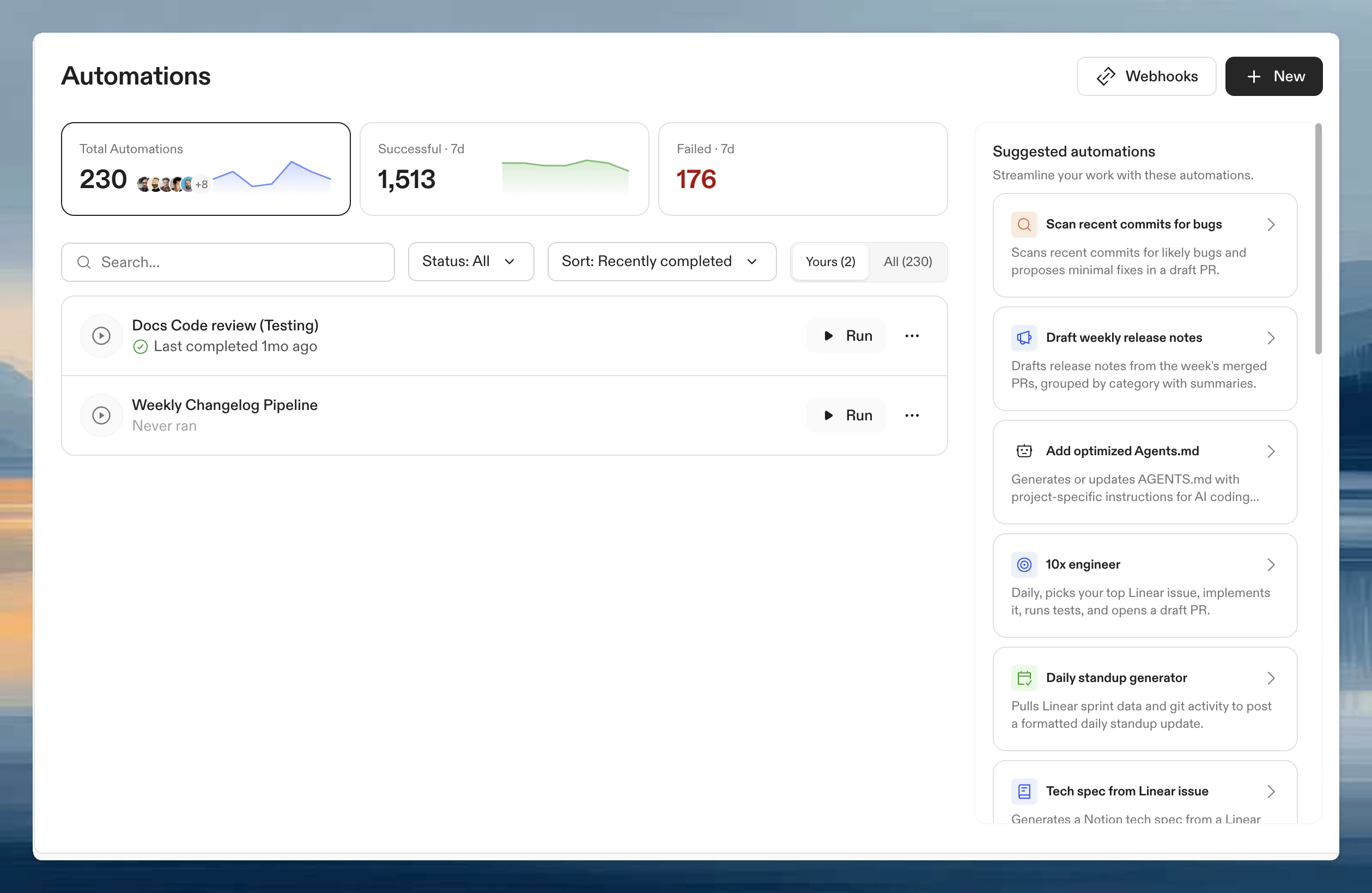
How Automations work
Every Automation follows a closed-loop workflow:- Trigger: run manually, on PR events, on a schedule, or via webhook.
- Execute: Ona clones, branches, installs, builds, tests, iterates, commits, pushes, and opens a PR. The same loop a human engineer runs, except Automations can do it across hundreds of repos in parallel.
- Review: inspect outputs, logs, and linked PRs. Approve and merge when satisfied.
devcontainer.json and .ona/config.yaml. Dependencies install, services start, tools are available. Not a minimal CI runner, but a full development environment.
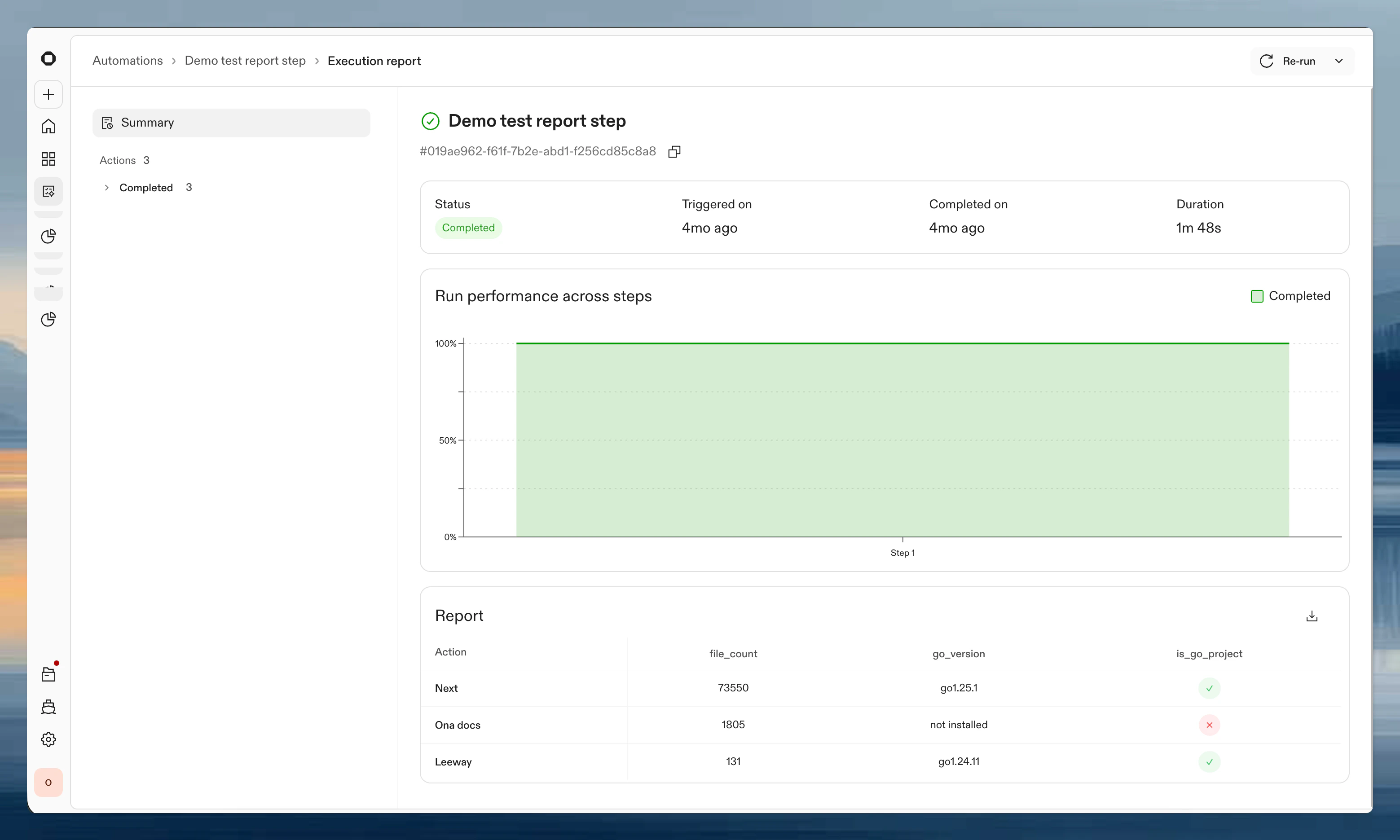
Runs in the cloud
Automations run in the background. Your laptop does not need to be on. Review results from your phone or iPad. On Ona Cloud, execution happens in Ona’s infrastructure. Enterprise customers can run Ona in their own network (AWS, GCP), giving Automations the same connectivity and context your engineers have: query databases, hit internal APIs, run the full test suite against staging without tunnels or exported secrets.Integrations
Ona has native integrations with Linear, Sentry, Notion, Granola, GitHub, GitLab, and Atlassian, giving Automations the same context and permissions your engineers have to read backlogs, triage issues, and open PRs. Any MCP server can be added as config-in-code via.ona/mcp-config.json in your repository.
Use cases
Get started with a template or build your own from scratch.Autonomous backlog picker
Runs daily. Picks your top Linear issue, implements it, runs tests, and opens a draft PR.
Use template →
Sentry error triage and fix
Triages new Sentry issues, traces them to source, applies fixes, and opens PRs.
Use template →
CVE remediation
Runs security scans, resolves CVEs, reruns until clean, and creates standardized PRs.
Use template →
Scan recent commits for bugs
Scans recent commits for likely bugs and proposes minimal fixes in a draft PR.
Use template →
Draft weekly release notes
Drafts release notes from the week’s merged PRs, grouped by category with summaries.
Use template →
Daily standup generator
Pulls Linear sprint data and git activity to post a formatted daily standup update.
Use template →
Access
Automations are available on Core and Enterprise plans with plan-based limits on the number of Automations, concurrent actions, and features like webhooks. Enterprise organizations require Ona Intelligence; you can query its usage with the Ona Intelligence usage API. Organization admins can share Automations with individual users and groups, allowing team members to run pre-built Automations without admin privileges.Related: Tasks and Services
Automations run across repositories at scale. For per-environment automation (database seeding, server startup, test commands), see Tasks and Services. Tasks and Services are configured in.ona/config.yaml and run within individual environments.
FAQ
How should I iterate on an Automation?
How should I iterate on an Automation?
Test on one or a few repositories first. Review results, adjust steps, then scale up gradually.
Projects vs repositories: when to use which?
Projects vs repositories: when to use which?
Projects: repetitive tasks on known repositories, pull request triggers.Repositories: large-scale migrations across thousands of repos, fine-grained selection.
Where should I install packages?
Where should I install packages?
Always in your Dev Container configuration. Packages are then available for all steps, pre-installed for faster runs.
How do I integrate with external systems?
How do I integrate with external systems?
Configure MCP integrations in Settings > Integrations. These are then available to your Automations.
Can I pause an Automation without deleting it?
Can I pause an Automation without deleting it?
Yes. Disable it from the three-dot menu in the list or the toggle on the details page. Disabled Automations retain their configuration and history but won’t start new runs. See Enable and disable.