

What you’ll do
Add a secret that your environments and agents can use. We’ll use a Linear API key as an example, but the process is the same for any credential.Choose a scope
Secrets can be configured at three levels:
For personal API keys like Linear, use User secrets.
Add a user secret
- Go to Settings > My Account > Secrets
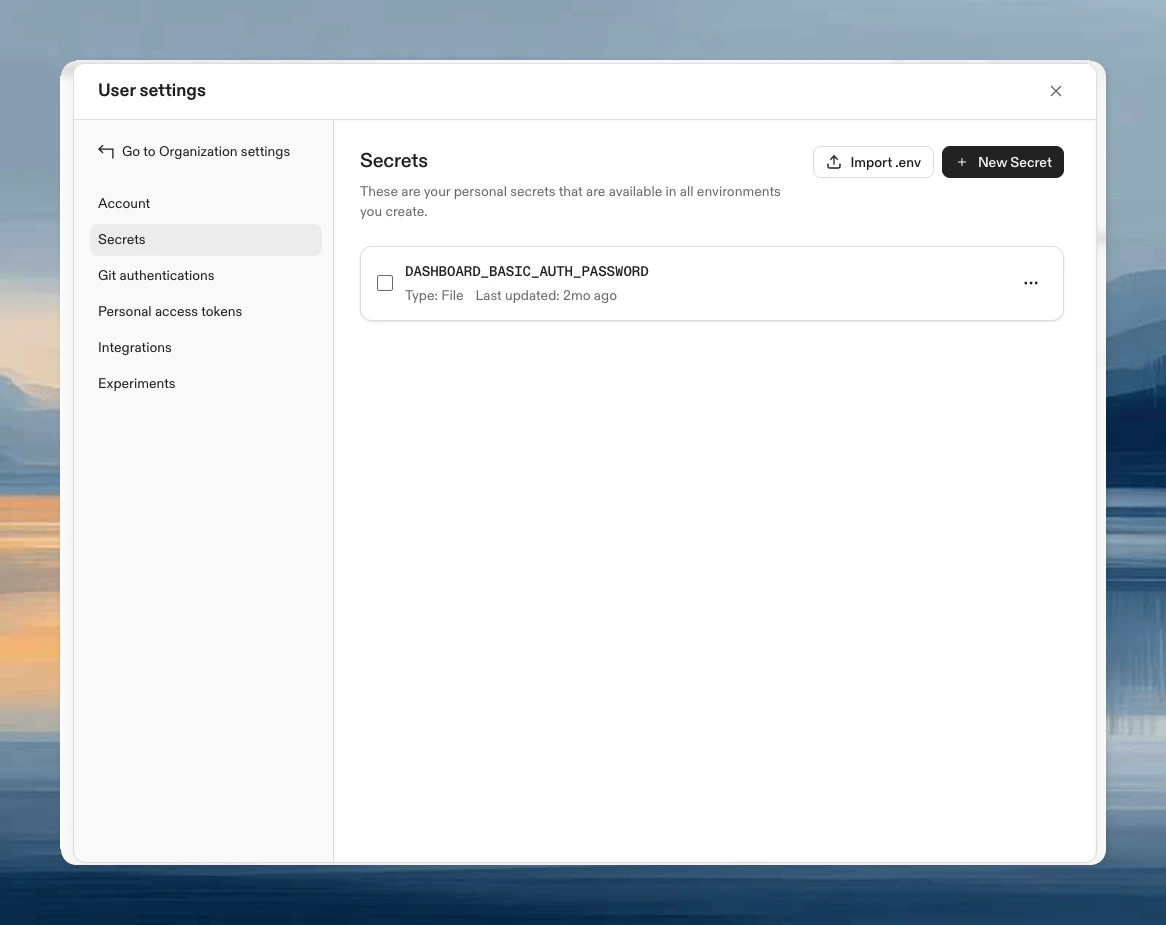
- Click New Secret
- Configure:
- Secret type: Environment variable
- Name:
LINEAR_API_KEY - Secret: Your Linear API key (from Linear Settings > API)
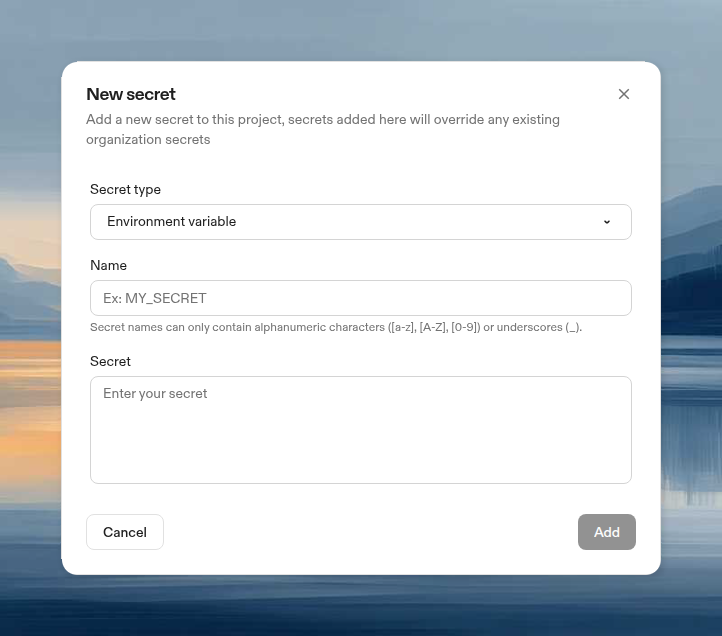
- Click Add
Security tradeoff: Environment variables can leak through process listings and logs. File secrets are more secure, but many tools (including MCP servers) expect credentials as environment variables. For API keys that can be rotated, this tradeoff is often acceptable. For passwords and private keys, prefer file secrets.
Import from a .env file
If you already have a.env file, you can import all its variables as secrets at once.
- Go to Settings > My Account > Secrets
- Click Import .env
- Drag and drop your
.envfile, or click browse to select it - Review the parsed variables. Duplicates of existing secrets are flagged and skipped
- Click Import
KEY=VALUE format, one variable per line. Comments and blank lines are ignored.
This works the same way on Project and Organization secret pages (Enterprise plan required for organization secrets).
Verify it works
Start an environment and check the secret is injected:Common secrets for agents
To use your ChatGPT plan with Codex, connect Codex in User Settings > Integrations instead of adding an API key as a secret.
Secret precedence
If the same secret name exists at multiple levels, user secrets override project secrets, which override organization secrets. This lets you use personal credentials while teams share defaults.Next steps
- Configure Linear to use your API key
- Learn about MCP servers that use secrets
- Secrets reference for all secret types