

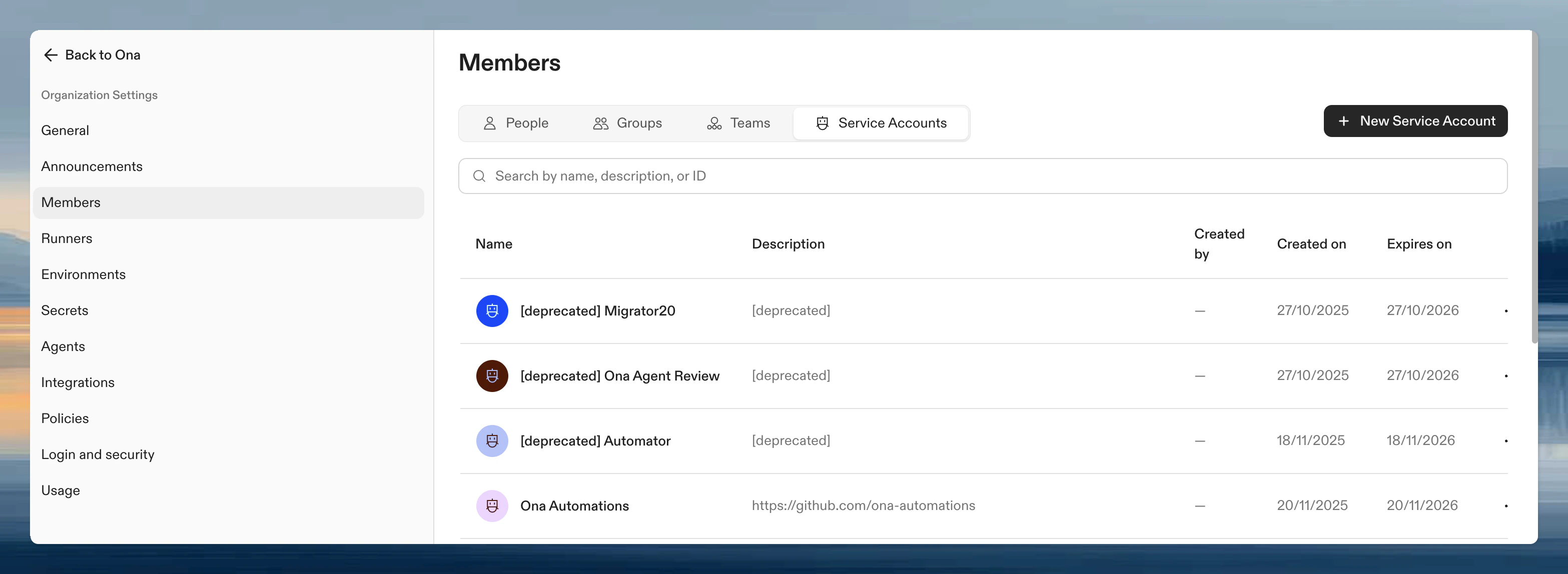
Create a service account
- Go to Settings → Members → Service Accounts
- Click Create New Service Account
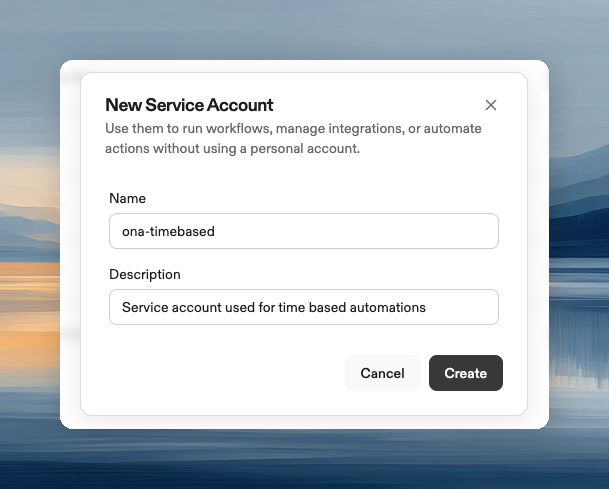
- Enter a name and optional description
- Click Create
Git authentication
Git authentication depends on the service account:- The system-managed Ona service account uses the Ona GitHub App for GitHub.com repositories. You do not need to add a Personal Access Token (PAT). The App can access only repositories included in the GitHub App installation.
- User-created service accounts need PAT authentication to clone repositories, commit changes, and create pull requests.
- GitLab service accounts need PAT authentication.
Add PAT authentication
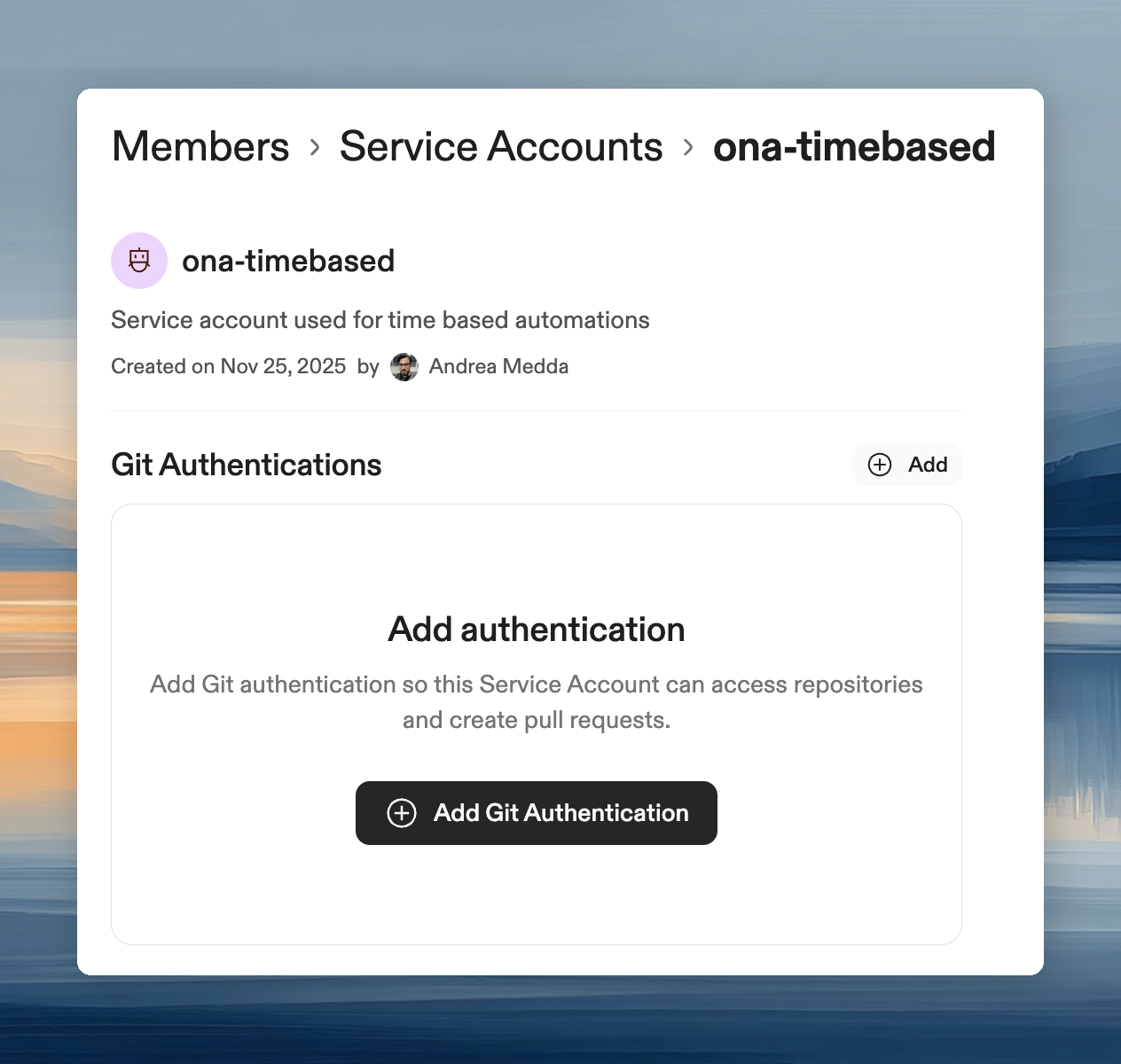
- Open the service account details page
- Click Add Git Authentication
- Select the environment class where the automation will execute
- Choose your Provider (GitHub or GitLab)
- Enter a Personal Access Token from your SCM
Create a personal access token
GitHub:- Go to Settings > Developer settings > Personal access tokens > Tokens (classic)
- Click Generate new token
- Select scopes:
repo,read:user,user:email,workflow - Copy the token
- Go to Preferences > Access Tokens
- Enter a name and expiration date
- Select scopes:
api,read_repository,write_repository - Click Create personal access token
- Copy the token
Commit attribution
When a service account uses a PAT to commit changes, the Git author email is determined by the account that owns the PAT. This affects how commits appear in your repository history and audit logs.- GitHub: The PAT owner’s primary email address is used for commit attribution
- GitLab: The PAT owner’s email address is used, but email verification policies may apply (see below)
Platform-specific considerations
GitLab email verification limitation
Many organizations enforce policies requiring all Git commits to use verified company domain emails (e.g.,@company.com) for security and audit compliance. GitLab’s native service accounts have a limitation that prevents this:
- GitLab service accounts can have custom email addresses assigned via API
- However, these emails remain in an unconfirmed state and cannot be verified
- Service accounts cannot sign in to the GitLab UI to complete email verification
- Even with a verified domain configured in GitLab, service account emails are not automatically confirmed
- Create a dedicated real GitLab user account (e.g.,
automation-bot@company.com) - Verify the email address by signing in and completing verification
- Generate a Personal Access Token from this dedicated user account
- Use this PAT when configuring Git authentication for your Ona service account
GitHub
GitHub does not have the same email verification restrictions for automated commits. Personal Access Tokens work with any GitHub account type, including machine users and bot accounts. The system-managed Ona service account uses the Ona GitHub App instead of a PAT.Tool integrations
Service accounts can connect organization-enabled integrations separately from users. Use this for automations that need access to tools such as issue trackers, docs, observability systems, or Codex.- Open the service account details page
- Go to the Integrations section
- Find the integration
- Click Connect
- Complete the provider authorization flow
Tokens
Service Account Tokens (SATs) are long-lived credentials for authenticating with the Ona API. Use them for automations, external scripts, or any programmatic access that needs to act as the service account. Tokens can be created with a validity of 30 days, 60 days, 90 days, 1 year, or no expiry. Only organization admins can create tokens on behalf of a service account.SATs can be used to start automations and perform read operations (GET/LIST) on the API. For additional use cases, contact the Ona team.
Create a token
- Open the service account details page
- Go to the Tokens section
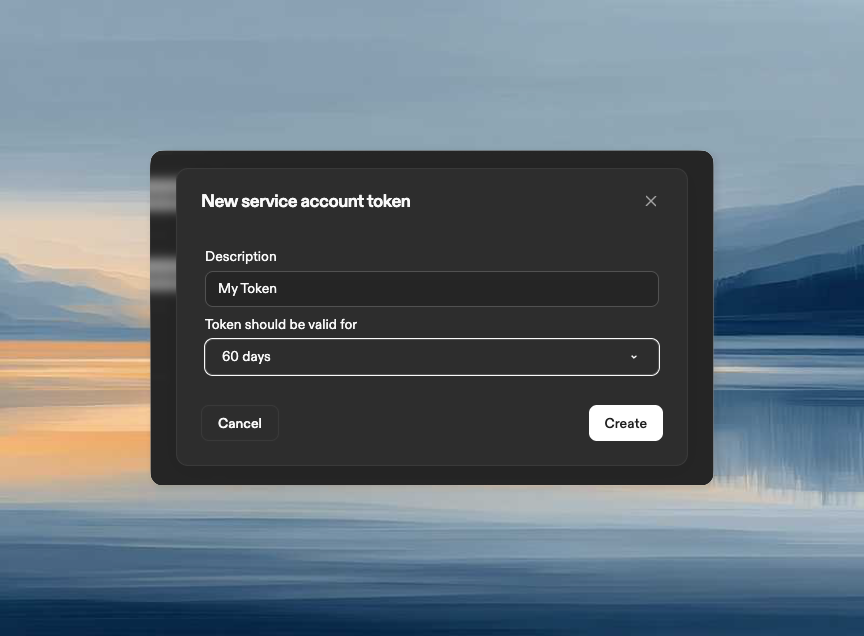
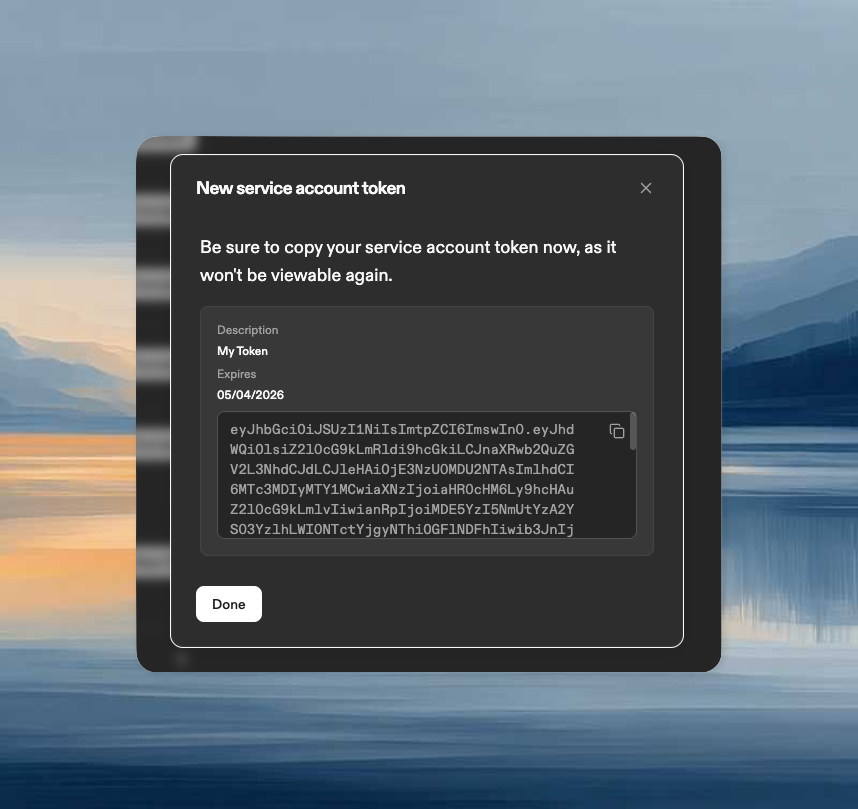
- Click New Token
- Enter a description and select a validity period (30 days, 60 days, 90 days, 1 year, or no expiry)
- Click Create
- Copy the token immediately. It won’t be shown again
Use a token
Include the token in API requests as a Bearer token:Revoke a token
To revoke a token:- Open the service account details page
- Go to the Tokens section
- Click the delete icon next to the token
- Confirm deletion
Secrets
Service accounts can have secrets attached. Secrets are injected into environments based on identity. When an environment runs as a service account, that service account’s secrets are available. This works the same way as user secrets. Organization and project secrets are also available, following the standard precedence rules.Create a secret
- Open the service account details page
- Go to the Secrets section
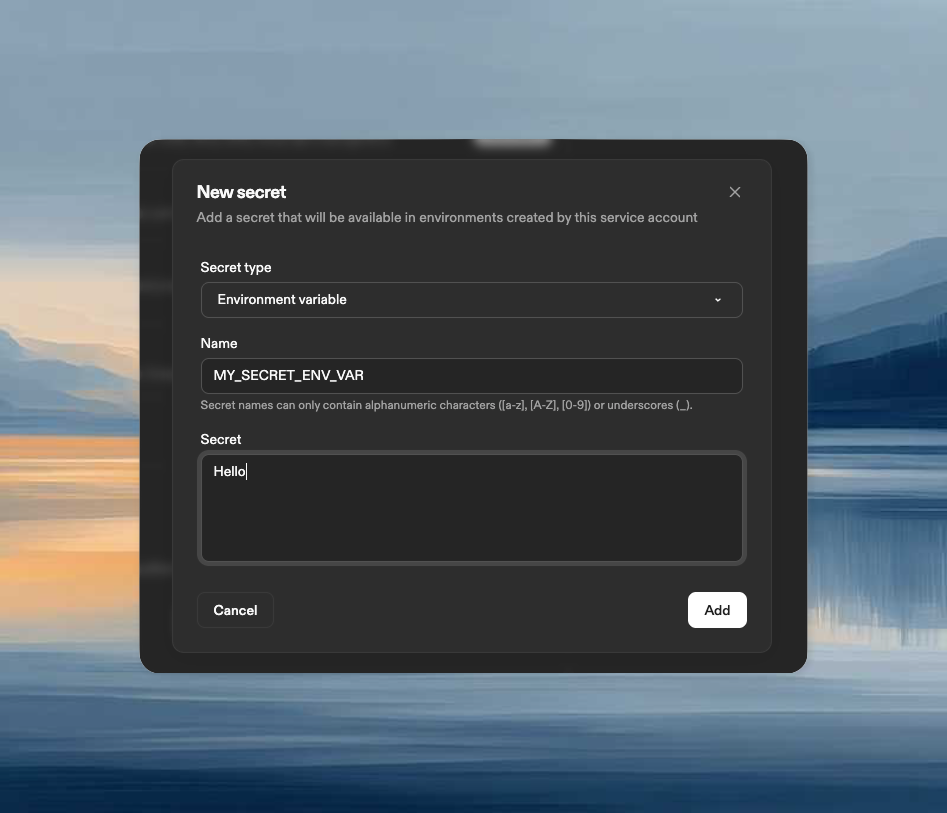
- Click New Secret
- Select the secret type:
- Environment Variable: injected as an environment variable
- File: mounted at a specified path
- Container Registry: credentials for private registries
- Enter the secret details and click Create
Using service accounts in automations
Use service accounts for shared or long-running workflows: scheduled jobs, pull request triggers, and automations that should outlive any single team member. Organization Admins can select active customer-managed service accounts or the built-in Ona service account as Automation executors. Automations Admins also need Can use access to the selected service account; the Automations Admin role alone is not sufficient. Other system-managed service accounts cannot be selected for customer-configured Automations. Other users can run Automations only as themselves. When creating or editing an automation:- Select the service account in Run as
- Confirm its Git authentication is configured
- Verify the service account can access the target repositories
Delete a service account
- Navigate to Settings → Members → Service Accounts
- Click on the service account name
- Click Delete Service Account
- Confirm deletion
Next steps
- Create an Automation using a service account
- Configure Pull Request Triggers for event-driven automation
- Set up Time-based Triggers for scheduled jobs