
Available on the Enterprise plan. Contact sales to learn more.
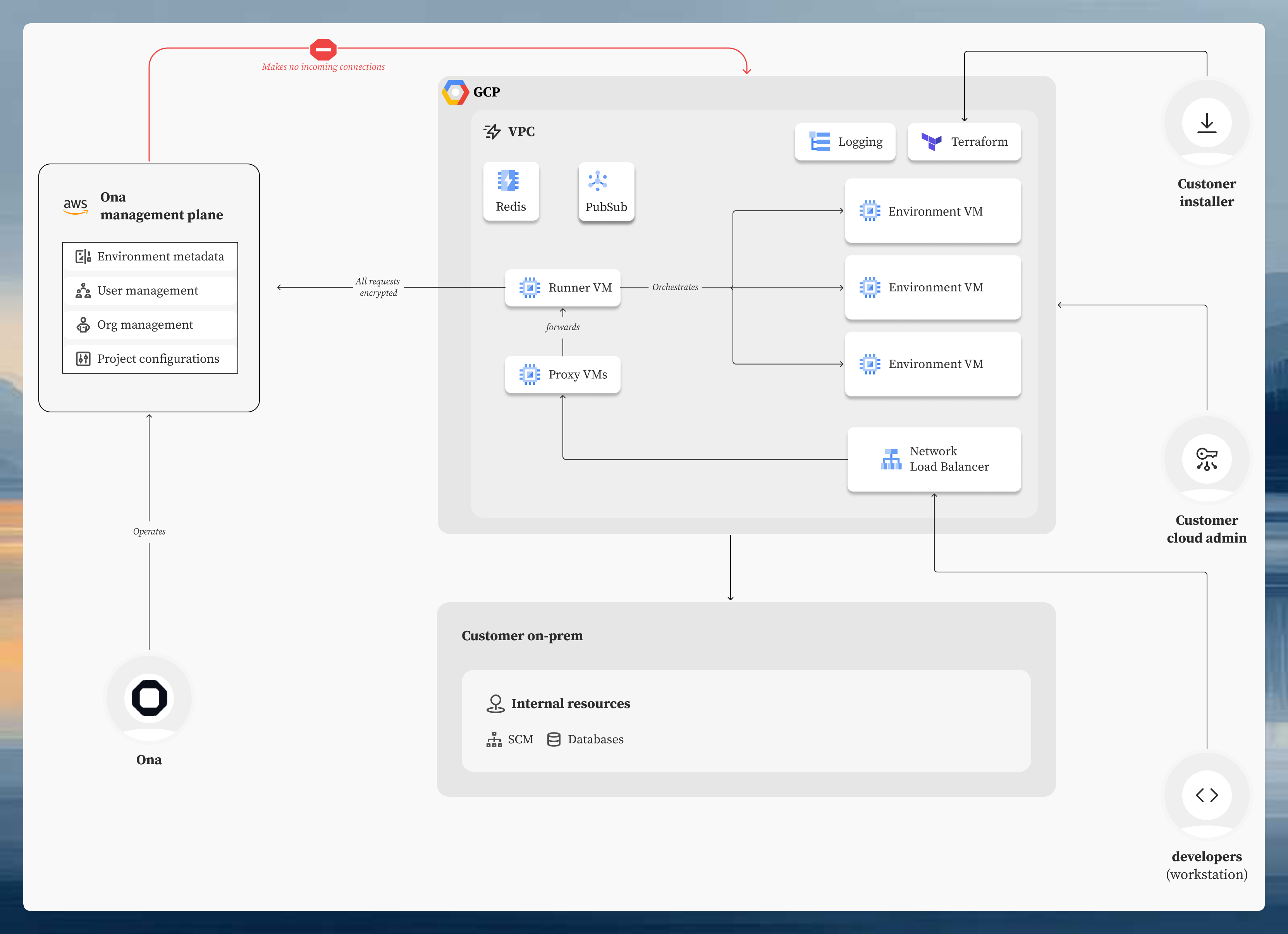
GCP Runners deploy Ona’s runner infrastructure inside your own Google Cloud VPC. Development environments run as Compute Engine instances in your project. Source code and credentials never leave your infrastructure. Architecture diagram showing GCP Runner components including runner service, load balancer, and environment VMs in your VPC

Architecture

A GCP Runner consists of:
  • Runner orchestrator: a containerized service running on Compute Engine that manages environment lifecycle
  • Environment VMs: Compute Engine instances automatically sized based on your environment class configuration
  • Load balancer: routes traffic to environments, available as external or internal
  • Supporting services: Memorystore Redis for state, Cloud Storage for build cache, Artifact Registry for container images

Getting started

The runner is deployed using a Terraform module that provisions and configures all components. The Setup guide walks you through the process step by step, from creating the runner in the Ona dashboard to verifying it’s online. Before deploying, you may want to review the reference architectures to choose between external and internal load balancer modes based on your network requirements.
SetupStep-by-step deployment with Terraform
Reference architecturesExternal vs internal load balancer modes, networking, and certificate requirements
Access requirementsIAM permissions, network connectivity, GCP APIs, and image access
Private GAR imagesUse private Google Artifact Registry images in Dev Containers
Costs & budgetingInfrastructure costs and optimization strategies
Updating a runnerTerraform infrastructure upgrades and release notifications
Alerts & dashboardsPre-built Grafana alerts and monitoring dashboards
TroubleshootingCommon problems and diagnostic steps