

Available for Enterprise organizations where OpenAI model routing is enabled. Contact sales to learn more.
Prerequisites
- Your organization has OpenAI model routing enabled.
- You have an enterprise runner configured in Ona.
- The runner can reach your OpenAI or OpenAI-compatible endpoint over HTTPS.
- You have an OpenAI API key or the credentials required by your OpenAI-compatible endpoint.
Add the integration with the UI
- Go to the Runners settings page.
- Select the runner where you want to configure the OpenAI direct API.
- Scroll to LLM Providers.
- Click Configure.
- Select OpenAI.
- Use
https://api.openai.com/v1for direct OpenAI, or enter your OpenAI-compatible endpoint. - Paste the API key into API Key.
- Click Create Integration.
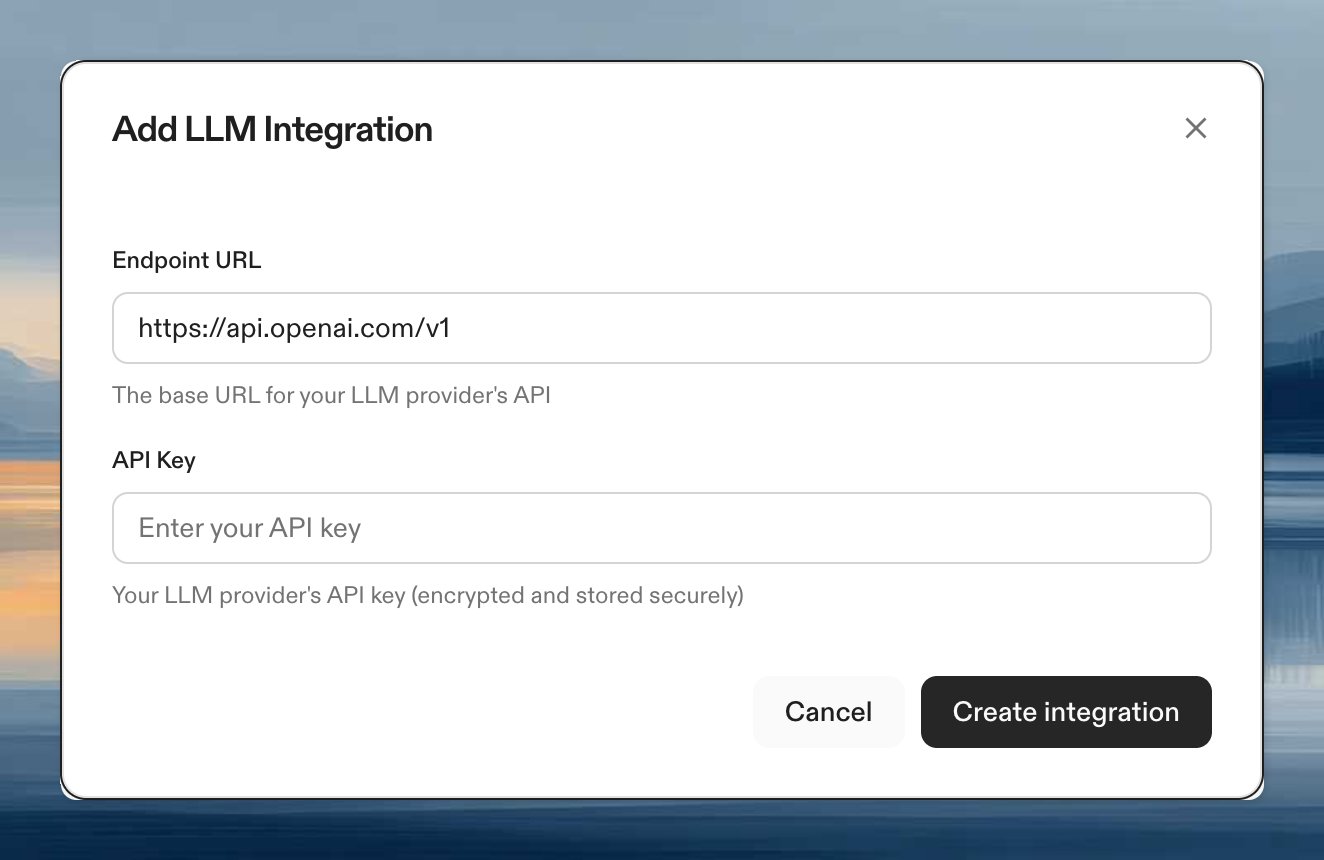
Add the integration with the CLI
https://api.openai.com/v1 with your endpoint URL. The URL may include a provider-specific path prefix and may end in /v1, /v1/responses, or /v1/chat/completions.
Ona preserves the prefix and completes requests to the required OpenAI API route.
To verify the integration:
Add custom request headers
Add custom request headers when your OpenAI-compatible gateway needs a routing value or details about the person who started the environment. For example, you can send a tenant name, email address, or employee ID with each model request. Choose the header type based on the value you need:- Fixed value: Sends the same value for every request.
- User-specific value: Builds the value from signed details about the environment creator when a Codex conversation starts.
Send a fixed value
To add a literal header:literal is the default type, so --type literal is optional.
Send a user-specific value
The following example reads an employee ID supplied by your identity provider:env_id_claims. Common fields include creator_id, creator_email, and creator_idp_claims. See environment token claims for the full list.
User-specific values apply to Codex Agent conversations. Other agents send fixed headers but do not evaluate CEL expressions.
Review or remove headers
List the configured names and effective types:Verify the integration
- Create a new environment with the configured runner.
- Start an agent that uses OpenAI model routing.
- Confirm that the agent can answer a simple code question.
Troubleshooting
OpenAI is not shown
OpenAI is not shown
The OpenAI direct API integration is available only when OpenAI model routing is enabled for your organization. Contact your account manager if you expect this option to be available.
Authentication fails
Authentication fails
Verify that the API key is active and has access to the OpenAI endpoint you configured. If you use an OpenAI-compatible endpoint, confirm that the endpoint expects the same bearer-token authentication format.
Requests do not reach a custom endpoint
Requests do not reach a custom endpoint
Confirm that the runner can reach the endpoint over HTTPS. If the runner is in a private network, check outbound routing, firewall rules, and any proxy configuration required by your network.