
Requires Enterprise plan. Contact sales for access.
Organization secrets provide company-wide defaults - shared credentials, API keys, and configuration available to everyone in your organization. They’re ideal for shared service accounts and company-wide integrations. Organization secrets have the lowest precedence. Project secrets and user secrets with the same name will override them, allowing teams and individuals to customize as needed.

Manage organization secrets

Navigate to Settings → Organization → Secrets.
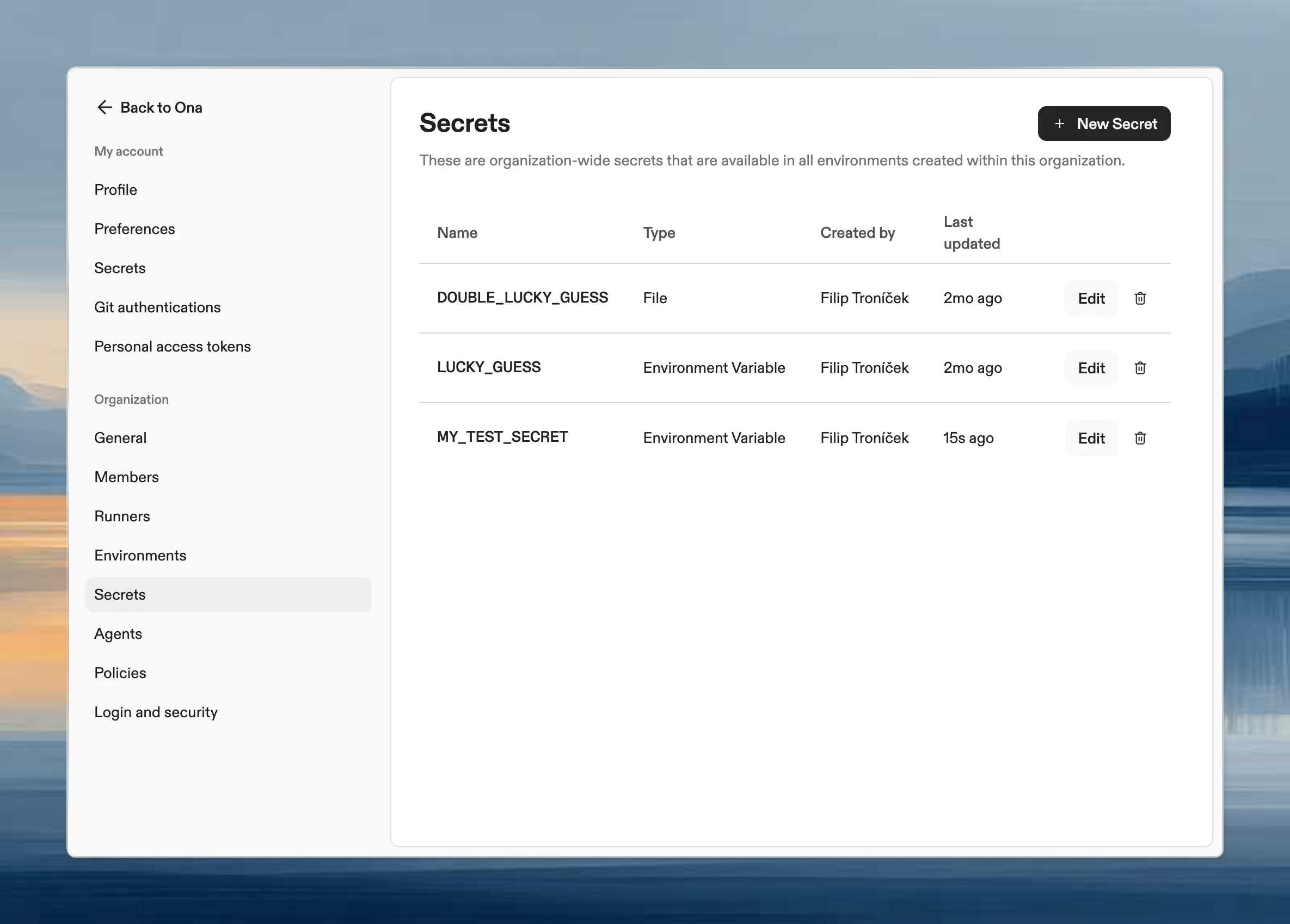
Organization secrets settings page showing list of company-wide secrets with type and name columns
From here you can create, edit, and delete secrets. Each secret can be an environment variable, file, or container registry credential.

When to use organization secrets

  • Company-wide service accounts: Shared database credentials, monitoring API keys
  • Default configuration: Standard environment variables everyone needs
  • Container registry access: Private images used across multiple projects
For project-specific credentials, use project secrets. For personal credentials, use user secrets.

Precedence example

If API_KEY exists at all three levels:
  1. User secret value is used (highest)
  2. Falls back to project secret
  3. Falls back to organization secret (lowest)
This lets you set organization defaults while allowing projects and users to override when needed.