

AWS pricing varies by region. Check AWS pricing for current rates.
Billable resources
Base snapshot costs
For eligible Enterprise AWS runners, Ona maintains base snapshots to reduce environment startup time.- Ona meters each initial build, daily refresh, retry, and replacement as normal environment usage while its background environment runs.
- AWS bills the EC2 instance and EBS volume used during each build as part of your cloud bill.
- AWS bills EBS snapshot storage. Ona does not meter snapshot storage separately.
Baseline costs
- ECS task: Less than $8/month (covered by AWS free tier), fixed regardless of environment count
- Other services (DynamoDB, S3, CloudWatch): Less than 1% of runner cost
Viewing costs in AWS Cost Explorer
Runner costs
- Open AWS Cost Explorer
- Group by Usage Type
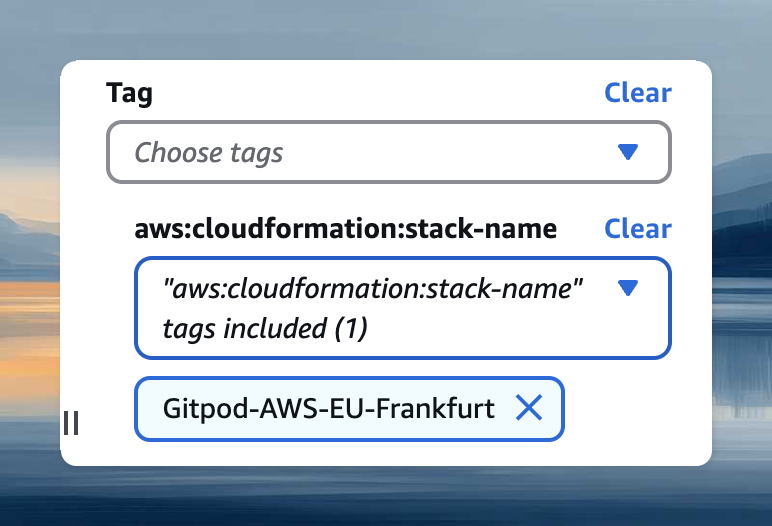
- Filter by CloudFormation stack name (find it at Settings → Runners):
- Tag:
aws:cloudformation:stack-name - Or:
aws:ecs:clusterName
- Tag:
Environment costs
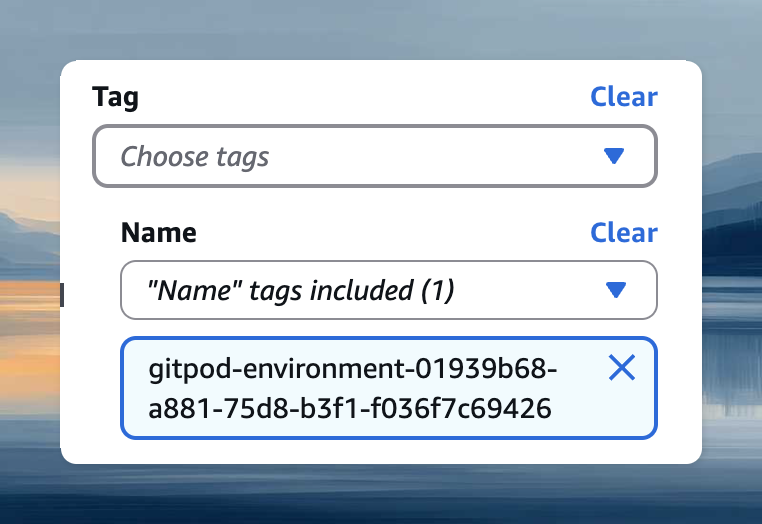
Filter by environment ID using the Name tag with valuegitpod-environment-<ID>. Find the ID via Copy ID in environment details.
EC2 instance tagging
EC2 instances inherit tags from the CloudFormation template for cost allocation and access control. Add tags:- Open your runner’s CloudFormation stack
- Select Update → Use current template
- Add tags in format
Key=Value - Complete the update
Tag changes don’t apply to the running ECS task immediately. Force a new deployment: ECS → Clusters → your cluster → Service → Update → Force new deployment.